OSD Setup Manual
47
Alarm Out
This item allows users to enable/ disable the alarm output on the selected channel
to activate the relay. The signal can be a light or siren to caution an alarm event.
Select <ON> to enable the alarm output, or <OFF> to disable.
Copy Event Settings
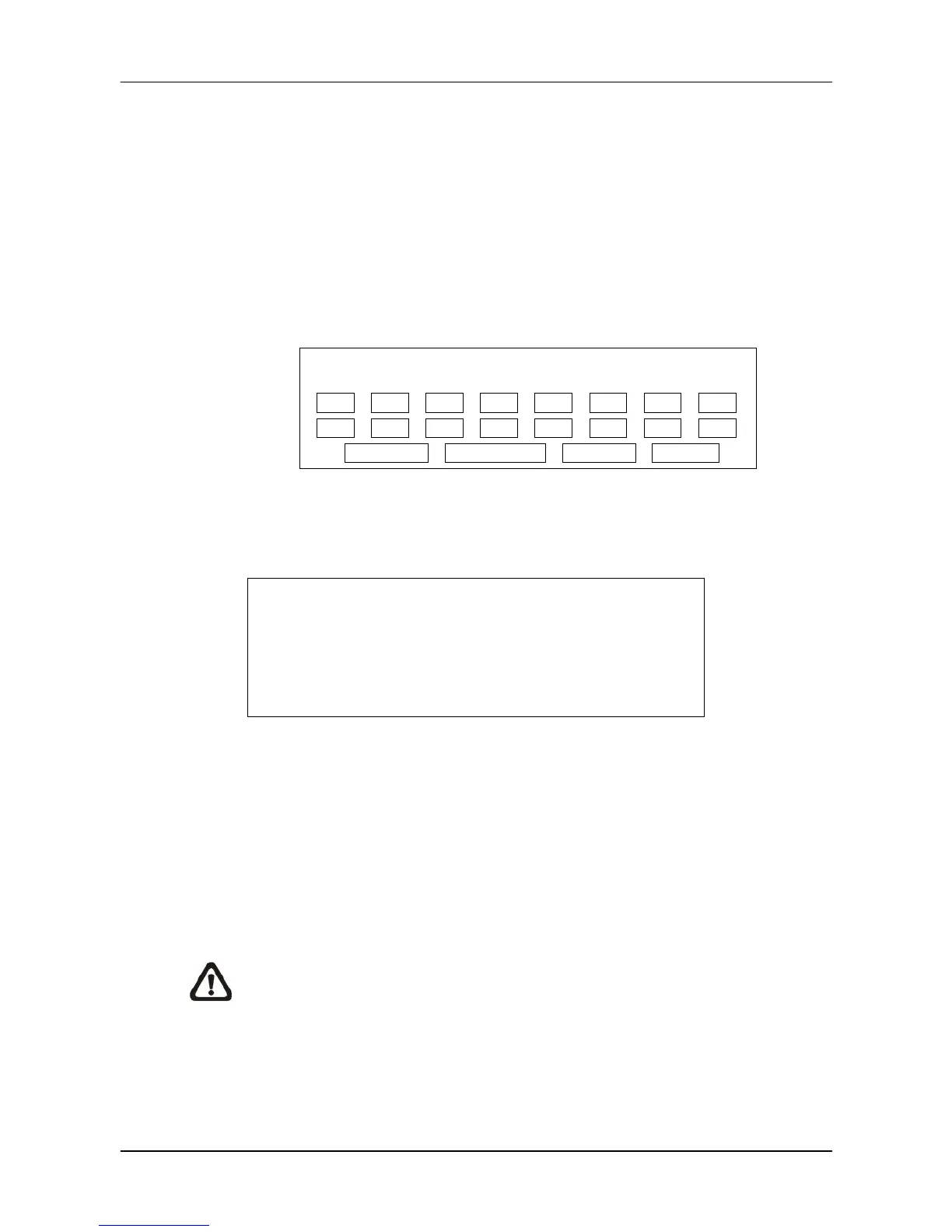
This item allows users to copy the event settings of the current selected analog
camera to any other connected analog cameras. Enter this menu and select one or
more target analog cameras. Then select <Confirm> to apply the settings.
Copy Event Settings
COPY TO:
01
Select All Deselect All Confirm Cancel
< E-mail Management >
There can be three sets of e-mails defined in this menu for receiving event/alarm notices.
E-mail Management
E-mail Select
E-mail Activate
E-mail Address
E-mail Video Attachment
Event/Alarm Selection
SMTP Server Setup
1
Off
Off
E-mail Select
Select a number to setup its e-mail related settings.
E-mail Activate
This item enables (On) / disables (Off) the e-mail notification of events/alarms.
When an event/alarm is triggered and <E-mail Activate> is enabled, an e-mail
regarding the event/alarm will be sent to the pre-defined e-mail address.
NOTE: In order to send an event notification e-mail successfully, be sure
that the DVR is connecting to the internet.



 To Next Page