User’s Manual
31
5.2.6 Setup the VDS Site Manually
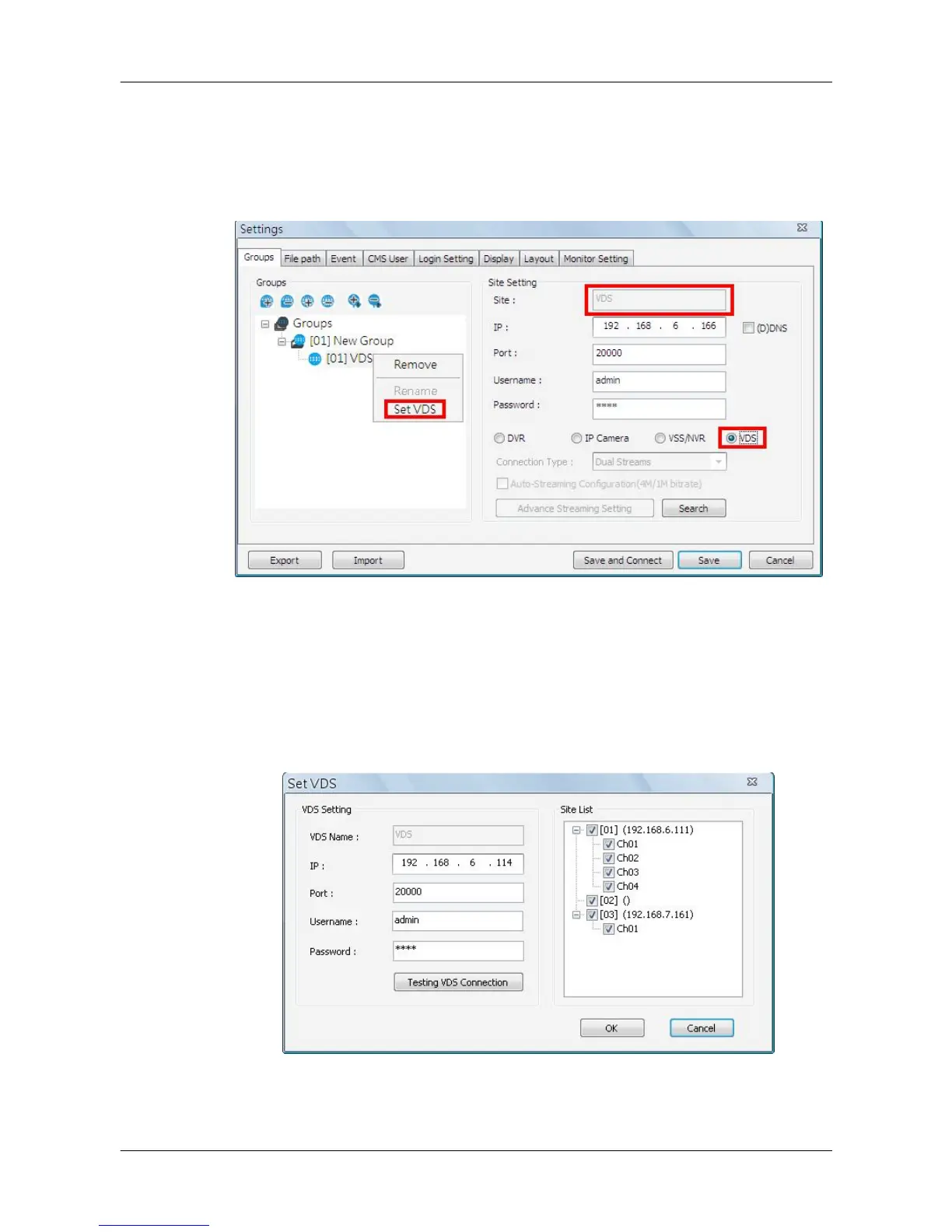
If users want to add a VDS site, it has to be the only site in the group. Select
<VDS> as circled below. The site name will be automatically changed to
“VDS” and it cannot be renamed.
A setup window will be popped up as below. Input the IP, port, username, and
password of VDS. Then click on <Testing VDS Connection> to test if the
connection to VDS is successful. The testing result will be displayed on the
right. Note that “()” next to site 2 of VDS means site 2 is not connected by
VDS. Users can check or uncheck in front of the sites to select whether to
display their videos. Click <OK> to confirm and save the setting.



 To Next Page