User’s Manual
22
Add Multiple Sites
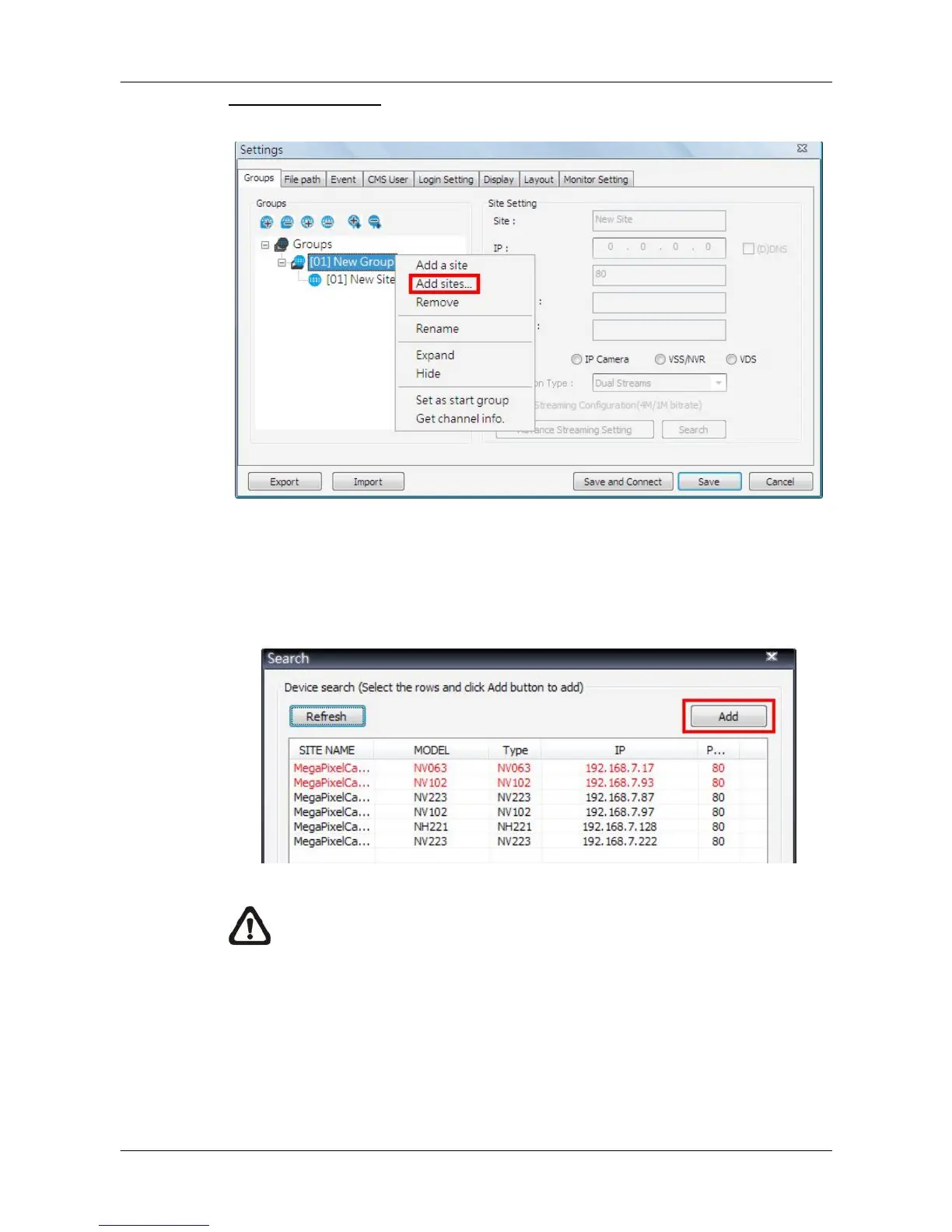
Right click on a group, and select <Add sites…> to add multiple sites at once.
Then a device search window will be displayed as below. Press and hold Ctrl
key to select more than one site. After sites are selected, click <Add> to add
the selected sites. Please jump to relative sections coming after to complete
site setup.
NOTE: The sites that are already added in this group will be shown in
Red in the device search window.



 To Next Page