User’s Manual
20
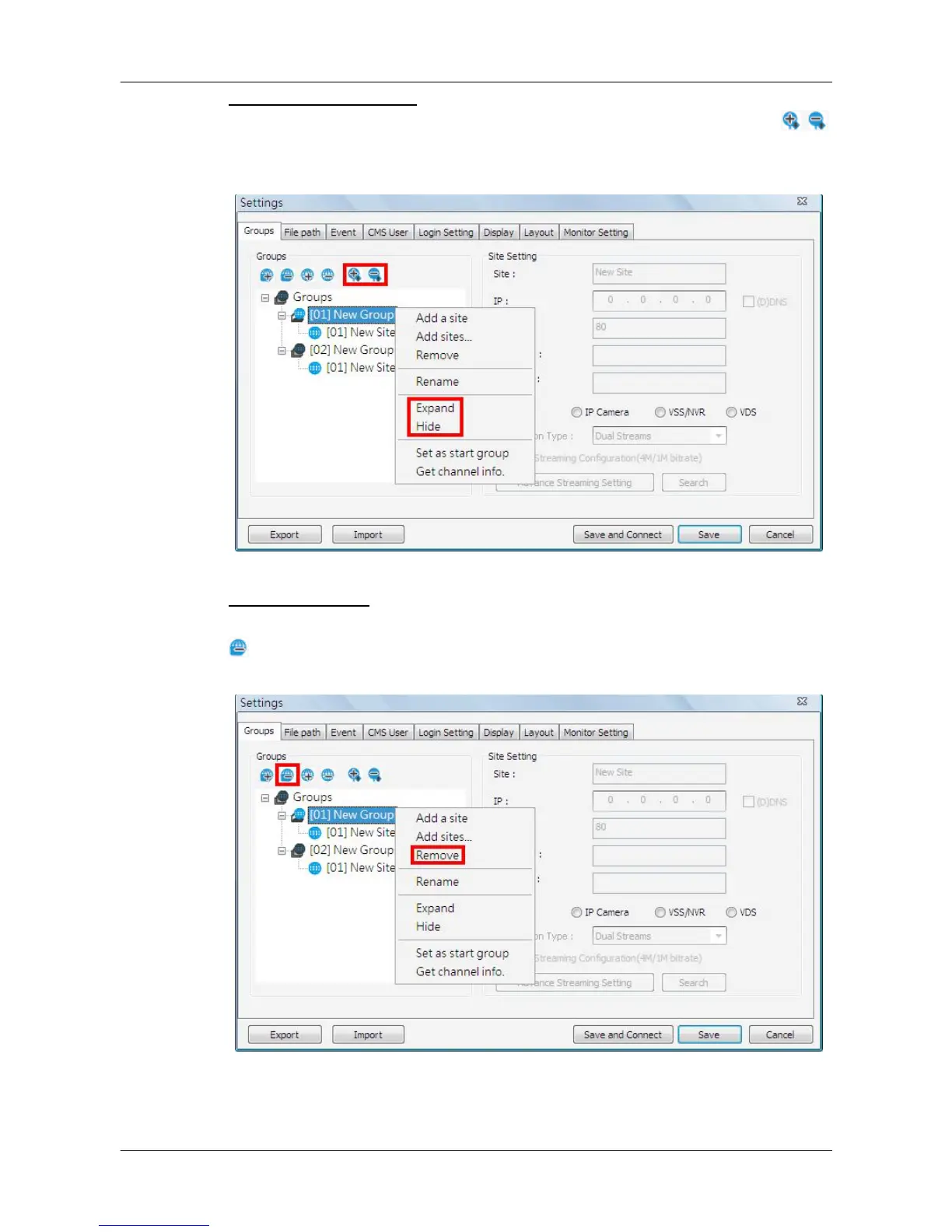
Expand / Hide a Group
There are two ways to expand or hide a group. One way is to use the
buttons; the other way is to right click on the group and select <Expand> or
<Hide> from the pull-down menu.
Remove a Group
To remove a group, click on the group to be removed, and then click on the
button directly to remove the group. The other way to remove a group is to
choose <Remove> after right clicked the group.



 To Next Page