User’s Manual
41
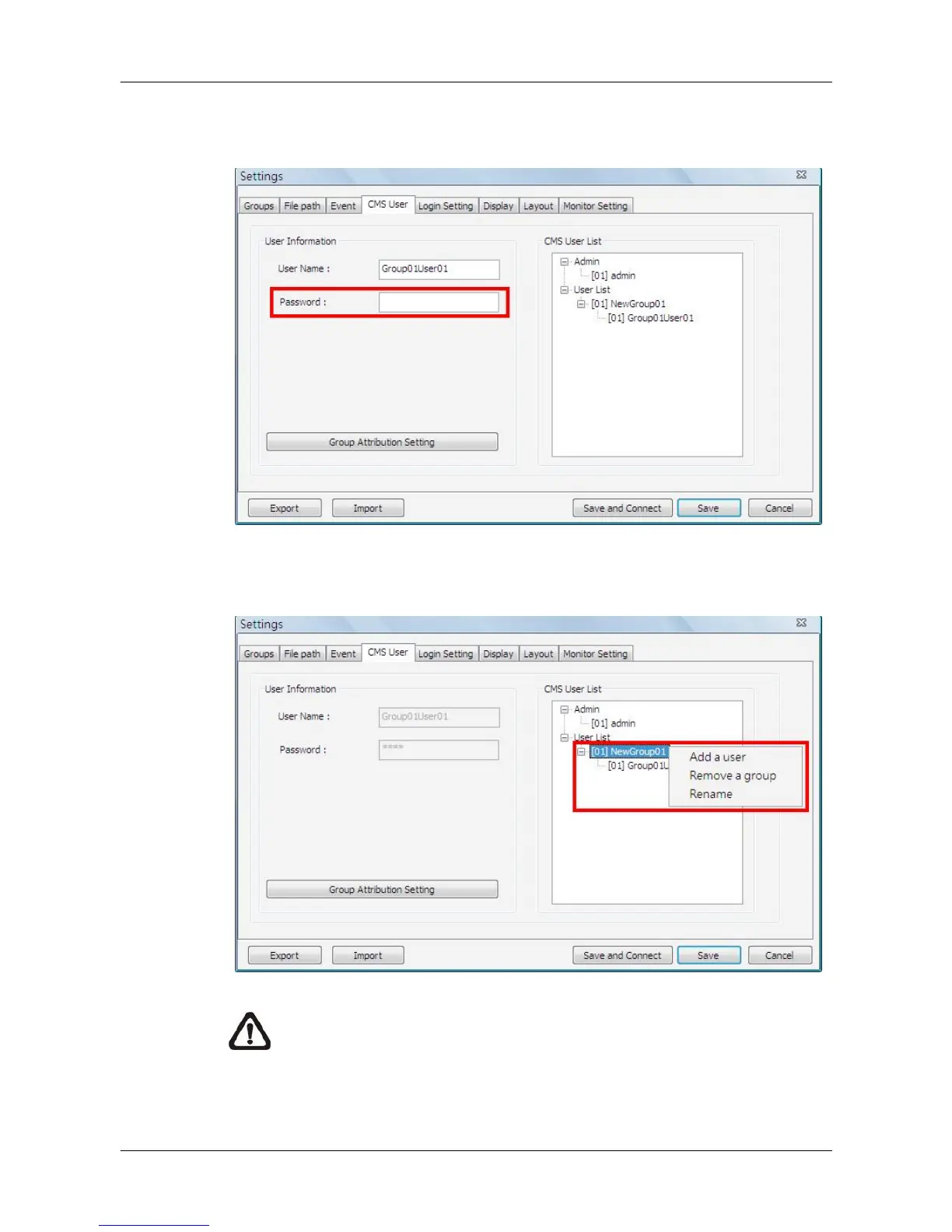
After the group is added, the first user account of the group will also be
created. Users MUST set the password for this account before users can go
to the next step.
Right click on <NewGroup01> to add a user, remove a group, or rename the
group.
NOTE: The account currently used to login cannot be deleted. An error
message will be displayed.



 To Next Page