User’s Manual
7
Step 3. CMS main program will be the first program to be installed. Choose a
folder to install CMS or it will be installed to a default destination folder
“\CMS\”. Click <Install> to start the Installation; or click <Back> to go
back to the previous step.
Step 4. The NTP Server will be the next program to be installed. The NTP
Server enables the local computer, which is running CMS, to become
a central NTP Server for the connected DVR(s) so the time for the
local computer and the connected DVR(s) is synchronized. When the
confirmation window popup, click <OK> to start installing the NTP
Server.
Step 5. When the Software Installation is completed, click <Close> to exit.
NTP Service (Server)
The NTP Service (Server) enables the local computer, which is running CMS,
to become a central NTP server for the connected DVR(s) so the time for the
connected DVR(s) and the local computer is synchronized.
To do so, the IP address of the local computer is needed.
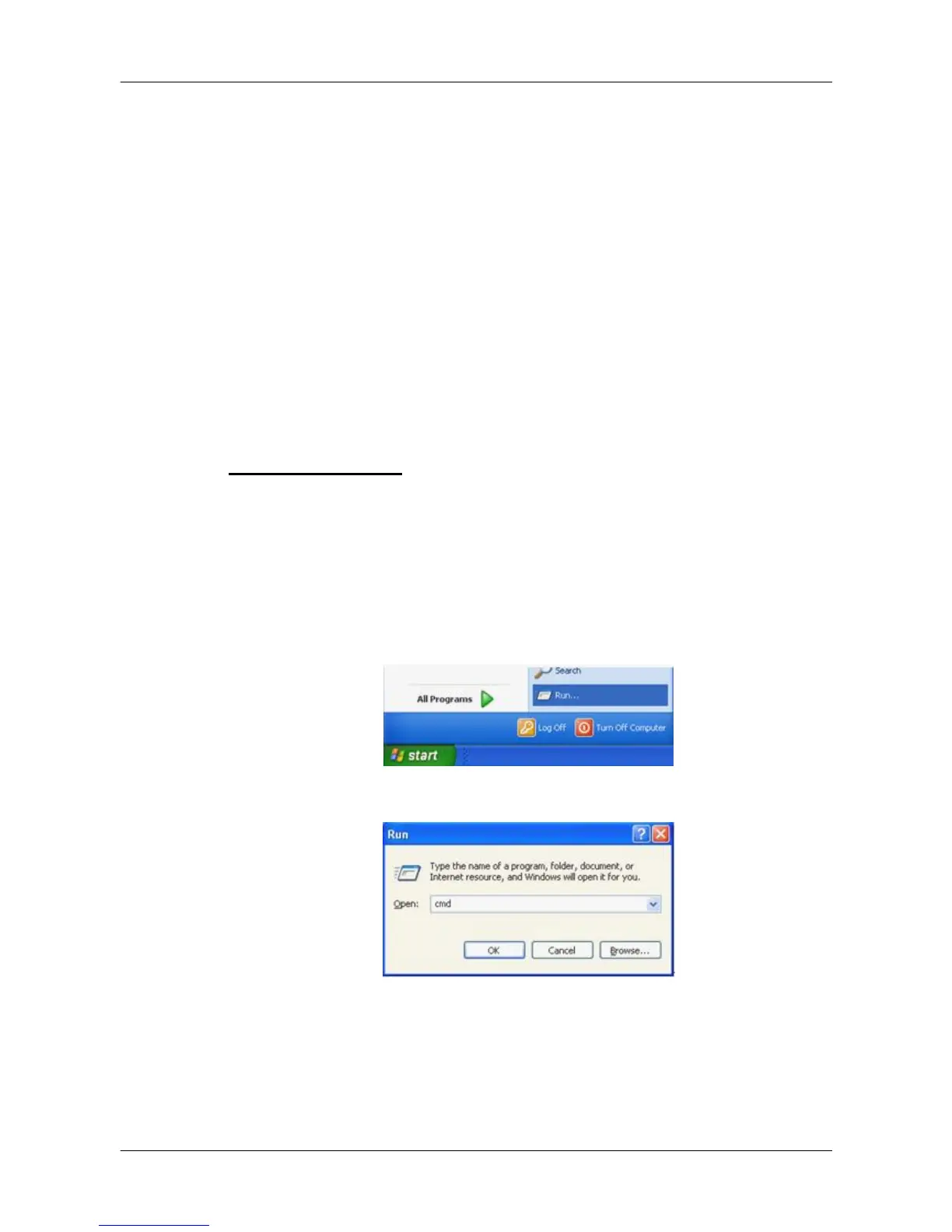
Go to Start menu, select Run.
Type in cmd and click OK.



 To Next Page