Layout, function of machine and accessories
3.13
Training manual • Basic training • Status 03.14
EOS P 396
3
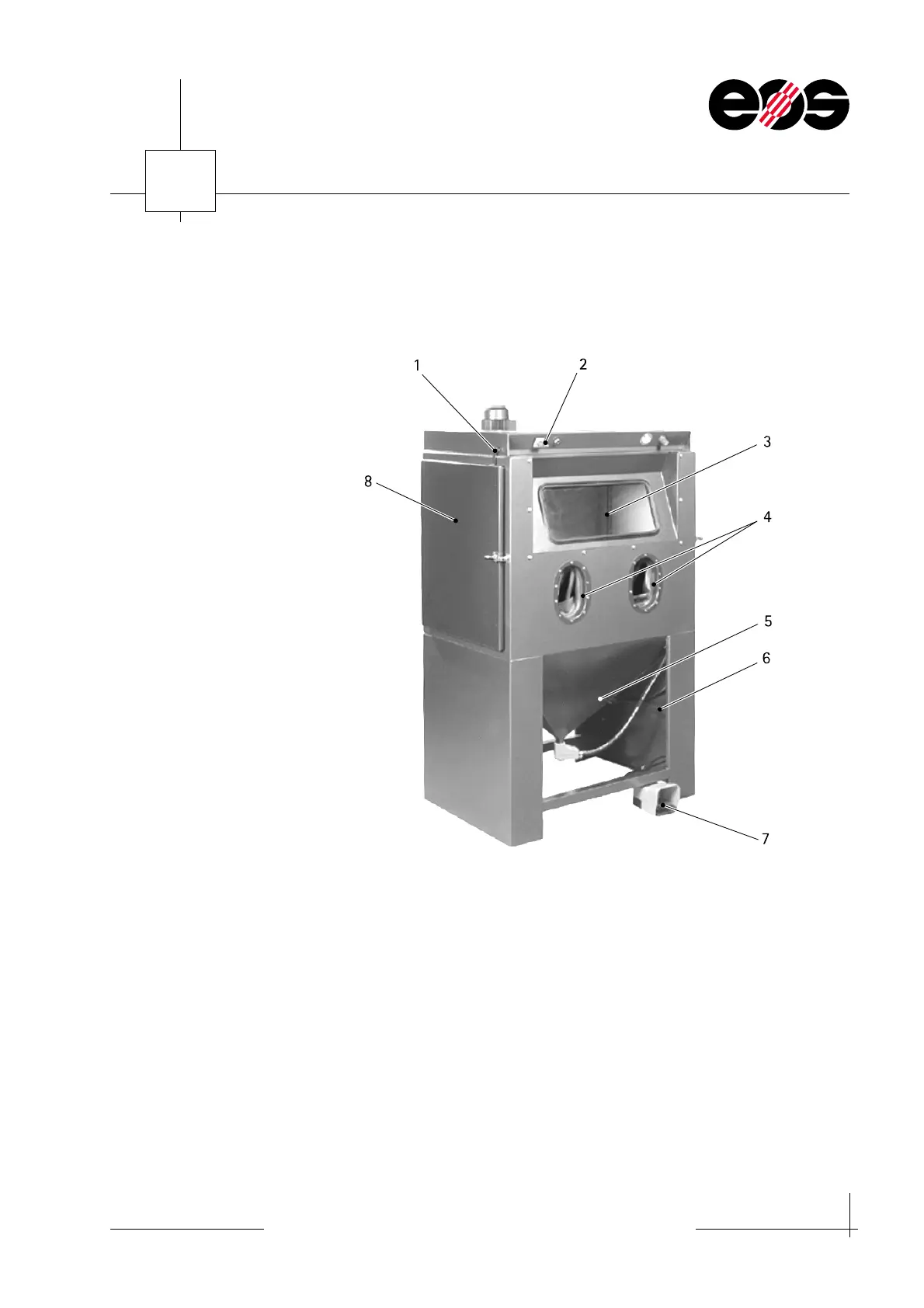
Shot-peening cabinet
Layout
Function
In the Shot-peening cabinet the surface of sintered parts is cleaned. Cleaning is
undertaken using pure compressed air or with the addition of shot-peening medium.
The shot-peening medium is applied at a pressure of 2 - 4 bar to the part to be
cleaned using a shot-peening gun. The shot-peening pressure can be adjusted as
required.
1Door catch
2 MAIN SWITCH
3 Viewing window
4 Openings with gloves
5 Shot-peening medium hopper
6 Shot-peening medium hose
7Pedal
8 Left cabinet door


 To Next Page