CHAPTER 37
Operation of terminal with touch screen
405.1200.037.2 - Rel.: 2.21 of 25/02/2008
37-2
The contents of this chapter apply to all the VT terminals of the same fam-
ily that have a touch screen.
Throughout the present chapter, when referring to the number of
rows and the number of characters that can be used in the termi-
nal, we assume native fonts are being used; when Windows-based fonts
are used (in the case of graphics ternminals only), the equivalent screen
area in pixels should be considered (see Software Manual
“Chapter 6 ->
Project language“
).
Changing value
of variable field
To be able to carry out a change in any editable variable field you must
touch the chosen field on the display and a page appears offering the
needed to modify the field.
The edit mode is quit by pressing the appropriate (see
“Table 37.1,
Chapter 37 -> Keys displayed used for settings .”
) after setting the value, or
automatically when the “input timeout” (see Software Manual) elapses,
whereby the variation is quit.
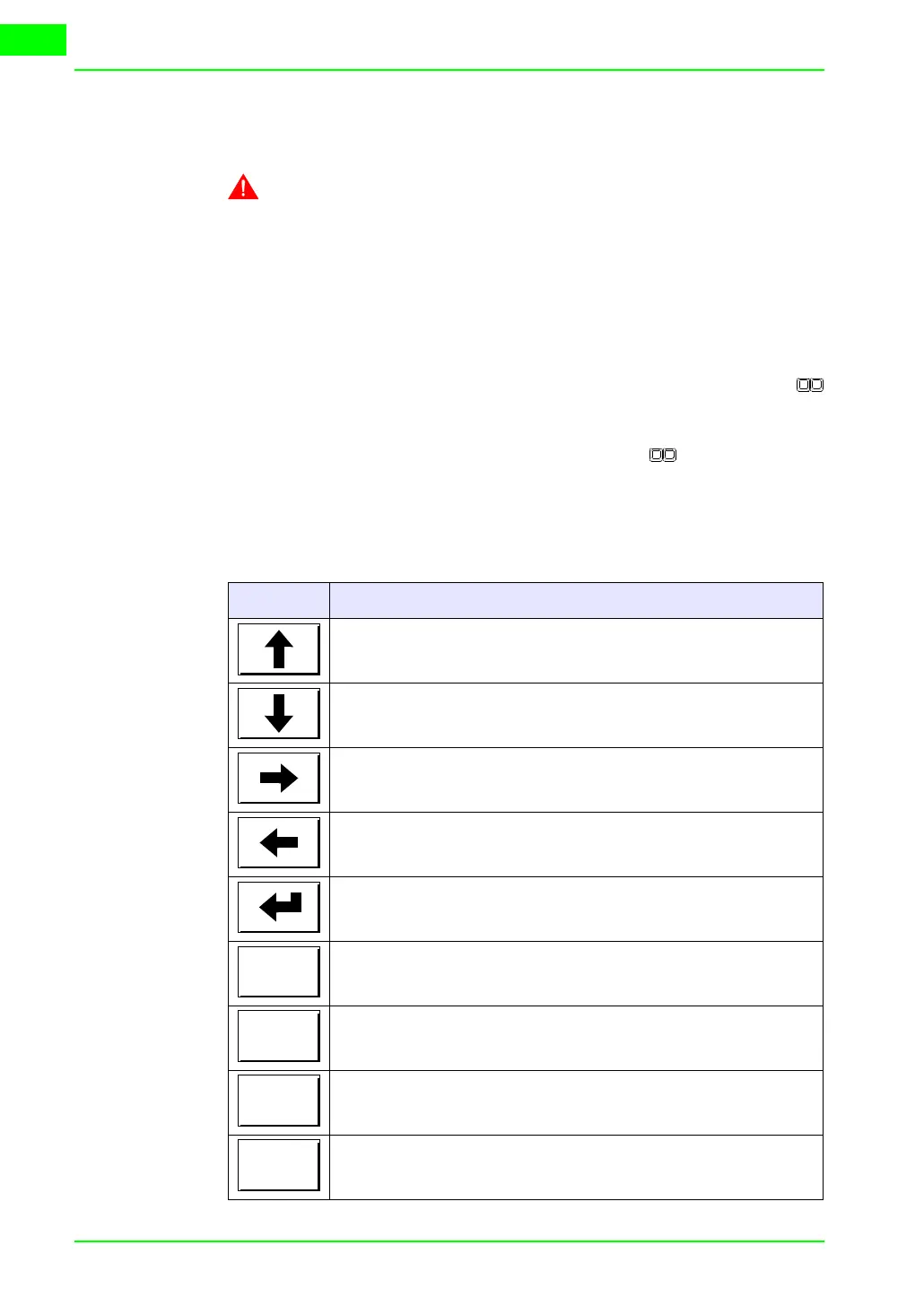
Table 37.1: Keys displayed used for settings (Part 1 of 2).
Keys Function
The function assumed depends on the type of field to be set.
Increases/decreases the value, the digit, the character.
The function assumed depends on the type of field to be set.
Increases/decreases the value, the digit, the character.
The function assumed depends on the type of field to be set.
Increases/decreases the value.
Allows you to move between digits or characters of the field.
The function assumed depends on the type of field to be set.
Increases/decreases the value.
Allows you to move between digits or characters of the field
Confirms the setting of a field.
(For the sake of simplicity called Enter)
Quits the setting of a field.
Changes the sign when the field permits.
Inserts the decimal point when the field permits.
Numerical and alphanumeric keys.
ESC
+/-
.
0..9/a



 To Next Page