405.1200.037.2 - Rel.: 2.21 of 25/02/2008
17-17
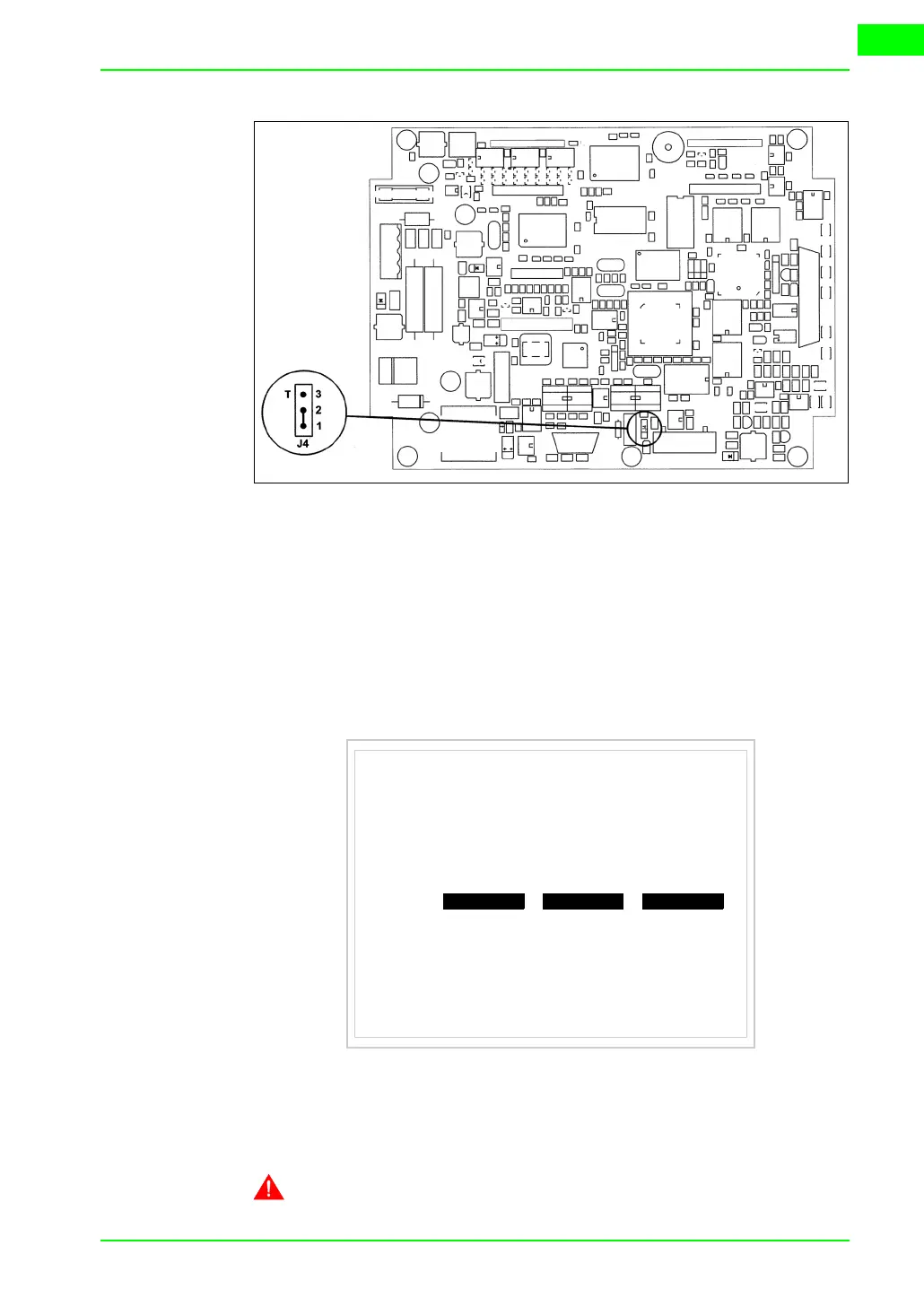
• Position the jumper between pins 2 and 3 (line terminated).
• Replace the back cover.
• Reconnect the power supply.
Introducing
the MAC
address
This paragraph relates only to the Ethernet series. The Media Access Control
(MAC) address unambiguously identifies each terminal connected in the Ether-
net network. The terminal is acquired with the address already programmed
and is shown on the display of the terminal in the transfer page.
The MAC address is permanently memorized in the terminal, but should it
be necessary to execute an “aided” BOOT update (see Software Manual
“Chapter 14 -> BOOT update“) the address is lost.
This operation must be carried out only with the advice of the
VT505W ETHERNET TRANSFER PAGE
Main BOOT and RAM check : OK
Main FIRMWARE check : OK
SELECT:
MAC addr:
00.0E.0E.xx.xx.xx
MODEM PC EXIT



 To Next Page