405.1200.037.2 - Rel.: 2.21 of 25/02/2008
21-13
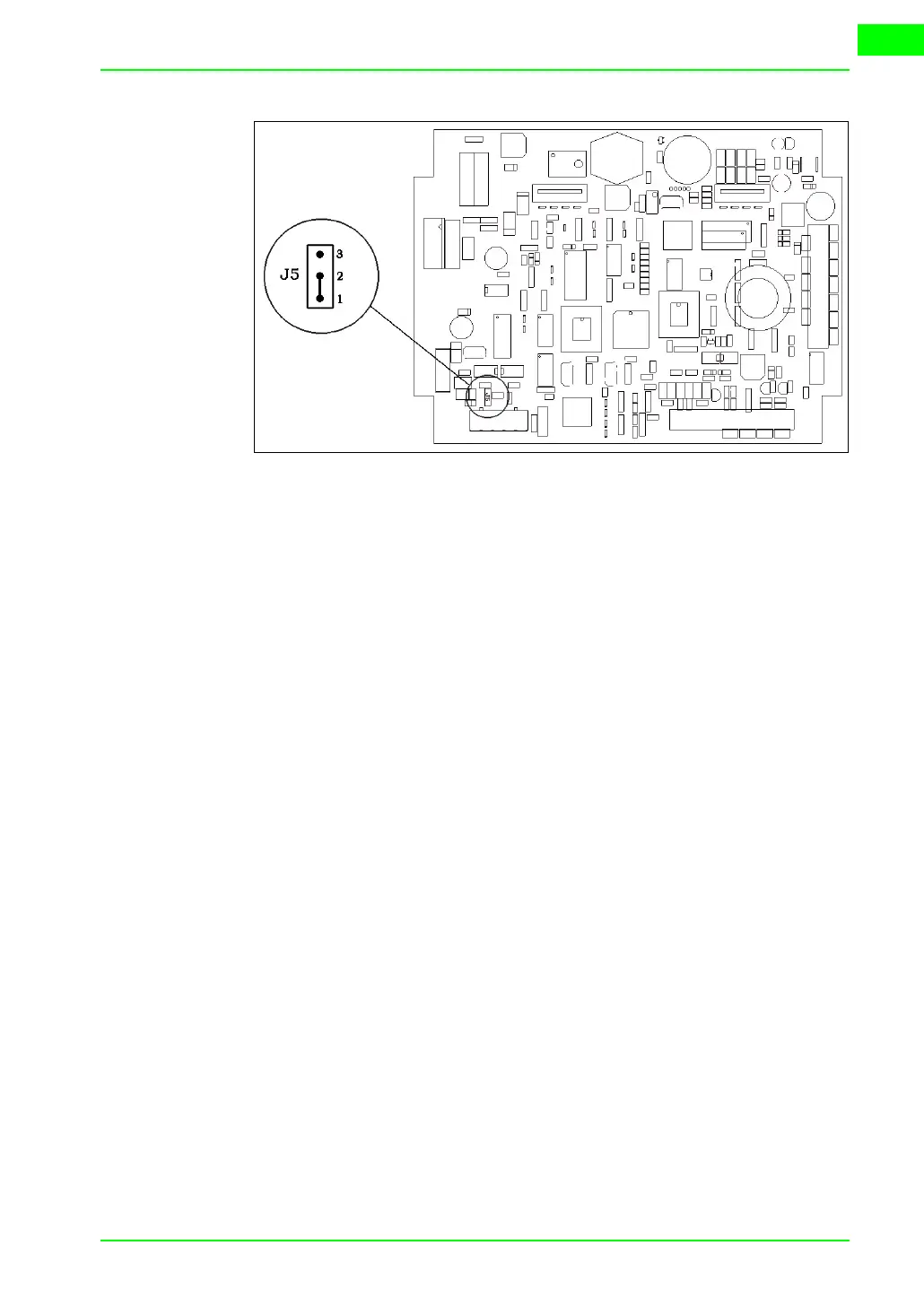
• Position the jumper between pins 2 and 3 (line terminated).
• Replace the back cover.
• Reconnect the power supply.
Transfer PC ->
VT
For everything to function properly, the first time the VT operator terminal
is switched on it needs to be correctly loaded, that is it needs to have trans-
ferred to it:
• Firmware
• Communication driver
• Project
(Given that the transfer of the three files in practice occurs with a single
operation, it will be defined as “Project transfer” for the sake of simplicity.)
For this it is essential that the VT be prepared to receive the transfer. (See
also
“Chapter 38 -> Command area“).
Preparation
for reception
The program VTWIN (see Software Manual) must be used for the transfer,
but the terminal must be set up to receive. This means carrying out the fol-
lowing steps:
• Check that the VT is off
• Check that there is a serial connection between the PC and the VT
• Switch on the VT by pressing simultaneously on two diagonally opposed
angles of the screen



 To Next Page