ECI Multi Functional Weighing Controller Operating Manual
Page 144
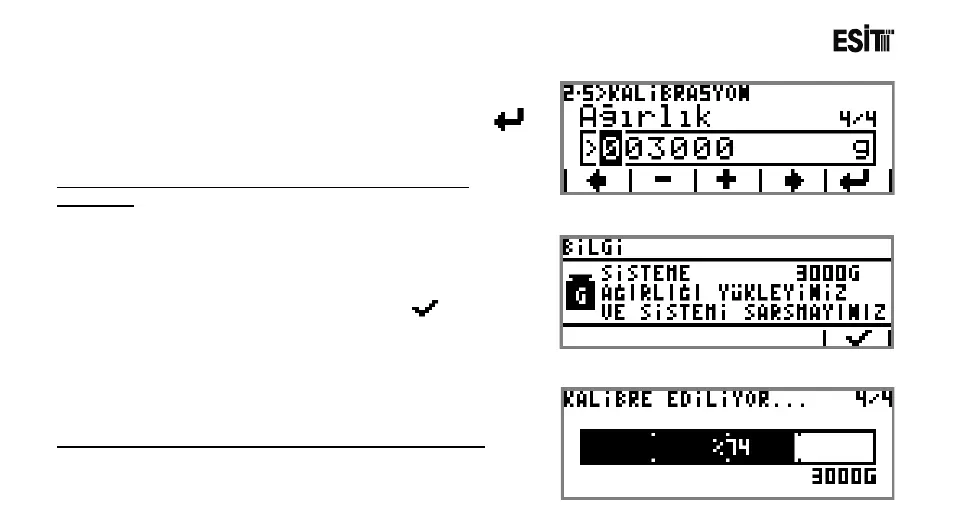
10) The weight value to be used in calibration is stated in
this screen. For confirming the weight value entered
key is pressed and proceeded to the calibration screen.
Approved and certified weights must be used for a healthy
calibration.
11) By placing the load equal to the calibration weight
stated
in the message screen and pressing the key, the
calibration process is initiated.
The screen shown at side is displayed during the calibration.



 To Next Page