ECI Multi Functional Weighing Controller Operating Manual
Page 145
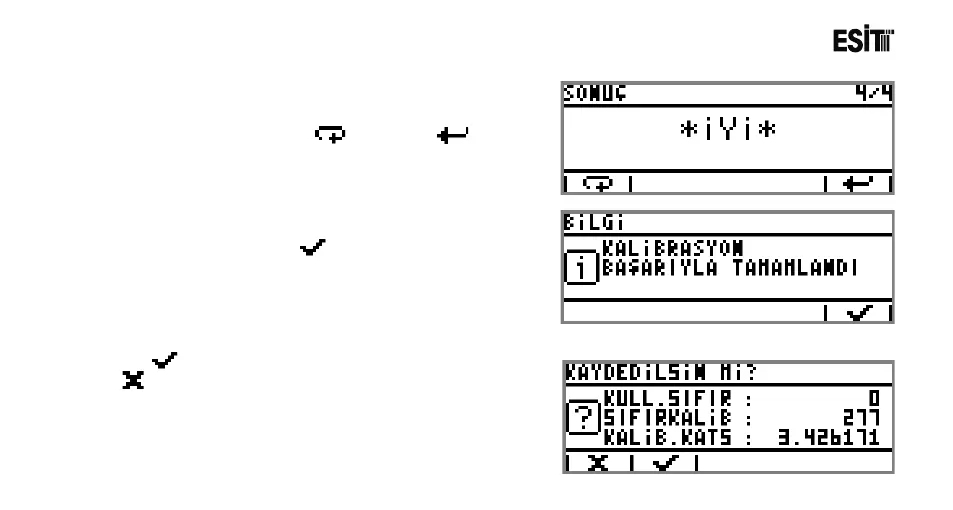
12) When the calibration operation is completed,the
calibration result is displayed. If you want to repeat the
calibration operation press key. Press key to
continue.
13) General information screen indicates that the
calibration is completed. Key is pressed for
proceeding to the next screen.
14) key is pressed to store the calibration values or
is pressed to exit from the menu without storing the
calibration values.



 To Next Page