ECI Multi Functional Weighing Controller Operating Manual
Page 149
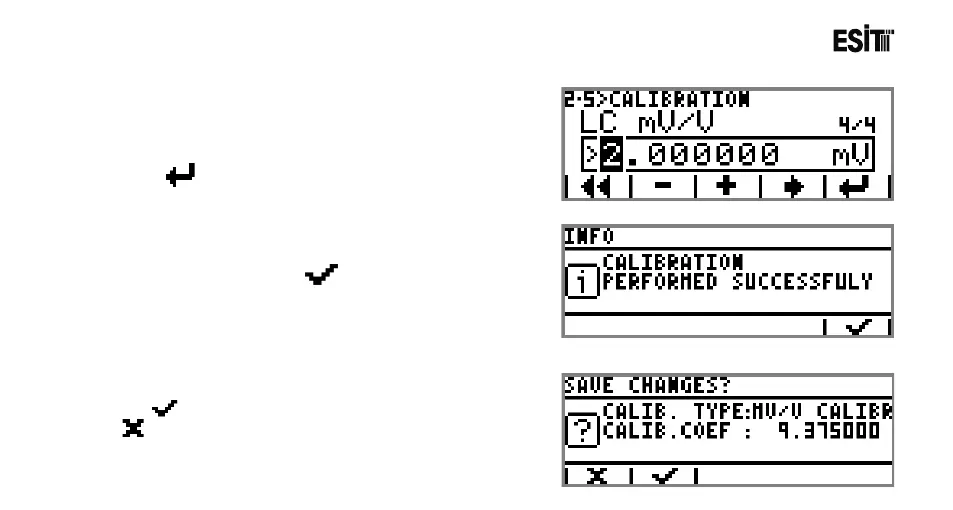
8) The average mV/V value of the system is entered. If one
load cell is used in the system, then the certificate value is
valid. Otherwise the average of the load cell certificate
values must be taken. For confirming the value entered
press key.
9) An information screen indicating that the calibration has
been completed appears. key is pressed to proceed
to the next screen.
10) Key is pressed to store the calibration values or
is pressed to exit from the menu without storing the
calibration values.



 To Next Page