Getting Started
Power Blazer 17
Inserting and Removing Transceiver System
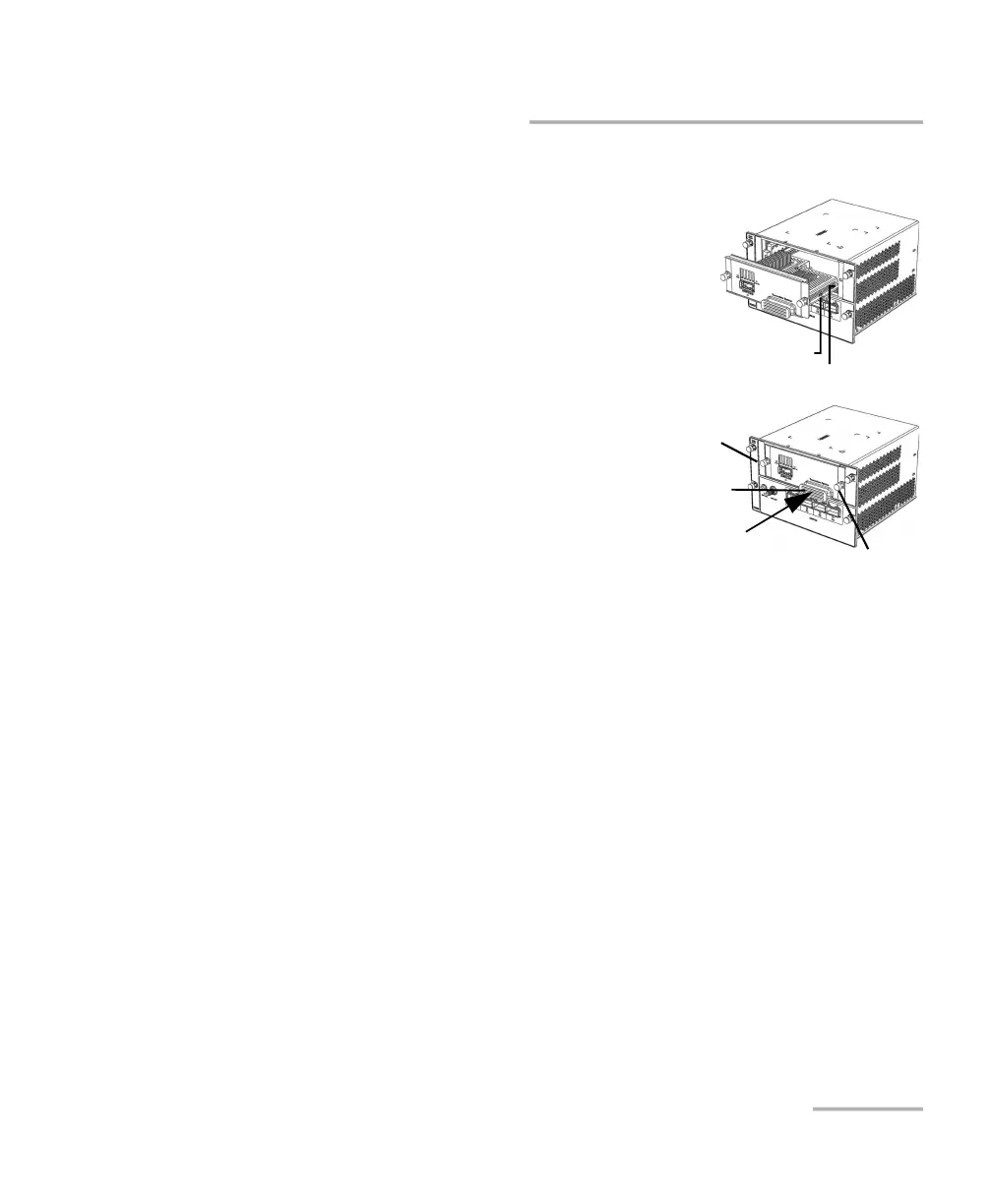
4. Insert the transceiver system into the FTBx-88460 module:
4a. Take the transceiver system and
place it so that the handle is on
the right side as shown.
4b. Insert the protruding edges of
the transceiver system into the
grooves of the receptacle’s
module port.
4c. Push the transceiver system all
the way to the back of the
receptacle by pressing firmly
only on the handle of the
transceiver system until it is fully
inserted.
Note: It is very important to push on the handle
only to properly align the transceiver system within the FTBx-88460 module
ensuring good electrical contact.
4d. Turn the two retaining screws clockwise until they are tightened.
This will secure the transceiver system into its “seated” position.
Right protruding edge
Right groove
Handle
Screw
Screw












 To Next Page