Graphical User Interface Overview
Power Blazer 43
Status Bar
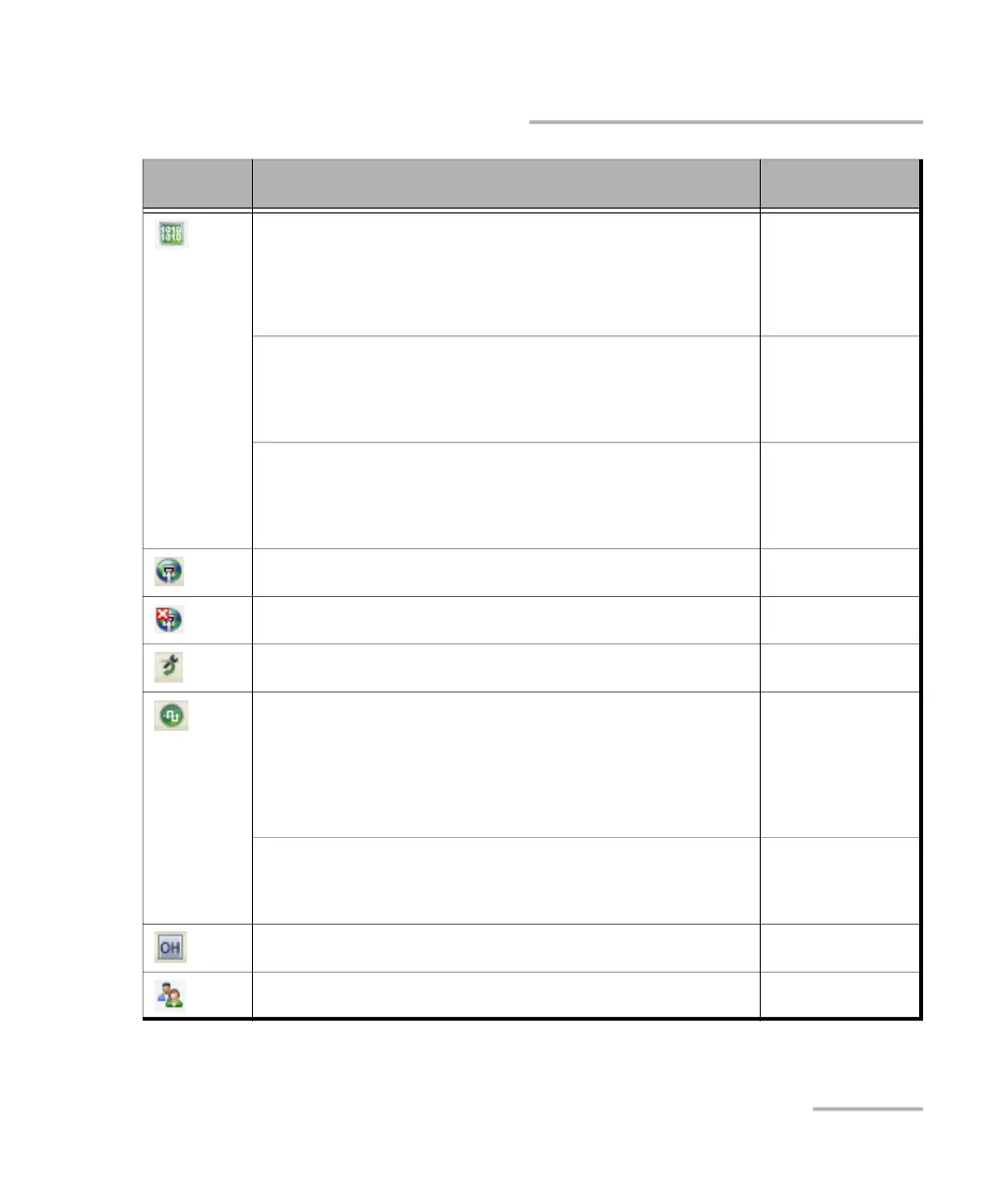
For single or dual port, the status of the received signal pattern per
port:
Green: Pattern is synchronized.
Red: Loss of pattern.
Gray: Test is not running (EtherBERT test or EoOTN client) or the No
Pattern Analysis (Live) check box is selected.
Transport
EtherBERT
Fibre Channel
Wireless
For multiple link interface, the pattern status of all enabled links:
Green: Pattern is synchronized on all links having the No Pattern
Analysis (Live) check box cleared.
Red: Loss of pattern on at least one link.
Gray: Test is not running or at least one link is in alarm.
EtherBERT (Multiple
link interface)
For multiple Ethernet clients, the pattern status of all enabled clients:
Green: Pattern is synchronized on all clients having the No Pattern
Analysis (Live) check box cleared.
Red: Loss of pattern on at least one client.
Gray: Test is not running or at least one client is in alarm.
DCO (Multiple
Ethernet clients)
Connection established between two testing units in Dual Test Set
(DTS) or in Loop Up mode.
Ethernet
Connection not established between two testing units in Dual Test Set
(DTS) or in Loop Up mode.
Ethernet
Loopback Tool enabled on the port unused by the main test
application.
Ethernet
Clock synchronization signal. The icon is followed by the clock mode:
INT for Internal, EXT for External, RCV for Recovered, GNSS/HOLDOVER
for Internal GNSS, BKP for Backplane. AUTO is displayed for dual port
test when a different clock is used on each port.
Green: Clock Synchronized.
Yellow: Outside the Holdover performance specifications
Red: Loss of clock.
Transport
Ethernet
Fibre Channel
Sync
Wireless
Reference signal. The icon is followed by the reference mode: EXT for
External Reference, GNSS for Internal GNSS.
Green: Presence of reference
Red: Loss of reference.
Time Error / Wander
Indicates a manual change in the OH bytes transmitted. Not displayed
when using the default OH values.
Transport
FlexE
Remote PC connection established with the Power Blazer. N/A
Icon
and/or text
Description Test Application












 To Next Page