79
EN
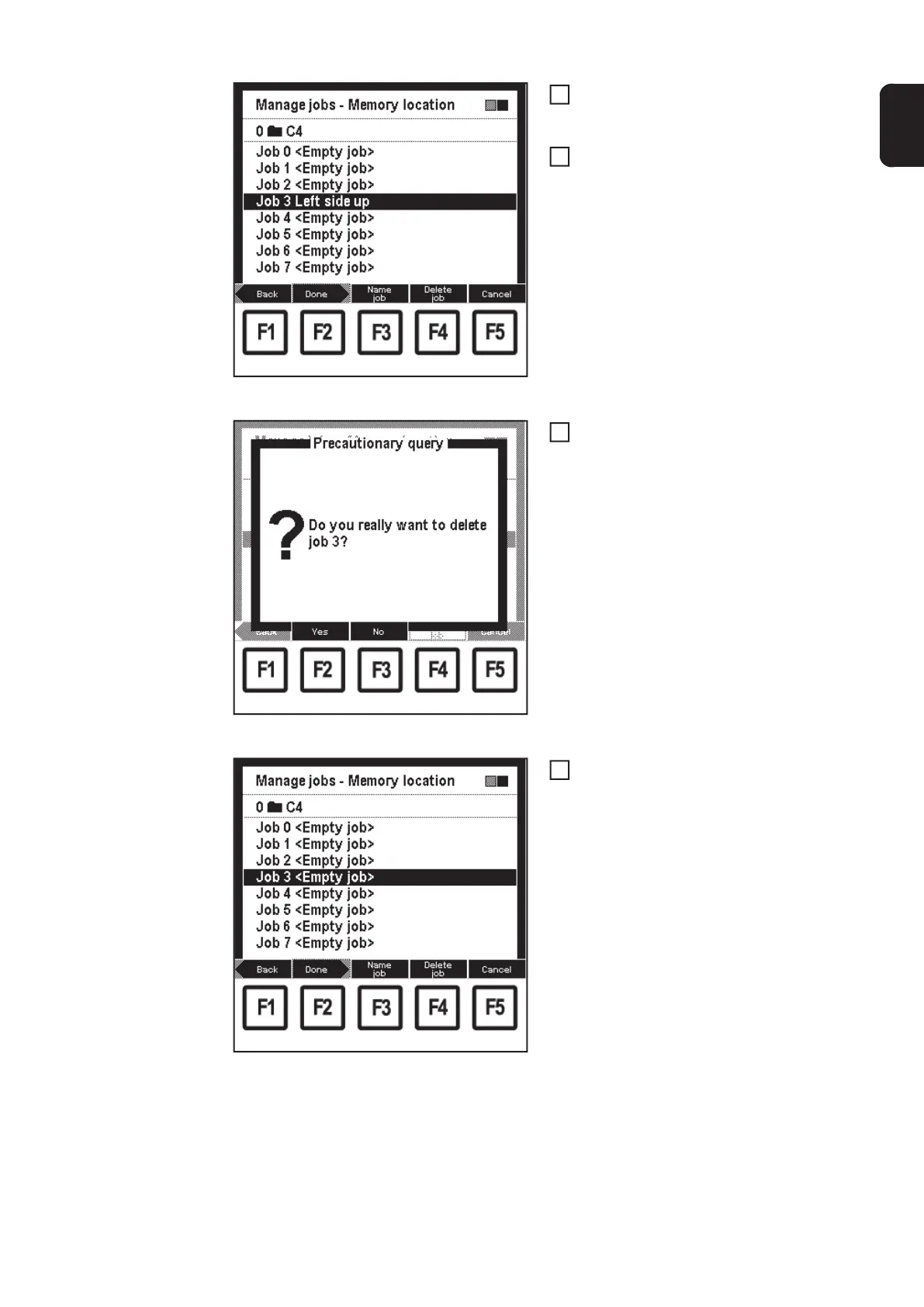
"Manage jobs - Memory location" screen
When deleting jobs, select relevant
memory location using adjusting dial
(18)
Press F4 "Delete job":
– Precautionary query "Do you real-
ly want to delete job 3?" appears
"Delete job" precautionary query
Press F2 "Yes"
– The selected job is deleted, the
2nd screen in the wizard appears
("Manage jobs - Memory locati-
on")
"Manage jobs - Memory location" screen
Press F2 "Done":
– The last selected "Data" screen
appears.
7
8
9
10


 To Next Page