84
Retrieving and changing working parameters for a
selected job
General The sequence of screens shown on the "clothesline" depends on the type of job selected.
Retrieving and
changing job
working parame-
ters
Call up the "Optimizing & managing jobs" menu item
Whatever screen is showing, select "Group n°" parameter using the down (6) or up (7)
keys
Select desired group (0 - 99) using the adjusting dial (18)
Select "Job n°" parameter using the down (6) or up (7) keys
Select desired job (0 - 999) using the adjusting dial (18)
– If a job is selected from the next group, the group displayed also changes accord-
ingly.
Select "Working parameters" screen by pressing the right arrow key (8)
– "Working parameters" screen appears
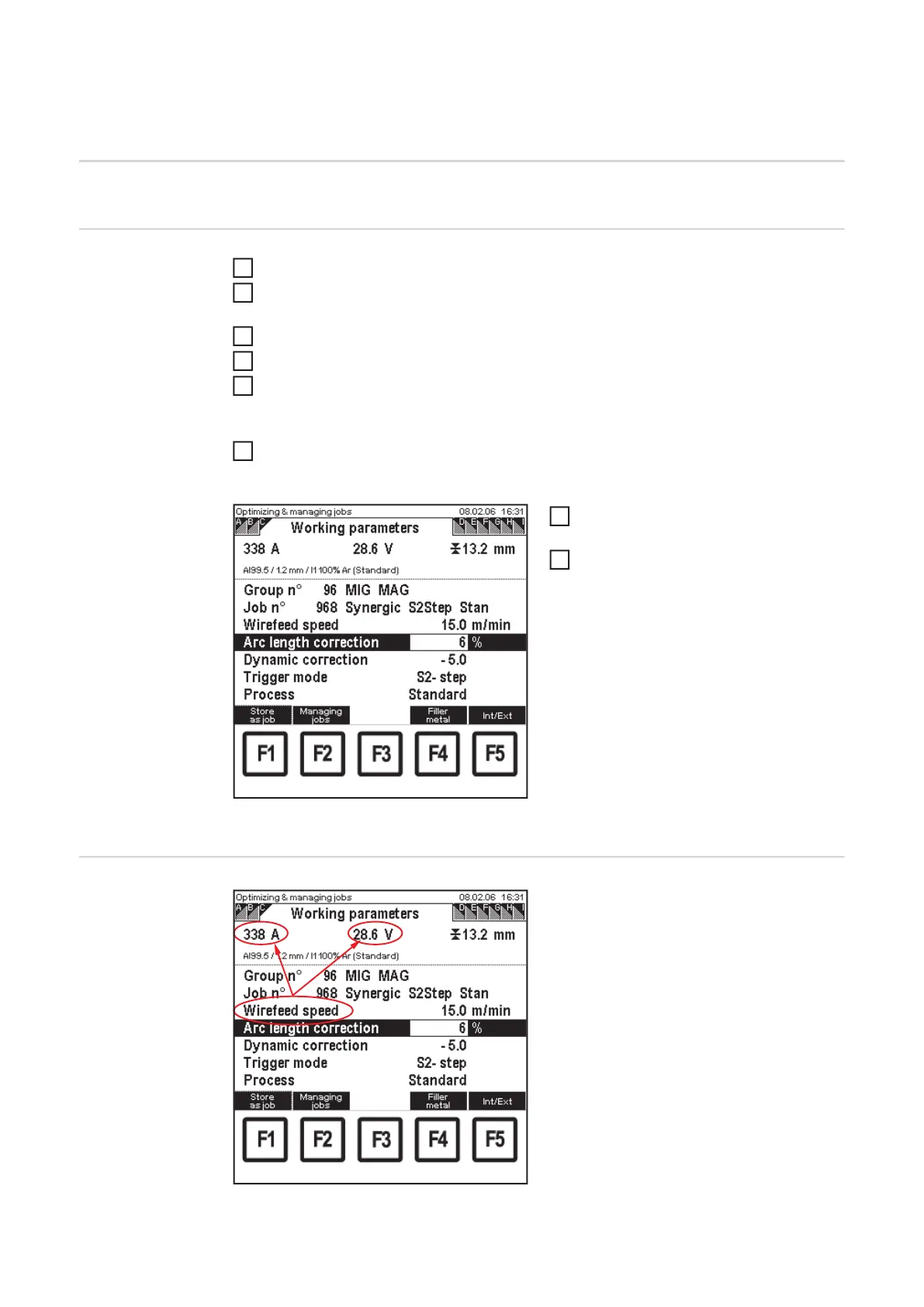
Optimizing and managing jobs: "Working parameters"
screen
Select the corresponding parameters
using down (6) or up (7) keys
Use the adjusting dial (18) to alter the
parameter value
– A parameter value can only be al-
tered within the defined setting
range. The setting range is high-
lighted.
Instructions on
changing the wire
feed speed value
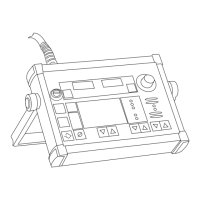
"Working parameters" screen - changing the wirefeed
speed value
If the wirefeed speed value is changed in
MIG/MAG synergic jobs in the "Working pa-
rameters" screen, the values for welding
current and welding voltage also change
accordingly, due to the synergic function.
Changes to welding current and welding
voltage must be reflected in the "QMaster"
screen in the "current command value" and
"voltage command value" parameters.
1
2
3
4
5
6
7
8


 To Next Page