Chapter 8 Advanced Copy Management
8.2 Functions in the Action Area for Advanced Copy
ETERNUS Web GUI User’s Guide
225
Copyright 2011 FUJITSU LIMITED P2X0-1090-02ENZ0
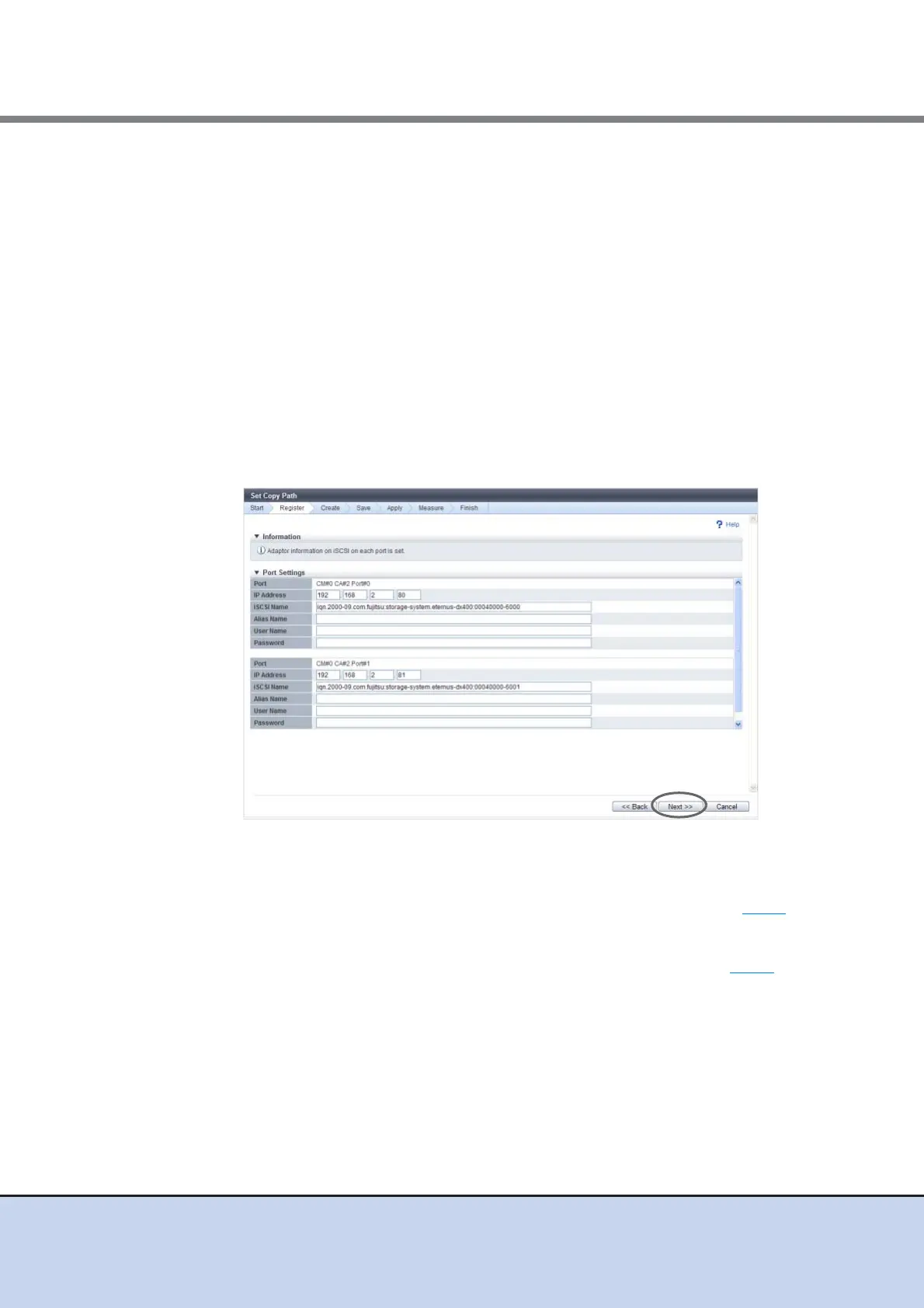
• Alias Name
Specify the alias name of the iSCSI port (can be omitted). If not specified, the field is
blank.
The following input condition applies:
- 1 - 31 alphanumeric characters
• User Name
Specify the user name to access the iSCSI port (can be omitted). After specifying the
user name, specify the "Password". If not specified, the field is blank.
The following input condition applies:
- 1 - 255 alphanumeric characters and symbols
• Password
Specify the password to access the iSCSI port (can be omitted). This item is required
when setting the "User Name". The entry is displayed with "*" or similar characters. If
not specified, the field is blank.
The following input condition applies:
- 12 - 100 alphanumeric characters and symbols
The displayed screen is different depending on the port setting status.
■ When a device for which port setting is not completed exists
→ The [Device Configuration Setting] screen appears again. Proceed to Step 5
.
■ When port setting is completed for all the selected devices
→ The [Device Information File Selection] screen appears. Proceed to Step 7
.



 To Next Page