Chapter 8 Advanced Copy Management
8.2 Functions in the Action Area for Advanced Copy
ETERNUS Web GUI User’s Guide
224
Copyright 2011 FUJITSU LIMITED P2X0-1090-02ENZ0
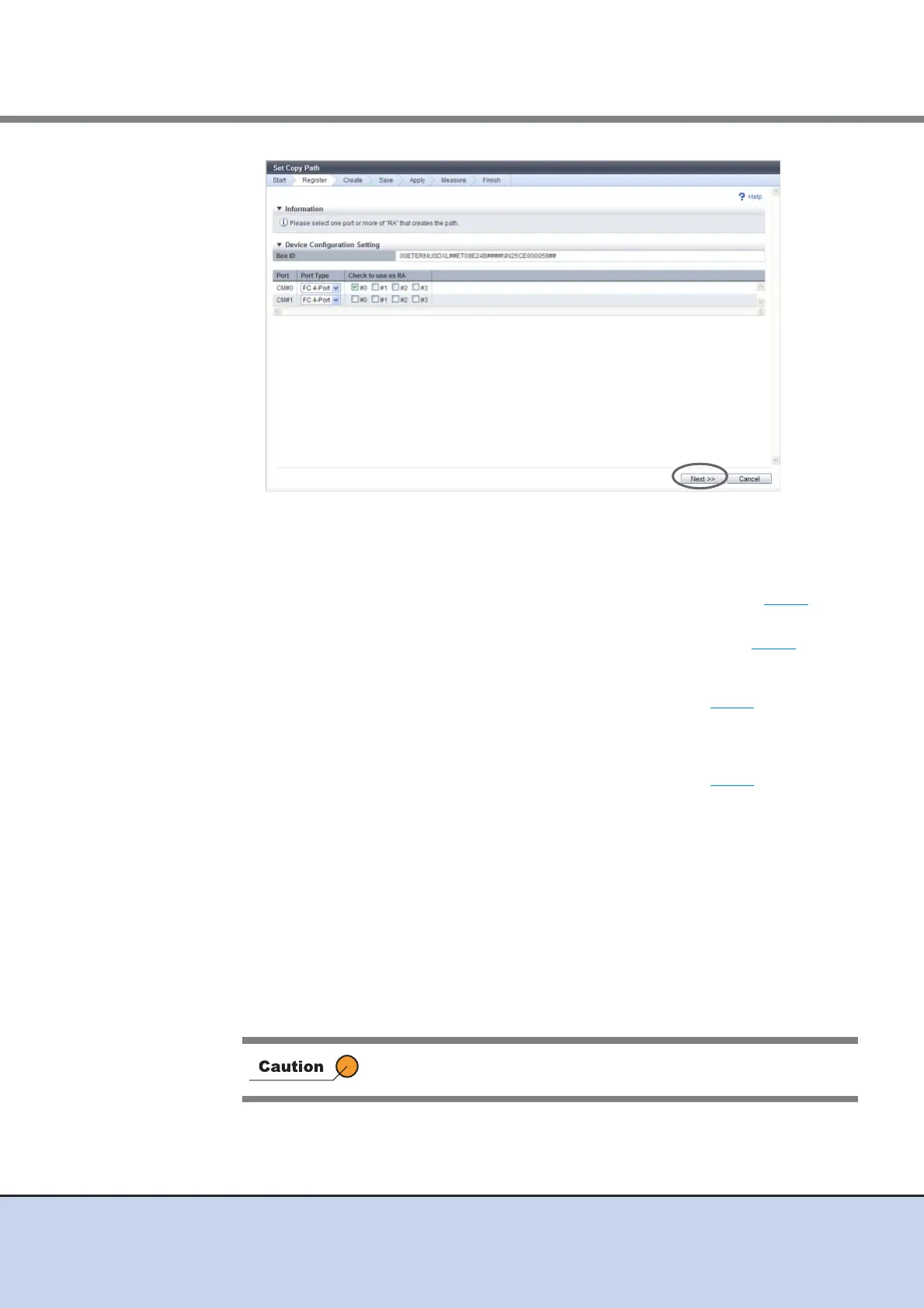
The displayed screen is different depending on the port settings.
■ When only "FC 1-Port", "FC 2-Port" or "FC 4-Port" is selected in the "Port Type" field
• When a device for which port setting is not completed exists
→ The [Device Configuration Setting] screen appears again. Proceed to Step 5
.
• When port setting is completed for all the selected devices
→ The [Device Information File Selection] screen appears. Proceed to Step 7
.
■ When "iSCSI-RA" is selected in the "Port Type" field
→ The [iSCSI Port Information Setting] screen appears. Proceed to Step 6
.
■ When "iSCSI 1-Port" or "iSCSI 2-Port" is selected in the "Port Type" field and one or more
ports used as "RA" exist
→ The [iSCSI Port Information Setting] screen appears. Proceed to Step 6
.
6 Set the iSCSI port in the [iSCSI Port Information Setting] screen, and click the
[Next] button.
• IP Address
Specify the IP address of the iSCSI port. If not specified, the field is blank.
The following input conditions apply:
- Numeric characters
- First text box: "1" - "255"
- Other text box: "0" - "255"
• iSCSI Name
Specify the iSCSI name of the iSCSI port. If not specified, the field is blank. Specify a
unique iSCSI name in the same device.
Both "IP Address" and "iSCSI Name" cannot be omitted.



 To Next Page