Chapter 8 Advanced Copy Management
8.2 Functions in the Action Area for Advanced Copy
ETERNUS Web GUI User’s Guide
228
Copyright 2011 FUJITSU LIMITED P2X0-1090-02ENZ0
- ETERNUS DX410/DX440/DX8100/DX8400/DX8700 or
ETERNUS4000/ETERNUS8000:
Enter the value of the sixth and seventh bytes of the WWN.
[Example] For WWN 2000000B5D6A1234: [1234]
The displayed screen is different depending on the port setting status.
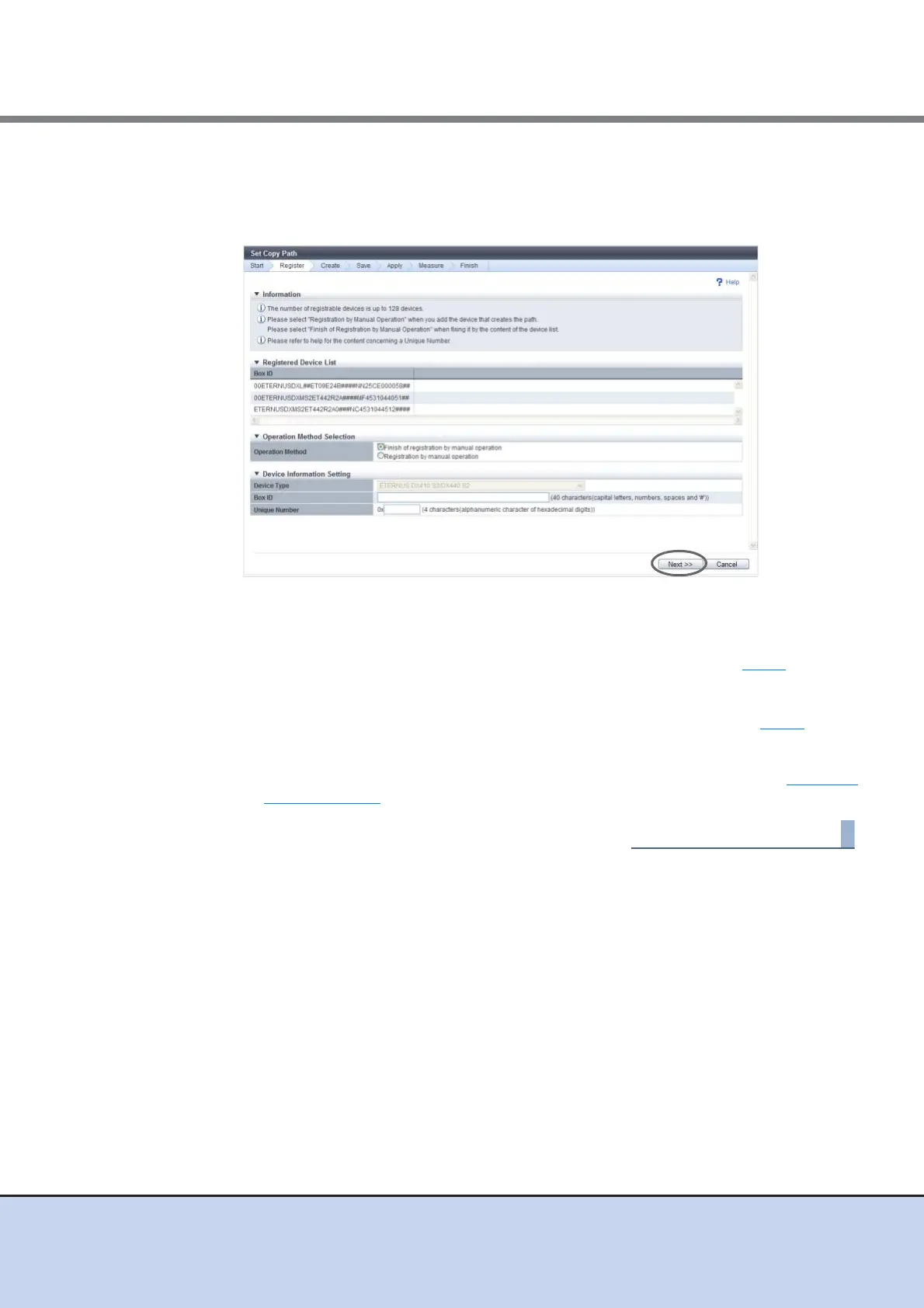
■ When selecting "Registration by manual operation"
→ The [Device Configuration Setting] screen appears again. Proceed to Step 5
.
■ When selecting "Finish of Registration by File Reading"
→ The [Check Registered Device Information] screen appears. Proceed to Step 9
.
9 Check the device information, and click the [Next] button.
→ The [Copy Path Creation Device Selection] screen appears. Proceed to "Set Copy
Path" (page 229).



 To Next Page