4-20
Chapter 4 Connection to the External Devices Setup for the External Device Connection
2SpO
2
channel can be assigned to any module.
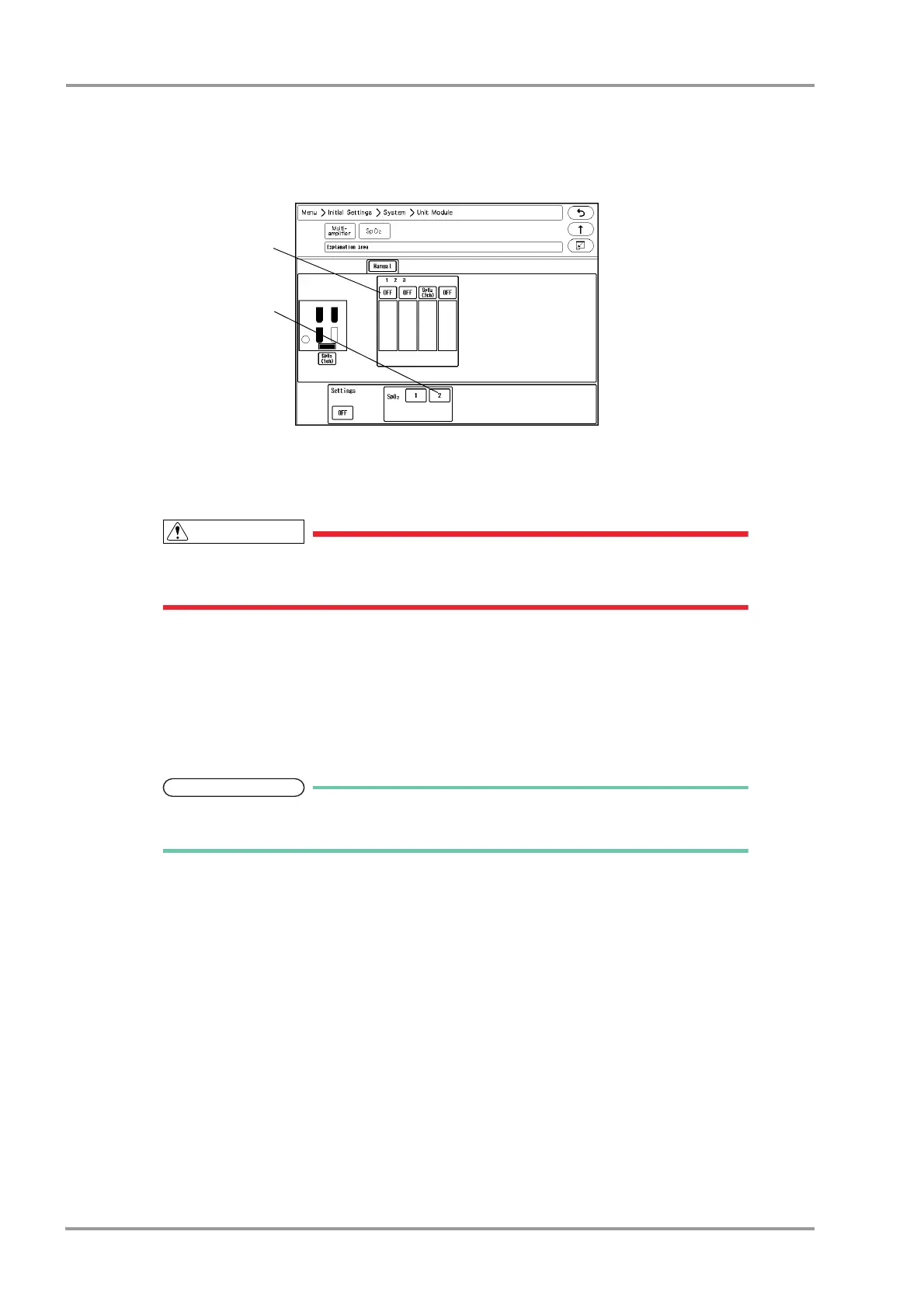
Example:
To measure 1 channel of SpO
2
on the HS-8000, 2 channels of SpO
2
on the HG-810/HG-820
1 Select the Input Box slot location. The selected location will be displayed in blue.
2 Assign the channel to the selected location. In this case, select [2] for "SpO
2
".
2 channels of SpO
2
will be assigned to the HG-810/HG-820.
It is not possible to set only the second channel.
If the channel setting is duplicated, one of the settings will be turned OFF.
Software Upgrade for Unit/Module
The software of the unit or module can be upgraded on the "Module Install" menu.
1Press the [Menu], [Maintenance], [Module Install] keys.
The "Module Install" menu will be displayed.
Users should not perform the software update for the unit or module. To update the
software, contact your nearest service representative.



 To Next Page