5-23
Chapter 5 Initial Settings User I/F
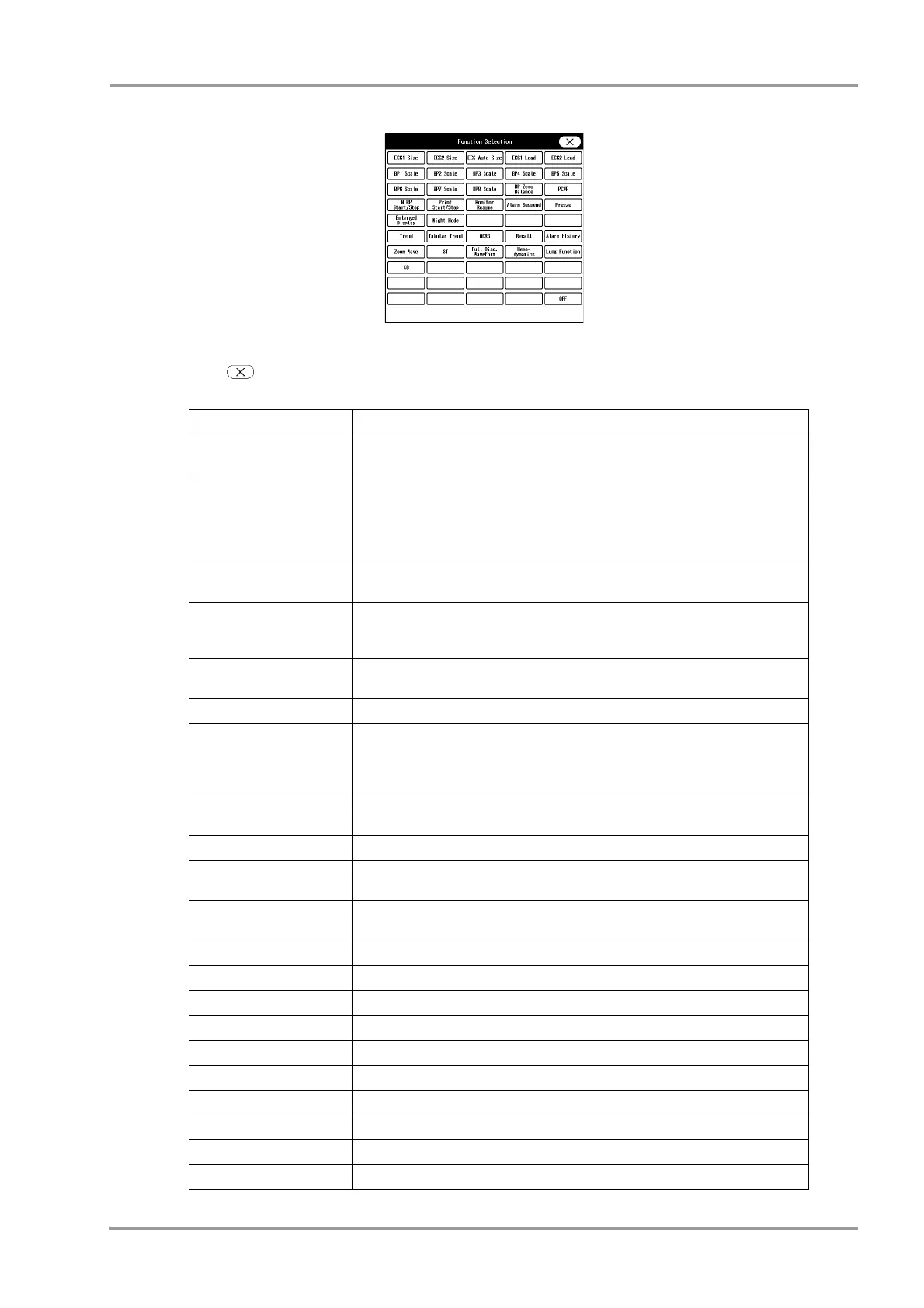
The function selection window will be displayed.
2 Press the key for the assigning function.
3 Press .
Functions that can be assigned to the User Keys
Function Key Operation
ECG1 Size
ECG2 Size
Switches the ECG1 (ECG2) size each time the key is pressed.
x1/4, x1/2, x1, x2, x4, x1/4
ECG1 Lead
ECG2 Lead
Switches the ECG1 (ECG2) lead each time the key is pressed.
3-electrode: I, II, III, I
4-electrode: I, II, III, aVR, aVL, aVF, I
5-electrode: I, II, III, aVR, aVL, aVF, V, I
10-electrode: I, II, III, aVR, aVL, aVF, V1, V2, V3, V4, V5, V6, I
ECG Auto Size Automatically adjusts the ECG amplitude to 10 mm. The automatic adjustment is
effective only when the key is pressed.
BP1 (to BP8) Scale Switches the BP1 to BP8 scale each time the key is pressed. The switching scale
will differ depending on the BP label.
(
Operation Manual "BP Parameter Setup" P7-29)
BP Zero Balance Starts zeroing for all BP. It will not function unless the transducers for all BP is
opened to air.
PCWP If the BP label is PAP, PCWP input screen will be displayed.
NIBP Start/Stop Starts/stops the NIBP measurement.
Pressing this key will display a message on the monitor to press the "Check" key.
When the "Check" key is pressed, the measurement will start.
Pressing this key during the measurement will stop the measurement.
Print Start/Stop Starts/stops the manual printing. The printing duration set on the "Manual Printing"
menu will be applied.
Monitor Resume Resumes monitoring when the monitoring is suspended.
Alarm Suspend Suspends the alarm.
The alarm function will resume after the set duration.
Freeze The waveform trace will cease at the point when the key is pressed. By pressing
the key again, the waveform trace will resume.
Enlarged Display The home display layout will switch between "Standard" and "Large".
Night Mode Turns ON/OFF the Night Mode.
Graphic Trend The graphic trend will be displayed.
Tabular Trend The tabular trend will be displayed.
OCRG OCRG screen will be displayed.
Recall Recall screen will be displayed.
Zoom Wave The "Zoom Wave" window will be displayed.
ST ST screen will be displayed.
Full Disclosure Waveform The full disclosure waveform will be displayed.
Hemodynamics Hemodynamics screen will be displayed.



 To Next Page