5-24
Chapter 5 Initial Settings User I/F
3Set the Room ID/Bed ID.
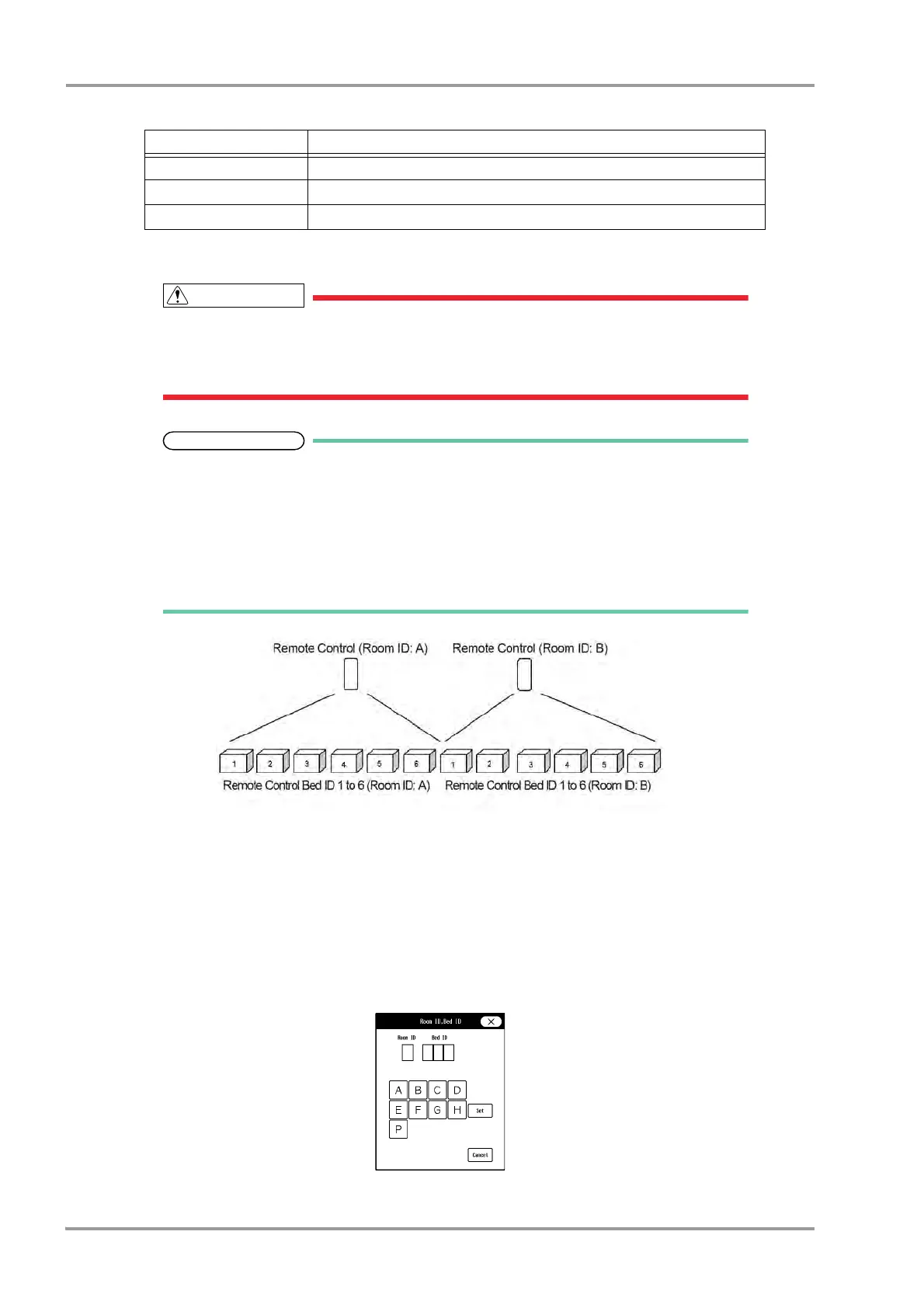
Do not set the same remote control bed ID to multiple monitors on the same floor.
Otherwise, it may cause to remote control multiple monitors at the same time.
After the remote control setup, check that the remote control unit is properly operating.
For the CF-820 IR Remote Control Unit, if [P] is set for Room ID, the ID will be linked with
the Room/Bed ID used on the DS-LAN (ID displayed on the upper left of the home
display). If [A] to [H] is set, it will be a different ID for the remote control unit.
One remote control unit can control maximum of 100 monitors for the Room ID [P], and
maximum of 32 monitors for Room ID [A] to [H].
For procedure to set the Room/Bed ID on the remote control unit, refer to the operation
manual of the remote control unit.
1 Press the key for "Room ID, Bed ID".
The dropdown list will be displayed.
2 Select from [ON] or [OFF].
[ON]: The Room ID/Bed ID setup will be enabled.
[OFF]: The Room ID/Bed ID setup will be disabled.
3 Press the [A 000] key.
The "Room ID, Bed ID" window will be displayed.
4 Select from [A] to [H] / [P].
Lung Function Lung Function screen will be displayed.
CO CO measurement screen will be displayed. CO measurement will not be started.
OFF Turns OFF the key operation.
Functions that can be assigned to the User Keys
Function Key Operation



 To Next Page