GE MEDICAL SYSTEMS
D
IRECTION 5184024-100, REVISION 5 LOGIQWORKS® BASIC SERVICE MANUAL
Chapter 3 Installation 3-123
3-5-3-12 TripleMonitors for LOGIQworks FX and LOGIQworks SoftwareOnly (cont’d)
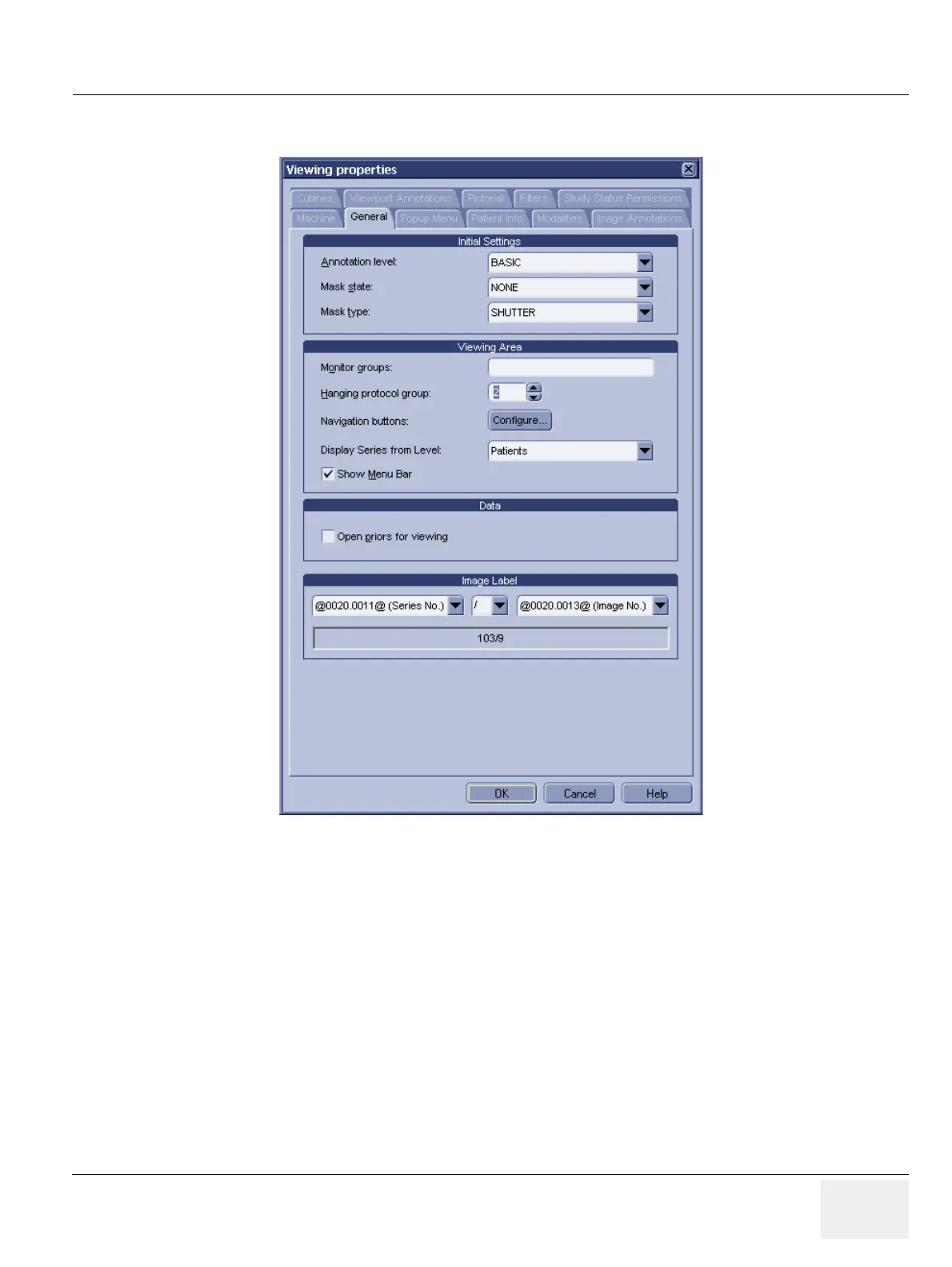
8.) Set the number in the "Hanging protocol group" text field to 2.
Figure 3-109 TripleMonitor Viewing Properties
9.) Quit and restart RA600 / CA1000 as prompted.
3-5-3-12-3 Configuring Your TripleMonitor System for Optimal Usage.
Your RA600 / CA1000 software should now initially launch on your newly configured left most monitor
(if you were previously using two black & white hi-res monitors, you will notice that RA600 / CA1000
now initially launches in color).
1.) Double click any of your studies.
2.) You should now see the double clicked study opens up across the middle- and right-most monitors
(essentially, it should look just as before).


 To Next Page
 Loading...






