GE MEDICAL SYSTEMS
DIRECTION 5184024-100, REVISION 5 LOGIQWORKS BASIC SERVICE MANUAL
3-196 Section 3-5 - Configuration
3-5-11-1 Reading DICOM volume from DVD or CD (cont’d)
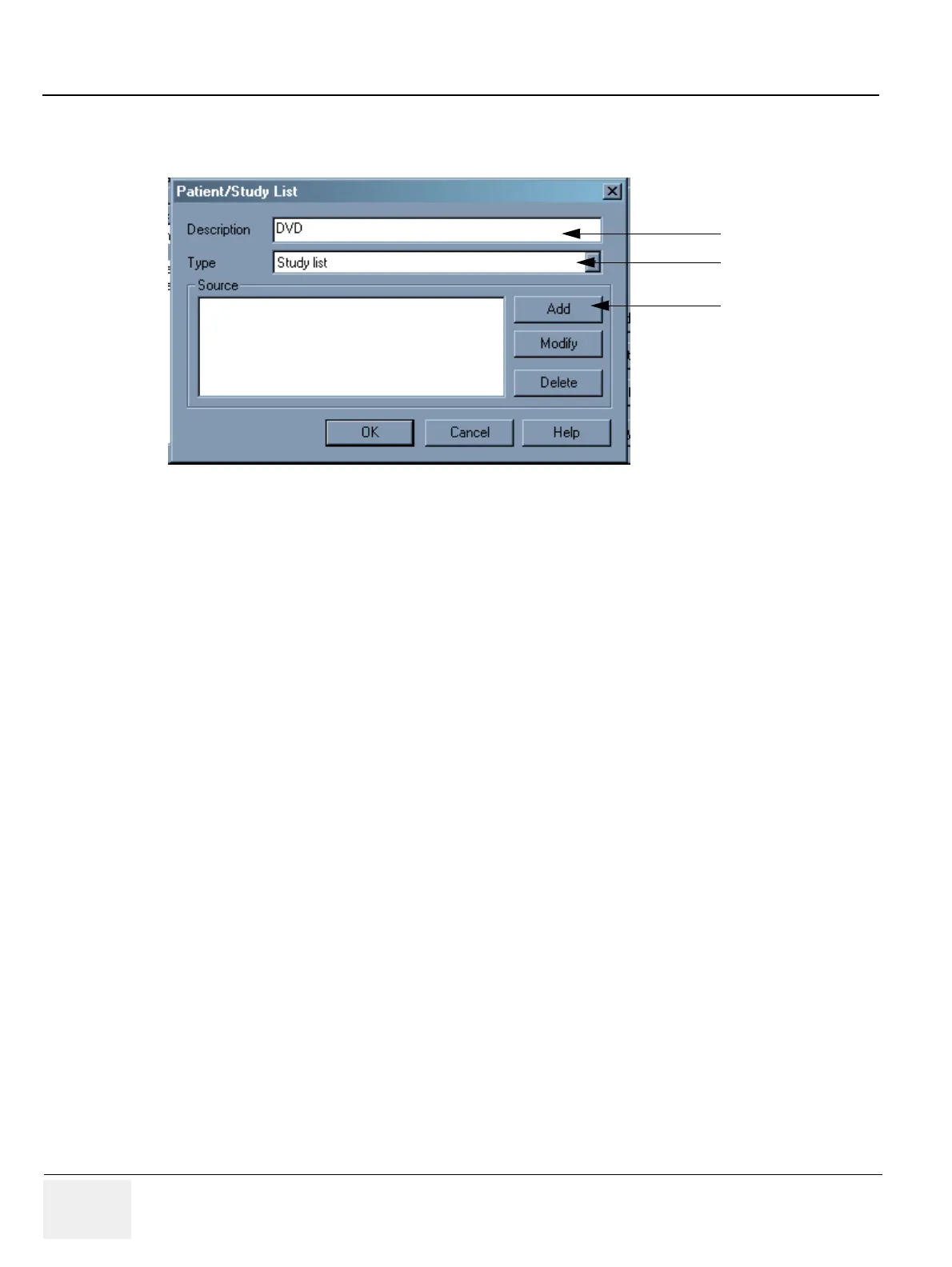
4.) In the Patient/Study List dialog box type in a Description of the Patient or Study list you want to
create. E.g. DVD DICOM volume or CD DICOM volume.
5.) Select from the Type drop-down list the type of list you want to create: Study or Patient.
6.) Click the Add button.
7.) In the Source dialog box select the source you want to use for the Patient or Study worklist you want
to define. Select DICOM Volume to use a single medium archive such as a DVD or CD. Then type
in the drive of the Device containing the images you want to import into your RadWorks worklist.
Figure 3-170 Study/Patient List
4.
5.
6.



 To Next Page