GE MEDICAL SYSTEMS
DIRECTION 5184024-100, REVISION 5 LOGIQWORKS BASIC SERVICE MANUAL
3-198 Section 3-5 - Configuration
3-5-11-1 Reading DICOM volume from DVD or CD (cont’d)
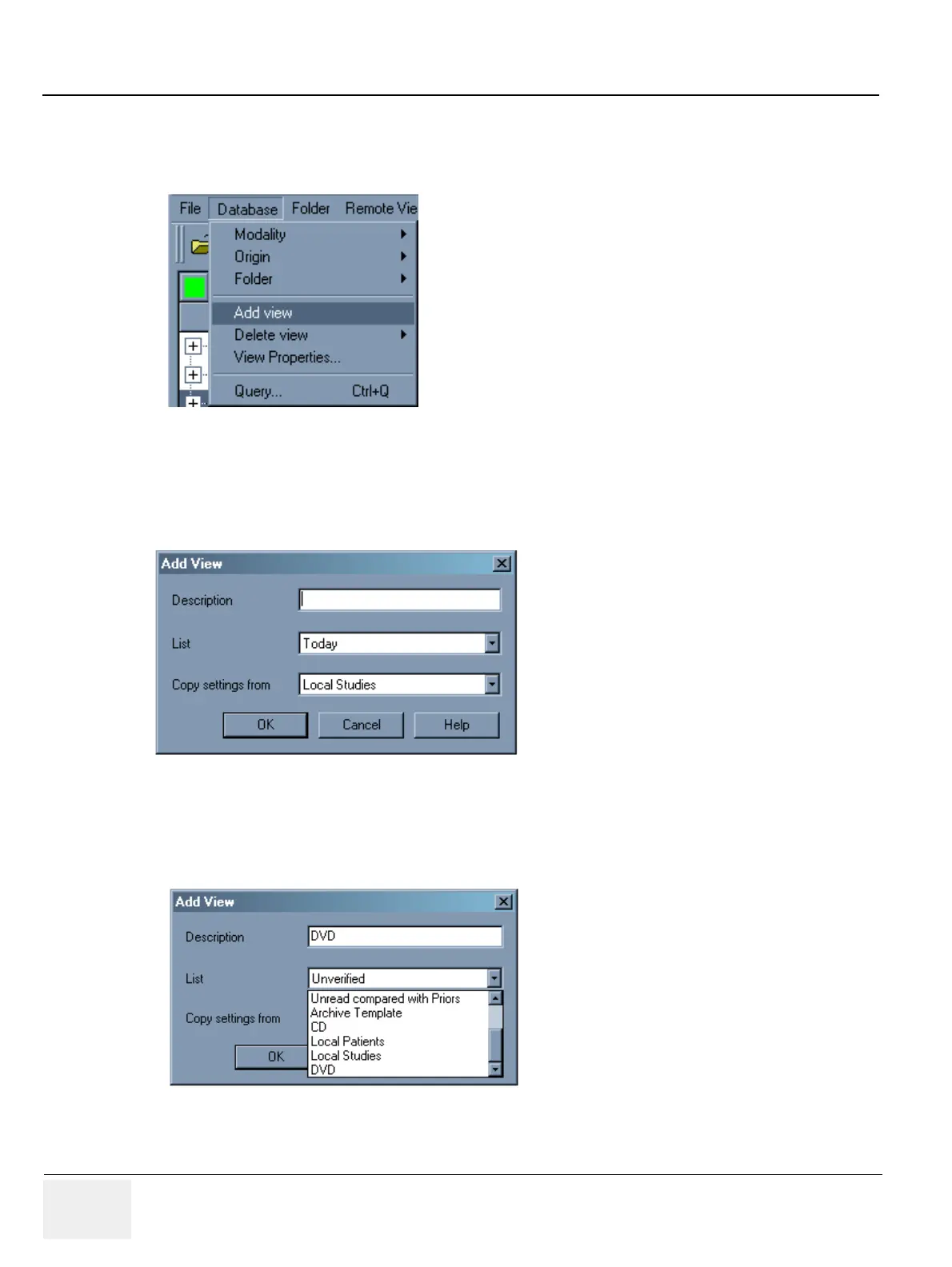
1.) In the Data Selector, select Database -> Add view from the menu bar.
2.) In the Add View dialog, specify the Description field by typing in a description for your new study
list. E.g. DVD or CD.
3.) Select from the List drop-down list the new worklist you created, e.g. DVD DICOM volume or CD
DICOM volume.
Figure 3-173 Database - Add View (1)
Figure 3-174 Database - Add View (2)
Figure 3-175 Database - Add View (3)



 To Next Page