GE MEDICAL SYSTEMS
D
IRECTION 5184024-100, REVISION 5 LOGIQWORKS BASIC SERVICE MANUAL
Chapter 4 Functional Checks 4-19
4-3-5 Service Platform Check for LOGIQworks up to Revision 2.0
4-3-5-1 Checking Global Service Platform connections
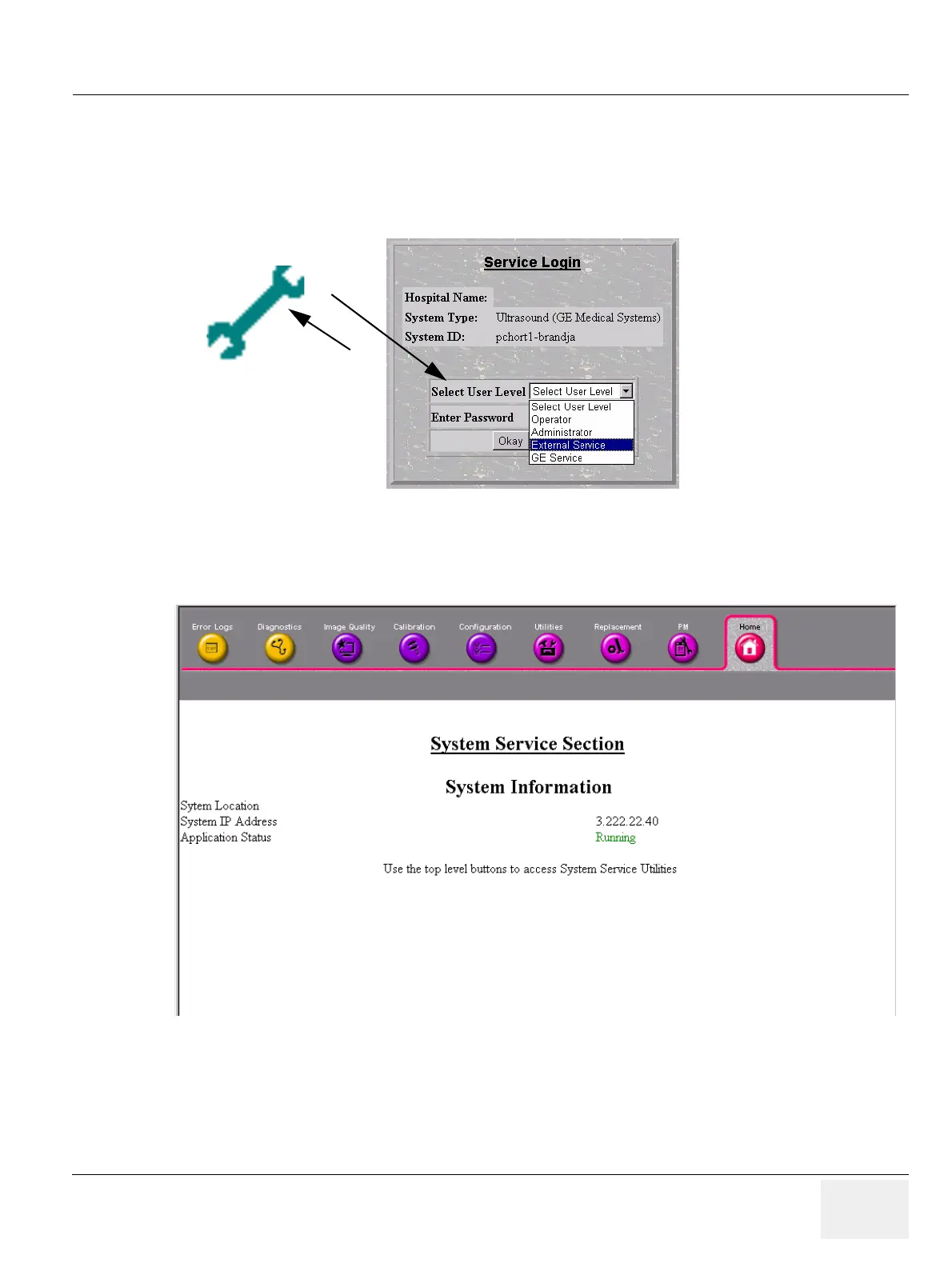
1.) Click on the Wrench icon on the desktop or in the Quick Launch bar.
2.) Select the logon level and enter the password for it to connect as shown below.
Figure 4-19 Service selection and Logon
Figure 4-20 In site home page for External Service Logon



 To Next Page