Microlab
®
STAR Service Manual
6-23
Pipetting Arm Z Alignment (continued)
Attention: Ensure a completely empty deck before starting macro program.
Therefore remove any carriers beforehand.
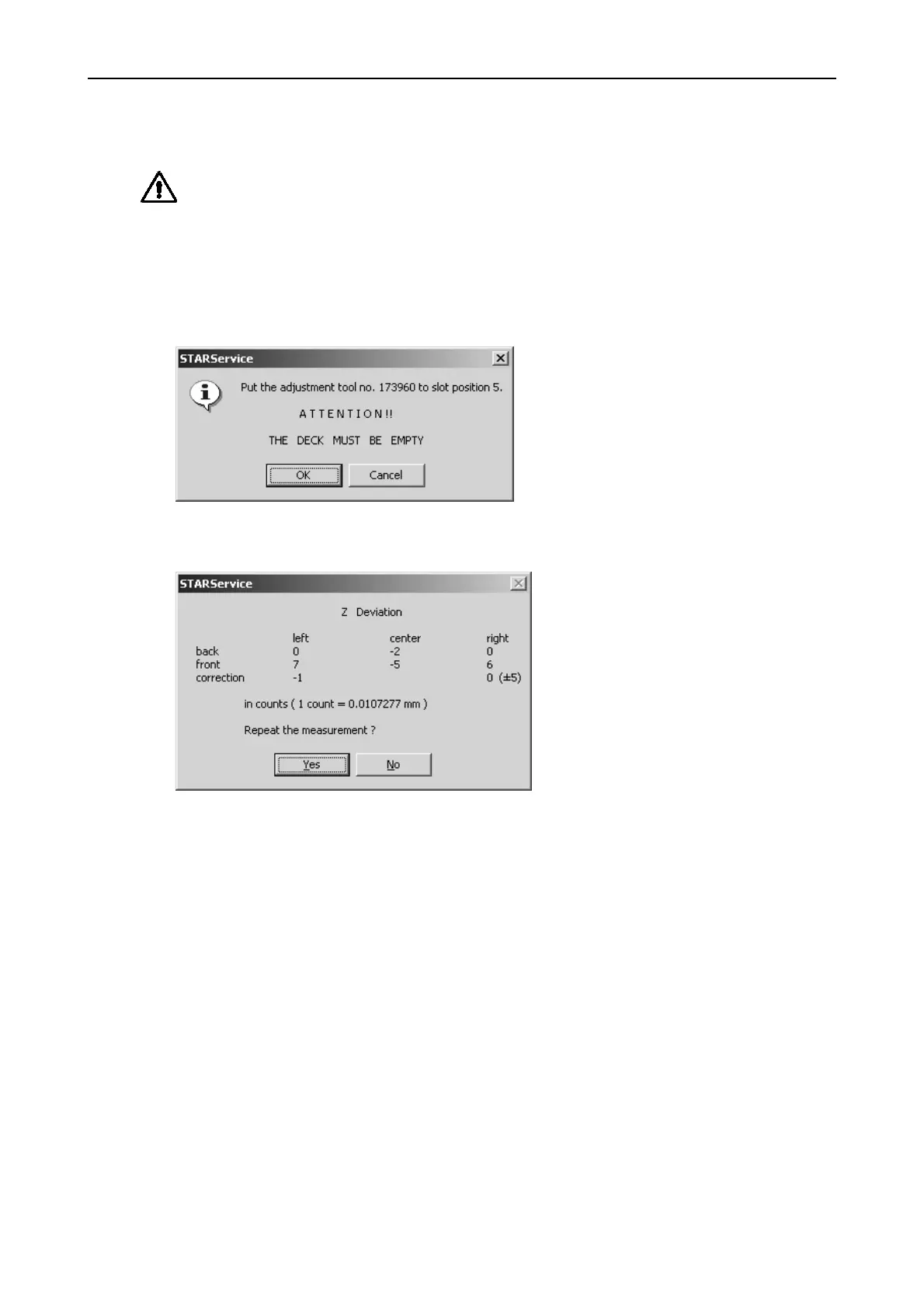
• Start Adjustment Macro Program "ARM Z-DIFFERENCE.MCR" from Service
Software and carefully follow the instructions given in that program.
• Adjustment must performed if difference criteria are not met.
Interpretation of Result of Adjustment procedure:
Adjusting Pipetting Arm in Z-Direction (which would not be necessary in the result
window shown above).
Corrective Actions
The Front guide bar may only be lifted or lowered on the left and right side of the
Microlab STAR Instrument. In this example, the corrective action would be lowering
the Front guide bar on the left side.
• Just loosen 2 fixing screws on each side and lower Front guide bar with
adjustment screw according to the values provided by the program, then tighten
the fixing screws again (see Picture on previous page).
• Verify the current position by running the Adjustment Program again and iterate
if necessary.



 To Next Page