7-5
7.4.1.2 Function
The Front window and side Panels left & right protect the user from the moving
Pipetting Arm and from any contamination inside the instrument.
A Cover Control switch located inside the left vertical post controls the closed Front
window and will stop any movement of the instrument and also will abort a started
Method if the Front window is opened during a Run. However, it is still possible to
access all Carriers, loading and unloading, with the Front window closed. Opening is
necessary for maintenance Tasks i.e. deck surface cleaning, access to waste
station etc.
The Microlab
STAR Instrument can be run without side Panels when the optional
ML STAR Plate Handler and / or the ML SWAP require access to the deck.
7.4.1.3 Replacement
this section describes the replacement of:
• Front window
• Cover Switch
• Panels left & right side
Attention: Handle with care to avoid scratches on cover and panels.
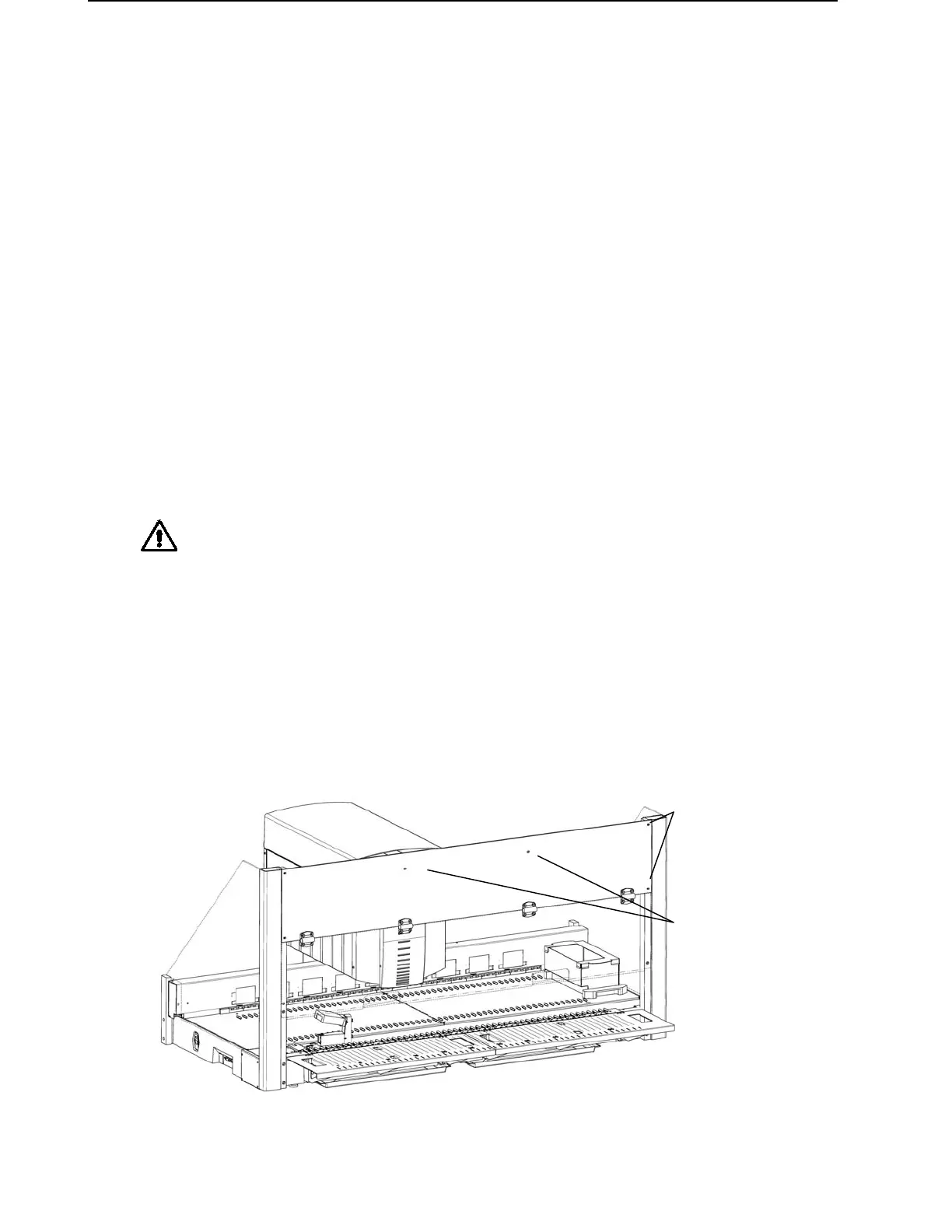
• Front window
Remove 6 screws P/N 420561:
First remove outer screws, then, holding the Front window by hand, the two
remaining screws in middle. Carefully lift Front window away and store on
appropriate surface.
A black sheet metal to protect the front guide bar from dust is located behind the
Front window, fixed with screws P/N 400047.
first the outer screws
on each side
then
the 2 remaining screws



 To Next Page