Microlab
®
STAR Service Manual
6-24
6.4.3 Pipetting Arm X-Alignment
Overview:
The Pipetting Arm and Channels can be adjusted using Channel Adjustment Tool as
Reference and Adjustment Macro Program (Service Software). Adjustment has to
be done by hand - the Adjustment Macro Program only provides measurement
values and helps you to align the Pipetting arm.
Note: The Adjustment may be performed once the Pipetting Channels are
preadjusted and the Pipetting Arm Z-Alignment is performed.
Preliminary actions:
Hint: Run the Adjustment Program before uncovering the Pipetting Arm. After the
first run decide if any corrective Action must take place.
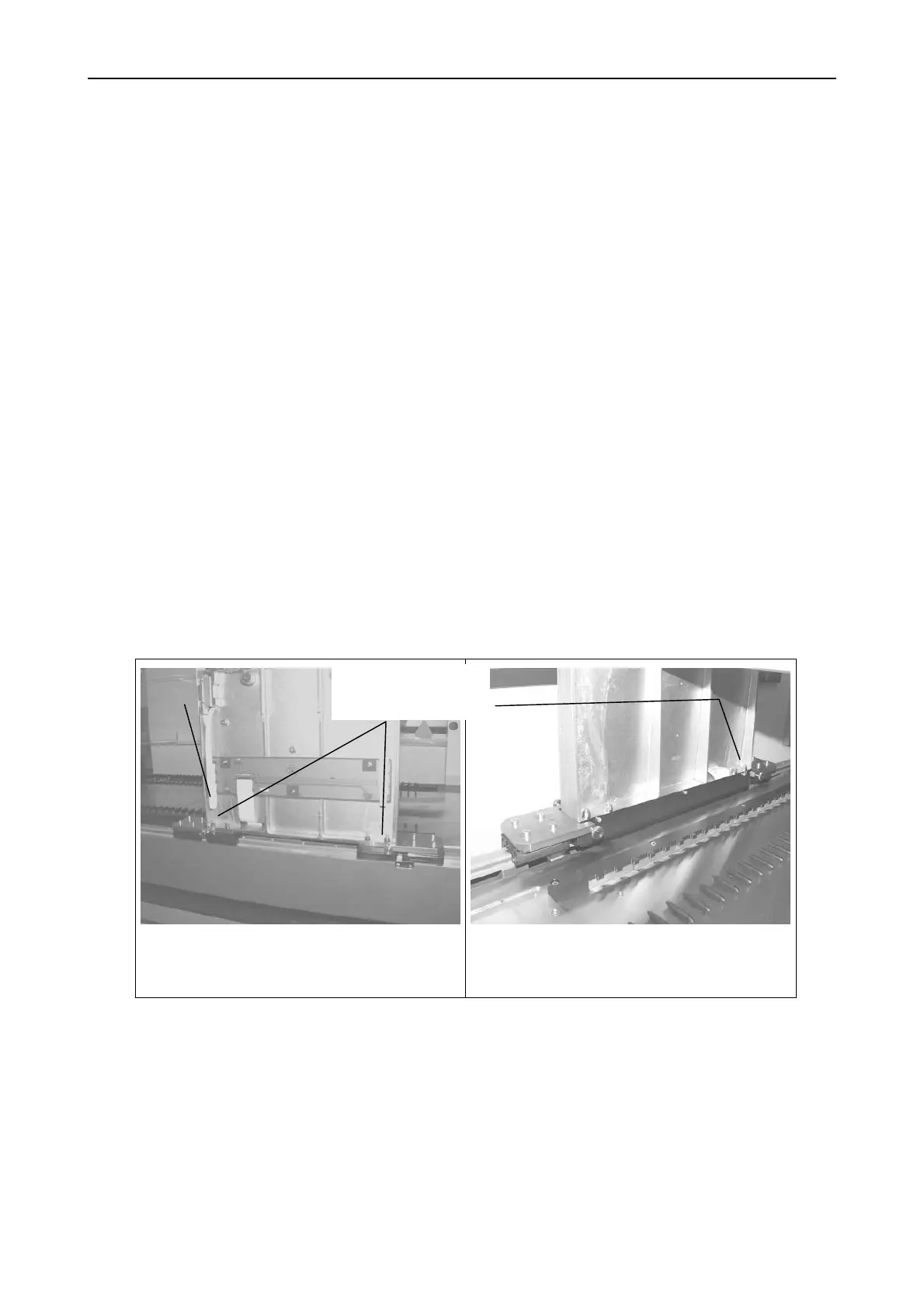
• Uncover the Pipetting Arm completely (see section 7.4.3 Pipetting Arm on page
7-14) to access the 8 fixing screws P/N 400047 in the back.
• First remove side Panels, then both buffers from the ML STAR Instrument
Chassis.
Run the following macro program together with Channel Calibration Tool P/N
173960:
• ARM X-DIFFERENCE.MCR
Uncovered Pipetting Arm, view from
behind.
Uncovered Pipetting Arm, view from
the front left.
Note: the above-mentioned Fixing screws may occur as setscrews with hex nuts
and washers.
8 Fixing screws



 To Next Page