Microlab
®
STAR Service Manual
7-12
Replacement (continued)
Unscrew Deck Panels (4 screws P/N 403491 each panel) and remove them.
Attention: Before removing Left deck Panel, note presence of of Carrier Sensor
Board Cable.
Note: Store Deck Panels on appropriate surface and prevent from damage, i.e.
protect slide blocks.
• Slide Blocks
Note: Deck Panels must removed before Slide Blocks can be replaced. First it
must be ensured that no broken parts have fallen inside instrument and second,
proper remounting is only possible when Deck Panels are placed onto
appropriate supports.
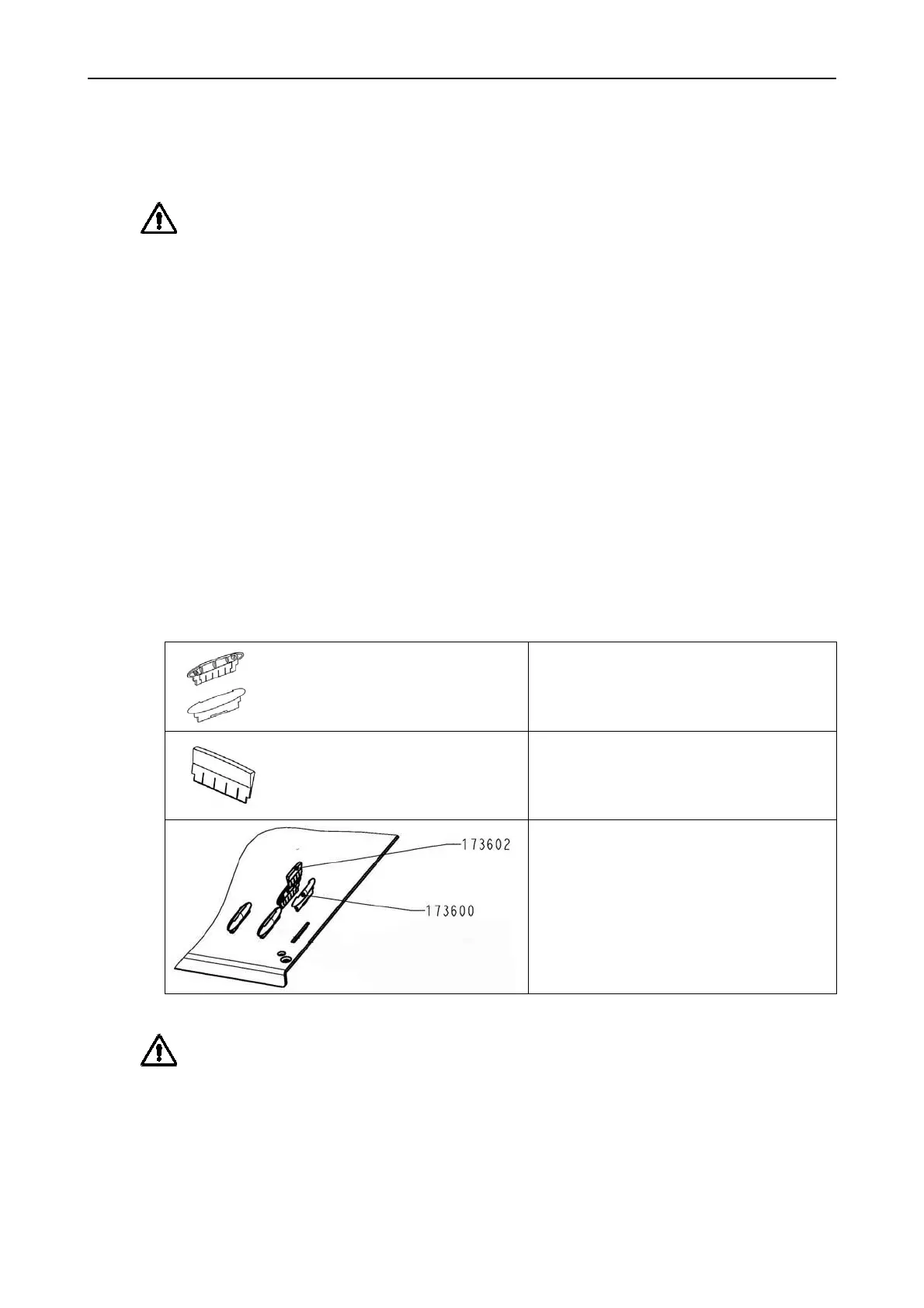
Remove damaged or broken Slide blocks and replace with new ones. Connect
two Slide Blocks together, push them into square hole in deck and finally push a
Slide Blocks Wedge to wedge the replaced parts into position.
A rubber Hammer may be used to gently tap the Slide blocks into place.
Slide Blocks P/N 173600
Slide Block wedge P/N 173602
Preassembled Slide blocks with
wedge.
Attention: Deck Panels may damaged (warped) if they are not placed onto
appropriate supports when remounting slide blocks. Avoid bending during mounting
slide blocks - e.g. by using a rubber hammer.



 To Next Page