Microlab
®
STAR Service Manual
4-16
Check Access rights for C:\Barcodes (continued)
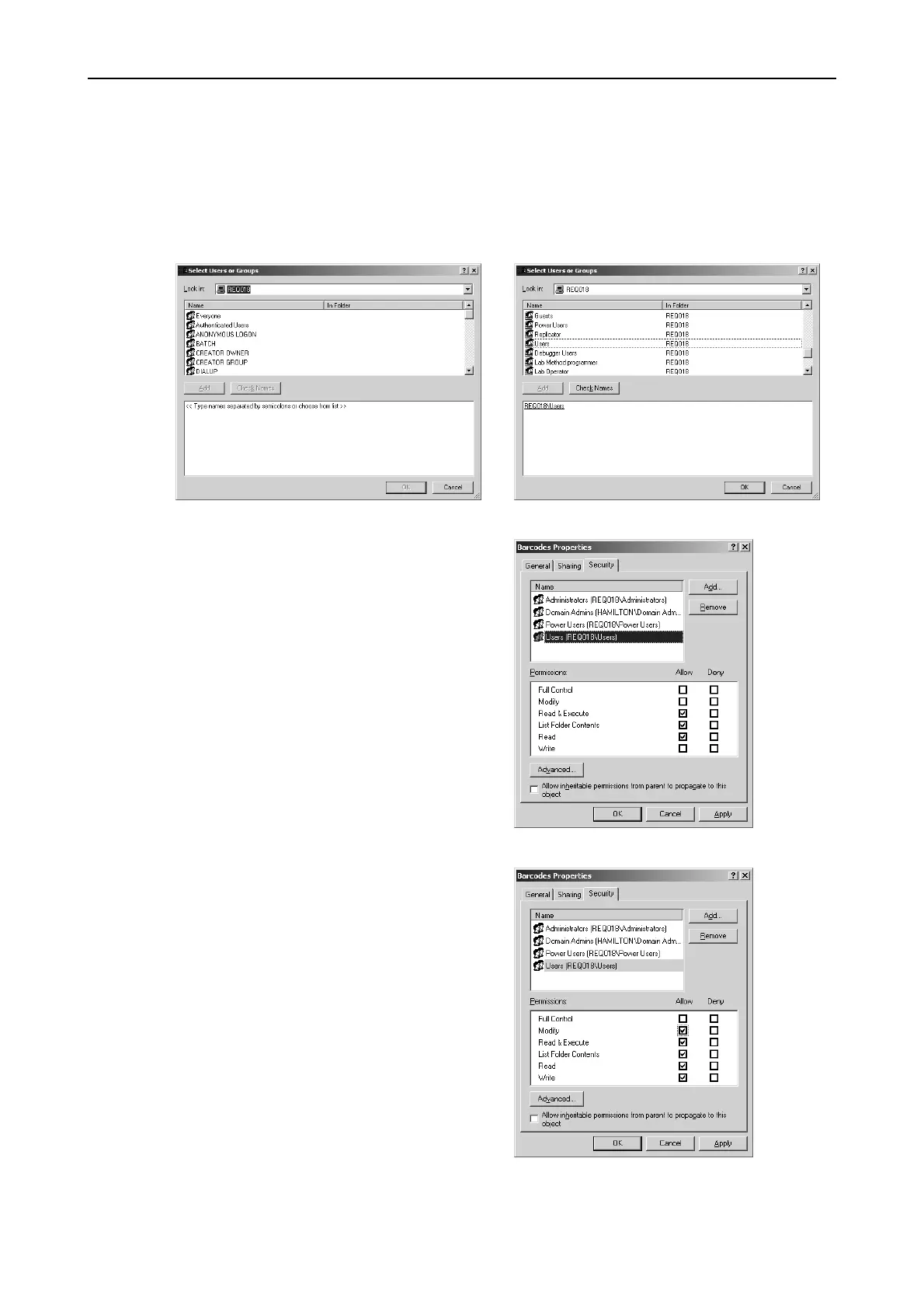
• If ‘Users’ do not have the permissions needed, click 'Add'
• Ensure current PC is selected in 'Look in'
• Select 'Users', click 'Add' and then ‘OK’
Allow 'Modify' for Group 'Users'
The ‘Permissions’ section of the
window should then look like this.
Finally click ‘OK’



 To Next Page