2 - 10
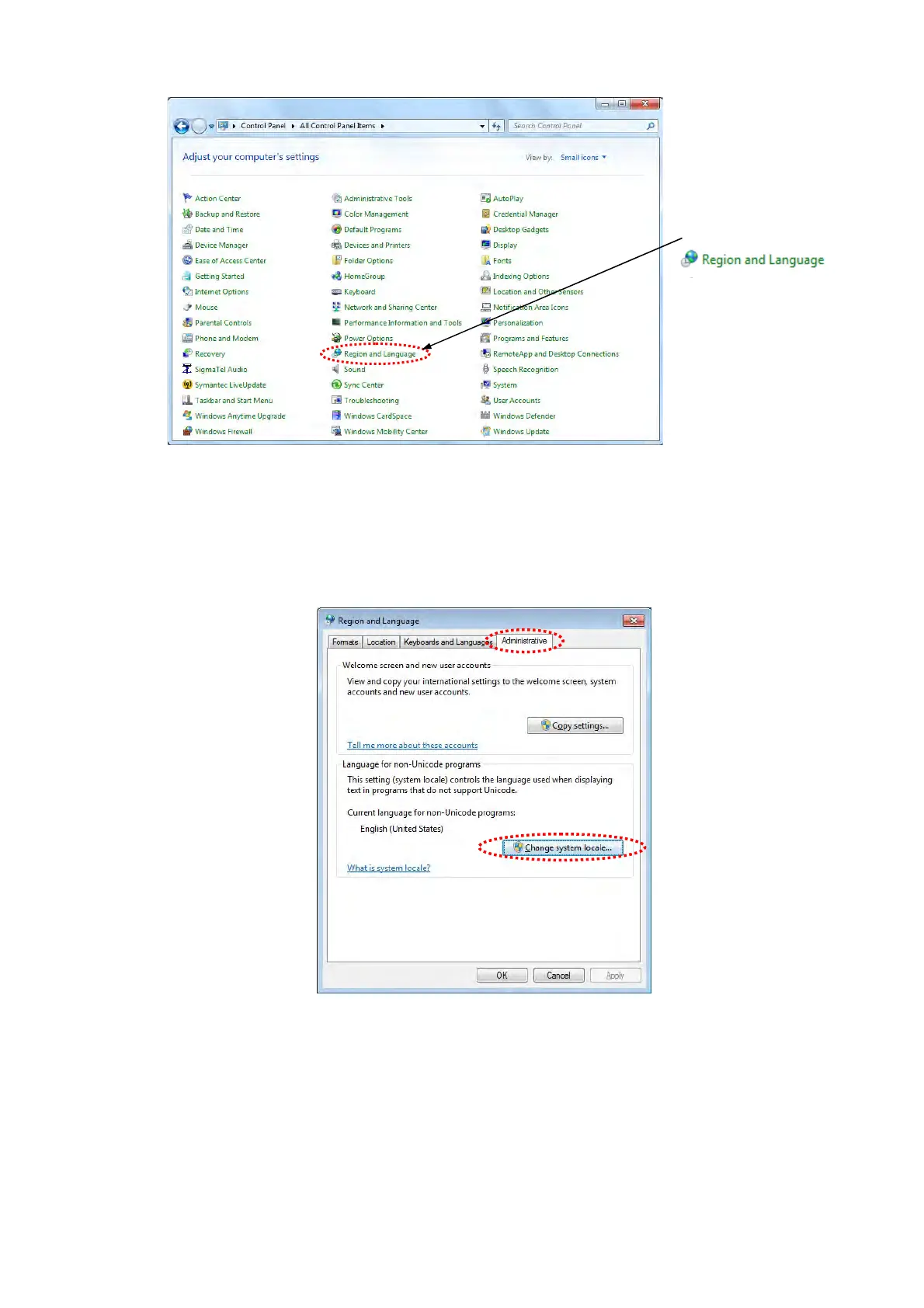
Figure 2.2.1-17 Adjust your computer’s settings Window
18. The Region and Language window appears. Select [Administrative] tab and click
[Change system locale] button in the [Language for non-Unicode programs].
Figure 2.2.1-18 Region and Language Window
19. The Region and Language Settings window appears. From the pull down list of [Current
system locale], select [English (United States)] and click the [OK] button.
Click



 To Next Page