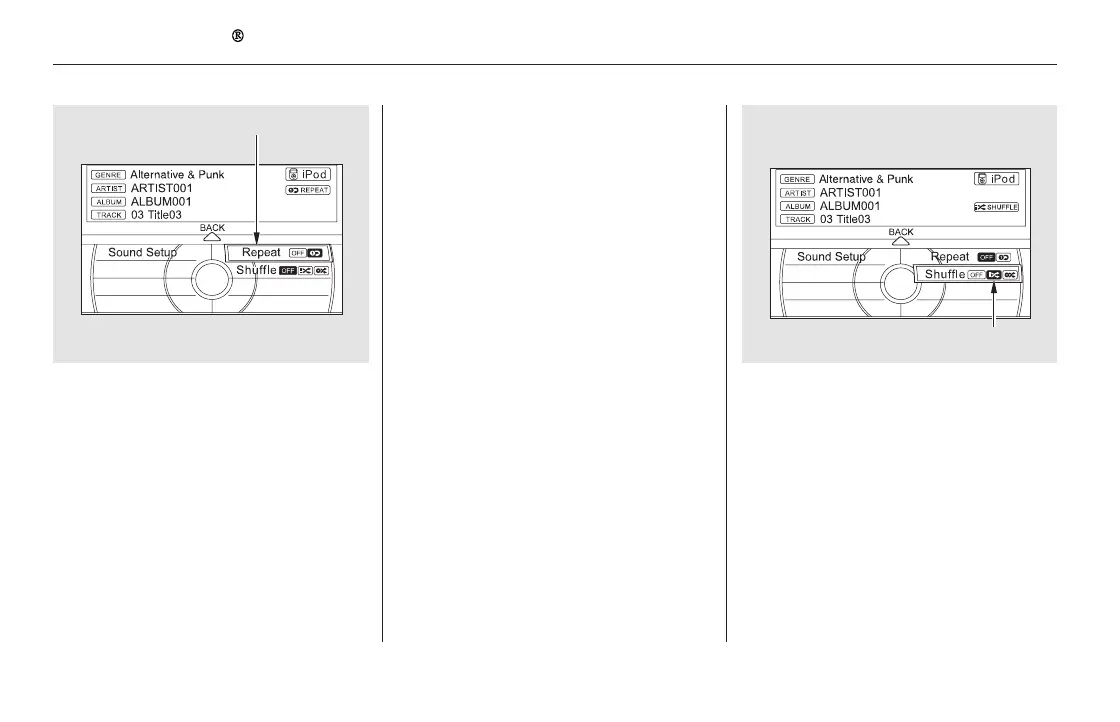
−− This feature shuffles
playback of tracks contained within
the iPod. This function can be
established at the same time that
Repeat Playback is set up.
On the iPod screen, push the
interface selector down to display
the AUDIO MENU.
Turn the interface dial, select the
Repeat icon and press ENTER.
Playback of the track that is
currently being played will be
repeated.
To cancel this function, turn the
interface dial and select the Repeat
OFFicon,andthenpressENTER.
This feature
continuously plays a file.
Press the AUDIO button to display
the audio control screen, then
push the interface selector down
to display the AUDIO MENU.
Turn the interface dial, select
Repeat, and press ENTER.
3.
1.
1.
2.
SHUFFLEREPEAT
Playing an iPod (Models with navigation system)
368
SHUFFLE ICON
REPEAT
11/08/01 09:19:42 31SZA630_375













 To Next Page