−
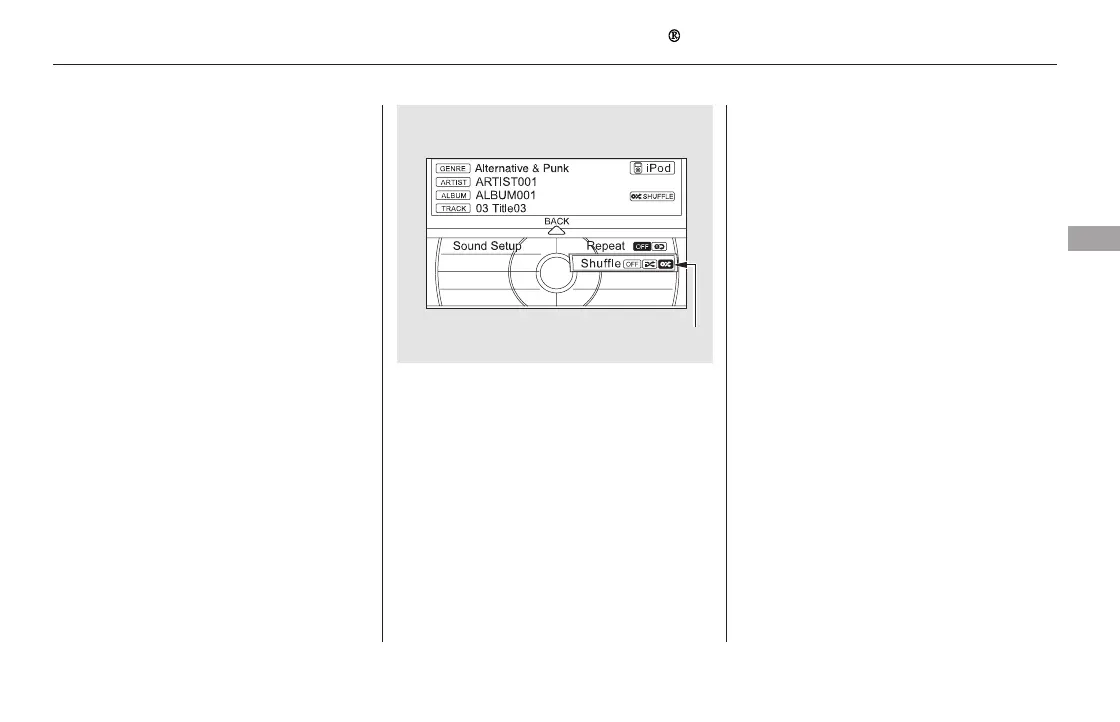
Turn the interface dial, select
Shuffle and press ENTER on the
interface selector.
Turn the interface dial, select the
Album Shuffle icon and press
ENTER on the interface selector.
Shuffle playback of the album will
begin.
To cancel this function, turn the
interface dial and select the Shuffle
OFFicon,andthenpressENTERon
the interface selector.
Available operating functions vary on
models or versions. Some functions
may not be available on the vehicle’s
audio system.
Shuffles
playback of all available albums,
which are selected by the desired
list: playlists, artists, albums or songs.
This function can be selected at the
same time that Repeat Playback is
setup.
On the iPod screen, push the
interface selector down to display
the AUDIO MENU.
Turn the interface dial, select
Shuffle and press ENTER on the
interface selector.
Turn the interface dial, select the
Shuffle icon and press ENTER on
the interface selector.
Shuffle playback will begin. To
cancel this function, turn the
interface dial and select the Shuffle
OFFicon,andthenpressENTERon
the interface selector.
2.
1.
3.
2.
3.
ALBUM SHUFFLE
Playing an iPod (Models with navigation system)
Features
369
NOTE:
ALBUM SHUFFLE ICON
11/08/01 09:19:54 31SZA630_376













 To Next Page