To pair a cell phone (when there is no
phone paired to the system):
Press the PHONE button or PICK-
UP button. The system starts pairing
when there is no phone paired to the
system.
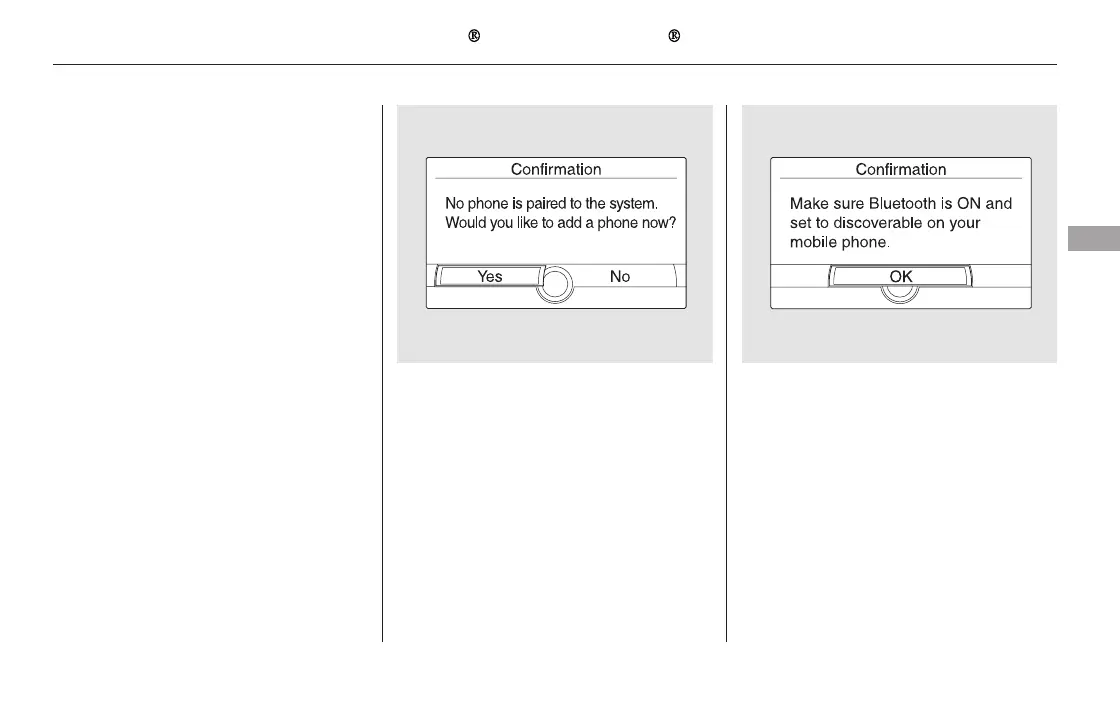
Press the PHONE button or PICK-
UP button. The system prompts
you to pair a phone. Select ‘‘Yes’’
on the confirmation screen.
Make sure your phone is set to
discoverable or visibility is ON,
and select ‘‘OK.’’ HFL begins to
searchforyourphone.
1. 2.
CONTINUED
Setup Bluetooth Phone
Bluetooth
HandsFreeLink (Models with navigation system)
Features
469
11/08/01 09:37:48 31SZA630_476


 To Next Page
 Loading...