To pair a cell phone (when there are one
or more phones paired to the system):
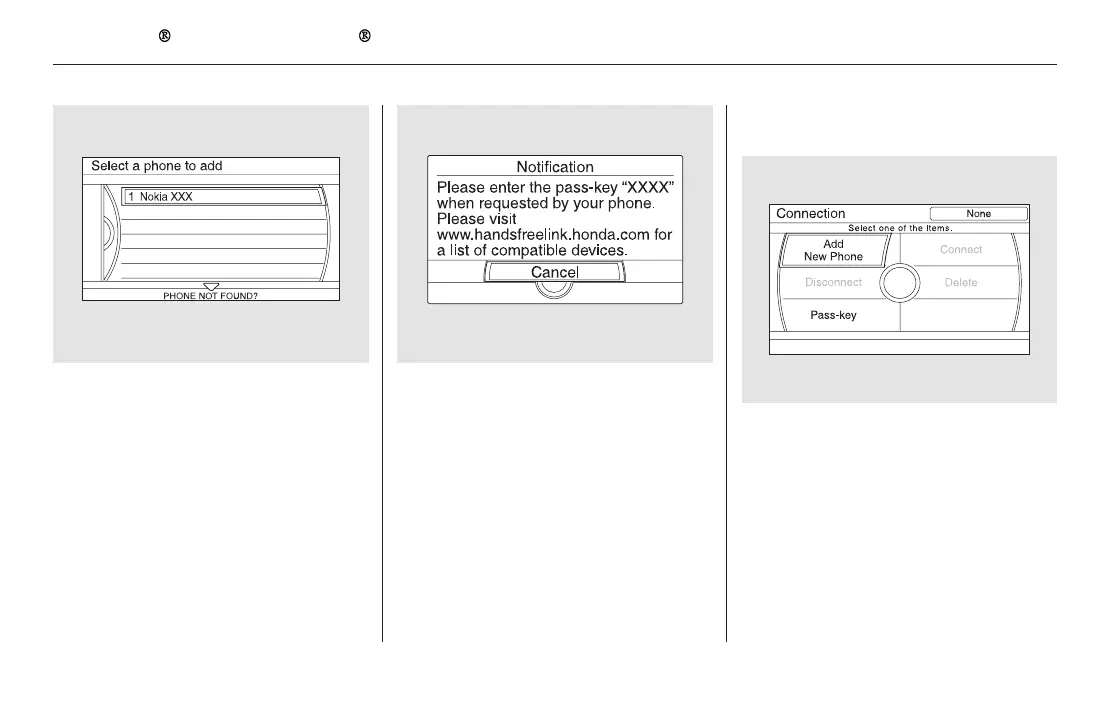
HFL gives you a 4-digit pass-key
that you will need to input on your
phone.
When your phone prompts you,
input the 4-digit pass-key.
You will receive a notification on
the screen and your phone if
pairing is successful.
Select ‘‘Phone Setup’’ from the
Phone screen.
Select ‘‘Connection’’ from the
Phone Setup screen.
Select ‘‘Add New Phone.’’
If your phone doesn’t appear on
the list, select ‘‘Phone not found?’’
and search for Bluetooth devices
using your phone. From your
phone, select ‘‘HandsFreeLink.’’
If your phone is found, it is
displayed on the screen. Select it
and press ENTER.
2.
3.
1.
5.3.
4. 6.
7.
Bluetooth
HandsFreeLink (Models with navigation system)
470
U.S. model is shown.
11/08/01 09:38:02 31SZA630_477


 To Next Page
 Loading...