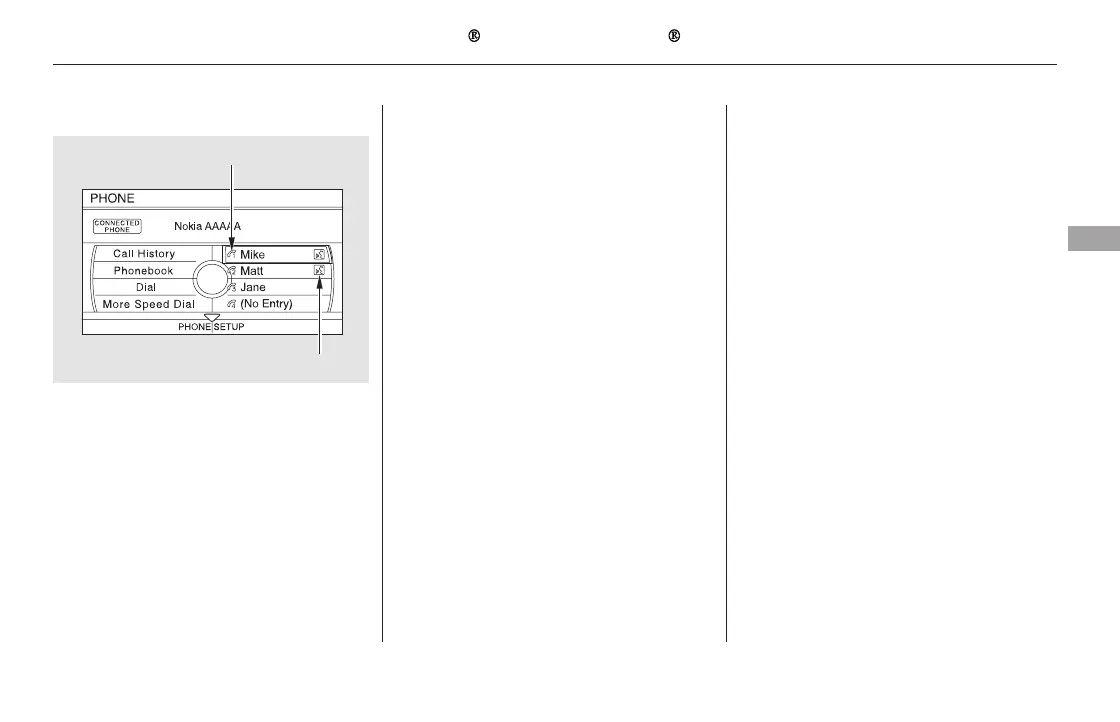
To make a call using Speed Dial: To make a call using More Speed Dial:
To make a call using Redial:
Select one of the four entries on the
Phone screen, and push ENTER to
begin automatic dialing.
Select ‘‘More Speed Dial’’ on the
Phone screen.
When you receive a call, a
notification appears on the screen
(see page ).
To end or decline the call, press the
HANG-UP button.
To answer the call, press the
PICK-UPbuttononthesteering
wheel.
A list of 20 stored speed dial
entries is shown. Select the entry
you want to call, and push ENTER
to begin automatic dialing.
: Any voice-tagged speed dial
entry can be dialed by voice from
any screen.
Press and hold the PICK-UP button
to redial the last number dialed in
your phone’s history. While the
display is showing Phone screen, you
can also redial by pressing and
holding ENTER.
2.
1.
464
Receiving a Call
Bluetooth
HandsFreeLink (Models with navigation system)
Features
481
NOTE
VOICE TAG ICON
SPEED DIAL PHONE ICON
11/08/01 09:40:23 31SZA630_488













 To Next Page