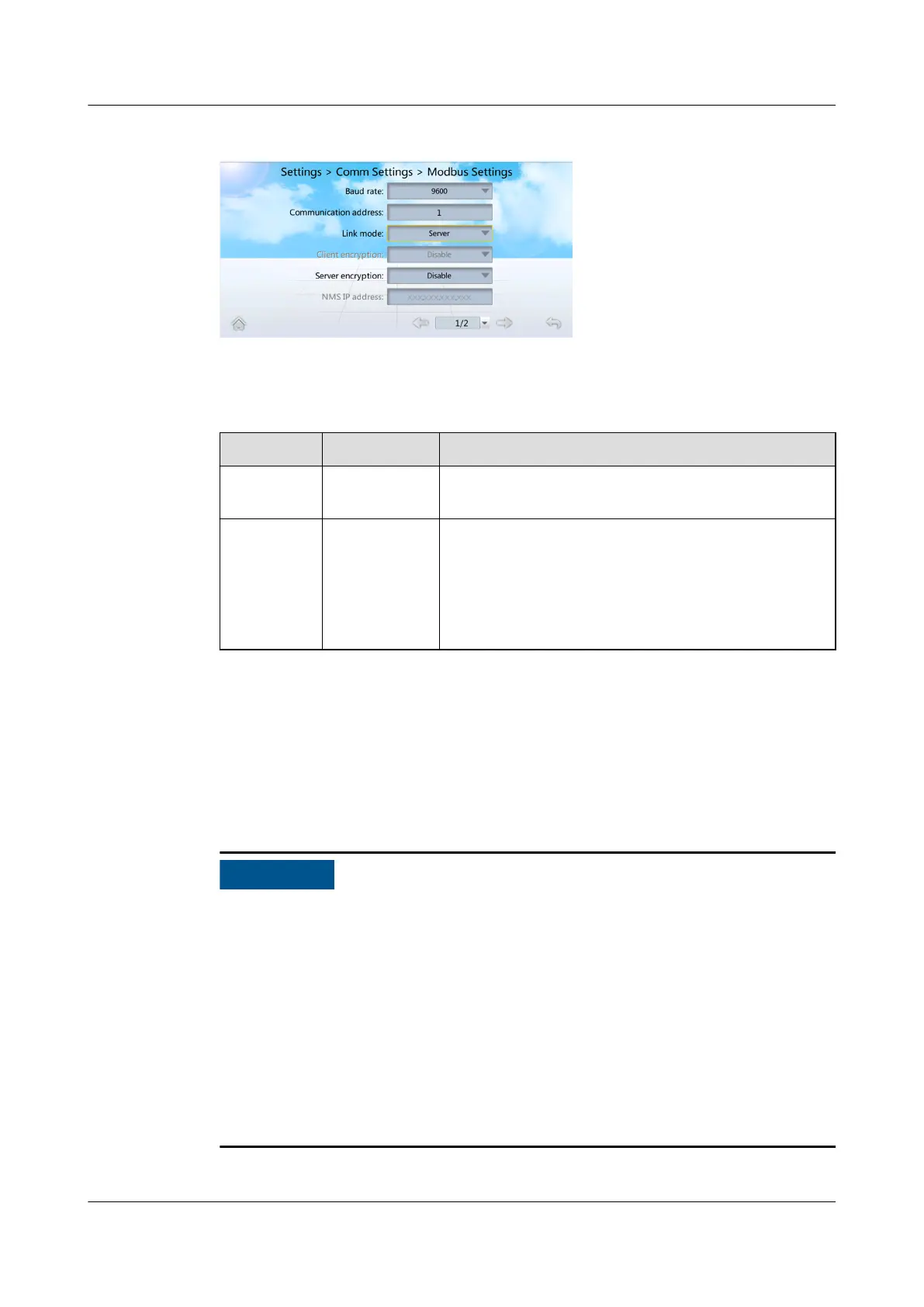
Figure 4-10 Modbus Settings
Step 2 Set baud rate and communication address by following instructions in Table 4-9.
Table 4-9 Baud rate and communication address settings
Parameter Setting Setting Method
Baud rate 9600, 19200 Set the baud rate as required. The value should be
consistent with that set on the EMS.
Communic
ation
address
1–255 Set the communication address of the smart
cooling product as planned. The EMS
communicates with the smart cooling product
through this address, and the communication
addresses of two smart cooling products
connecting to the same EMS must be unique.
----End
4.4.4 Commissioning Procedure
Context
● Remove the refrigerant steel cylinder after conrming that sucient refrigerant
has been injected.
● Users are
classied into Admin and Operator users. Admin users have more
rights than Operator users. The preset password is 000001 for both types of
users. After the
rst login, change the password in time to ensure account
security and prevent unauthorized network attacks, such as data tampering.
Huawei will not be liable for any security issues caused by your failure to
change the preset password in time or password loss after changing. To enter
Diagnostic Mode, log in as Admin.
● If no electric heater,
humidier, or water pump is congured, skip the
commissioning procedures for such components.
NetCol5000-A025 In-row Air Cooled Smart Cooling
Product
User Manual (300 mm Width) 4 Power-On Commissioning
Issue 15 (2020-12-10) Copyright © Huawei Technologies Co., Ltd. 121







 To Next Page