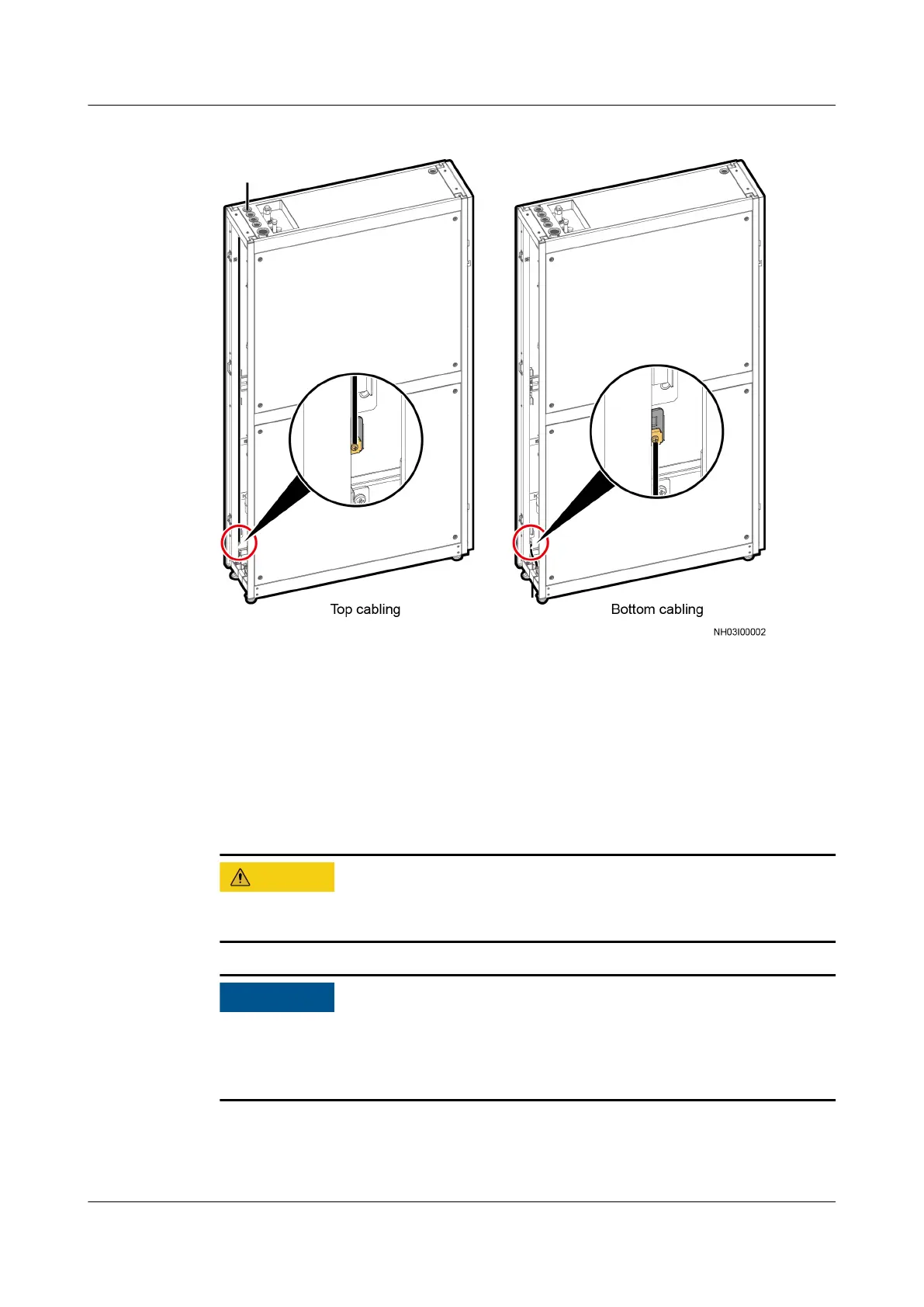
Figure 3-47 Connecting the equipotential ground cable
----End
3.11.3 Connecting the Outdoor Unit Power Cable
Route the outdoor unit power cable through the cabinet cable hole, then to the
L1, L2, L3, and N ports of the AC3 terminal on the indoor unit. Connect the PE
cable to the PE bar to the right of the AC3 terminal. Figure 3-48 shows the cable
routes.
Keep cables away from the compressor, fan, and copper pipe (if unavoidable, take
protective measures), and connect cables securely.
● Ensure that the cables are connected in the correct phase sequence.
● For the NetCol500-A026SC11E0, only the L3, N, and PE ports of the AC3
terminal need to be connected.
NetCol5000-A025 In-row Air Cooled Smart Cooling
Product
User Manual (300 mm Width) 3 Installation Guide
Issue 15 (2020-12-10) Copyright © Huawei Technologies Co., Ltd. 78







 To Next Page