Master/Slave ag indicates the information of this single unit. Other information is about
the teamwork control information of the group.
----End
7.1.7 How to Silence the Buzzer
Context
Silencing the buzzer: After the buzzer is silenced, it does not buzz when a new
alarm is generated.
Procedure
Step 1 Tap the icon in the status bar and tap O to silence the buzzer. After the
buzzer is silenced, the icon changes to
.
----End
7.1.8 How Can I Handle Active Alarms?
Procedure
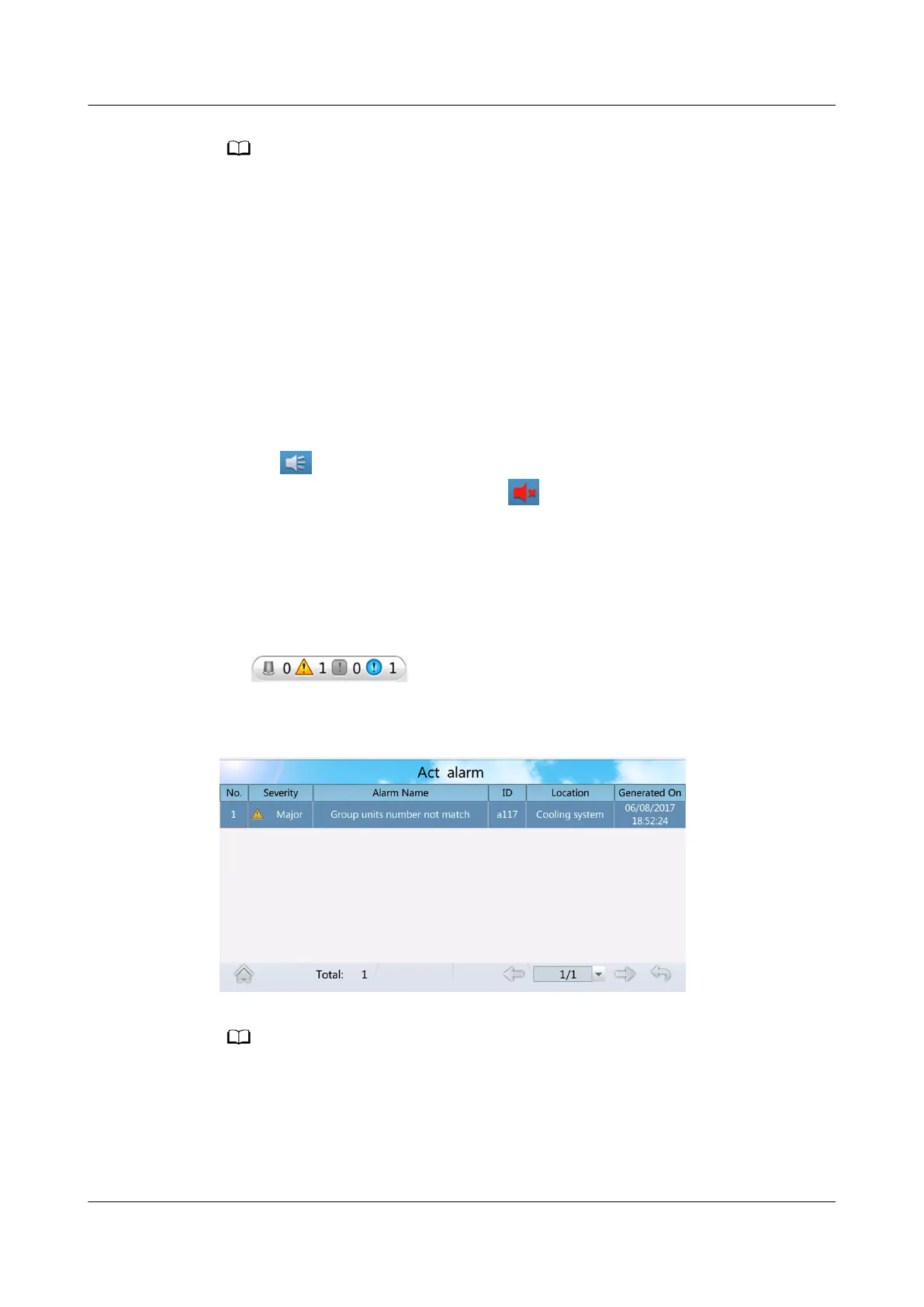
Step 1 Tap
(or choose Alarms > Query Act Alarms) on the home
screen to enter the active alarms screen.
Figure 7-8 Act Alarms
● Active alarms are displayed in chronological order. The latest generated alarm is
displayed in the uppermost row.
● If active alarms exist, they are displayed on the alarm bar one by one.
● You can query an alarm on the alarm list in related user manual for smart cooling
product based on the alarm ID to view causes of the alarm and methods used to clear
the alarm.
NetCol5000-A025 In-row Air Cooled Smart Cooling
Product
User Manual (300 mm Width) 7 FAQ
Issue 15 (2020-12-10) Copyright © Huawei Technologies Co., Ltd. 271







 To Next Page