4.5.3 Initial Conguration
4.5.3.1 Setting Temperature and Humidity Values and Enabling T/H Sensors
Prerequisites
● The T/H sensors outside the cabinet need to be enabled when they are
installed, otherwise, skip Step 2.
● If you need to enable a humidity and temperature sensor, log in as the admin
user.
● This section describes how to enable Cold aisle sensor 1.
Procedure
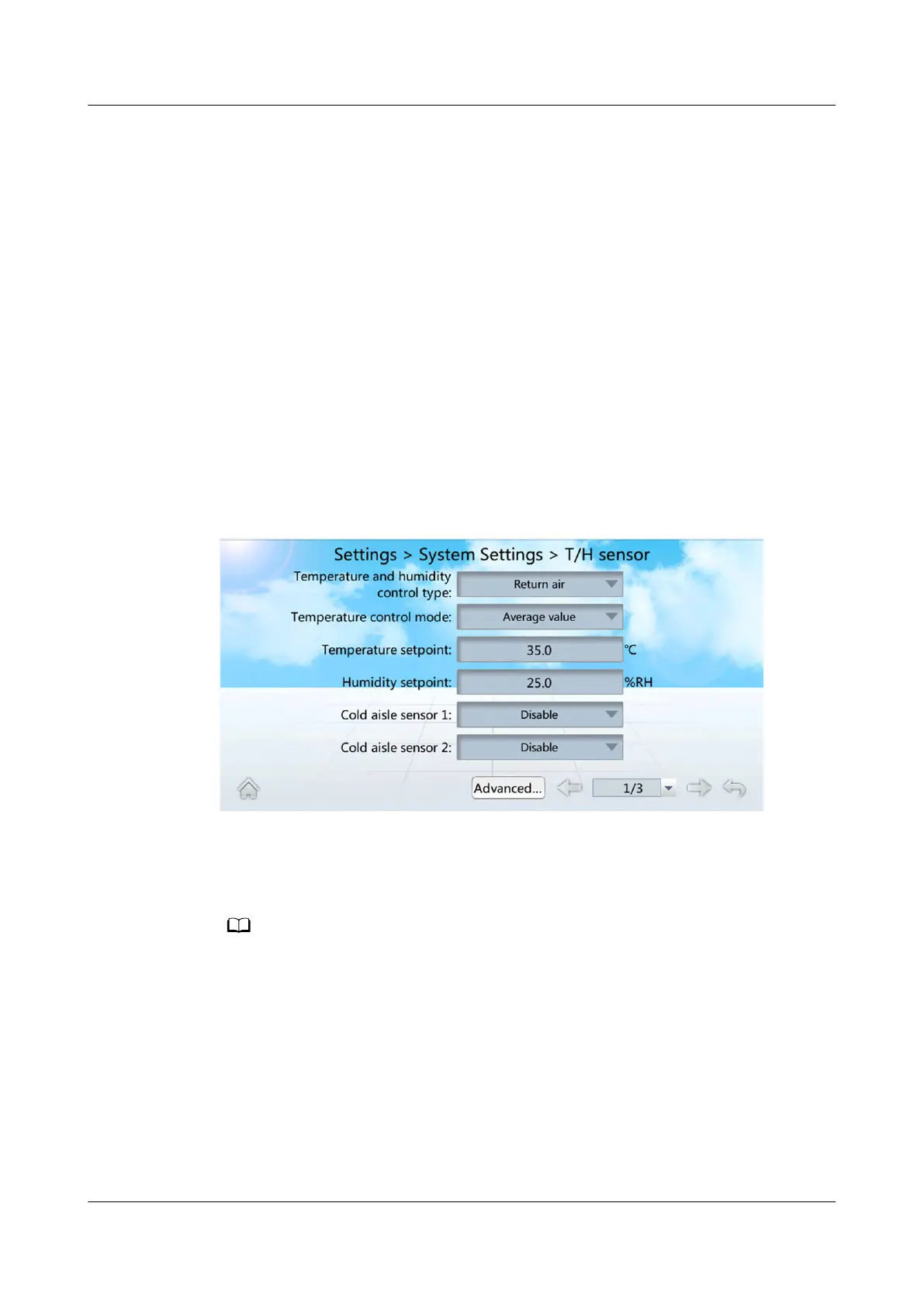
Step 1 On the home screen, choose Settings > System Settings > T/H sensor, as shown
in Figure Setting temperature and humidity values.
Figure 4-17 Setting temperature and humidity values
Step 2 Set Cold aisle sensor 1 to Enable.
Step 3 Set the temperature and humidity values by referring to Table 4-14.
You are not recommended to modify the parameters not listed in Table 4-14.
NetCol5000-A025 In-row Air Cooled Smart Cooling
Product
User Manual (300 mm Width) 4 Power-On Commissioning
Issue 15 (2020-12-10) Copyright © Huawei Technologies Co., Ltd. 136







 To Next Page