4.6 (Optional) Power-o
Context
In shutdown mode, the Shutdown button is green (unavailable) and the Start
button is gray (available).
Procedure
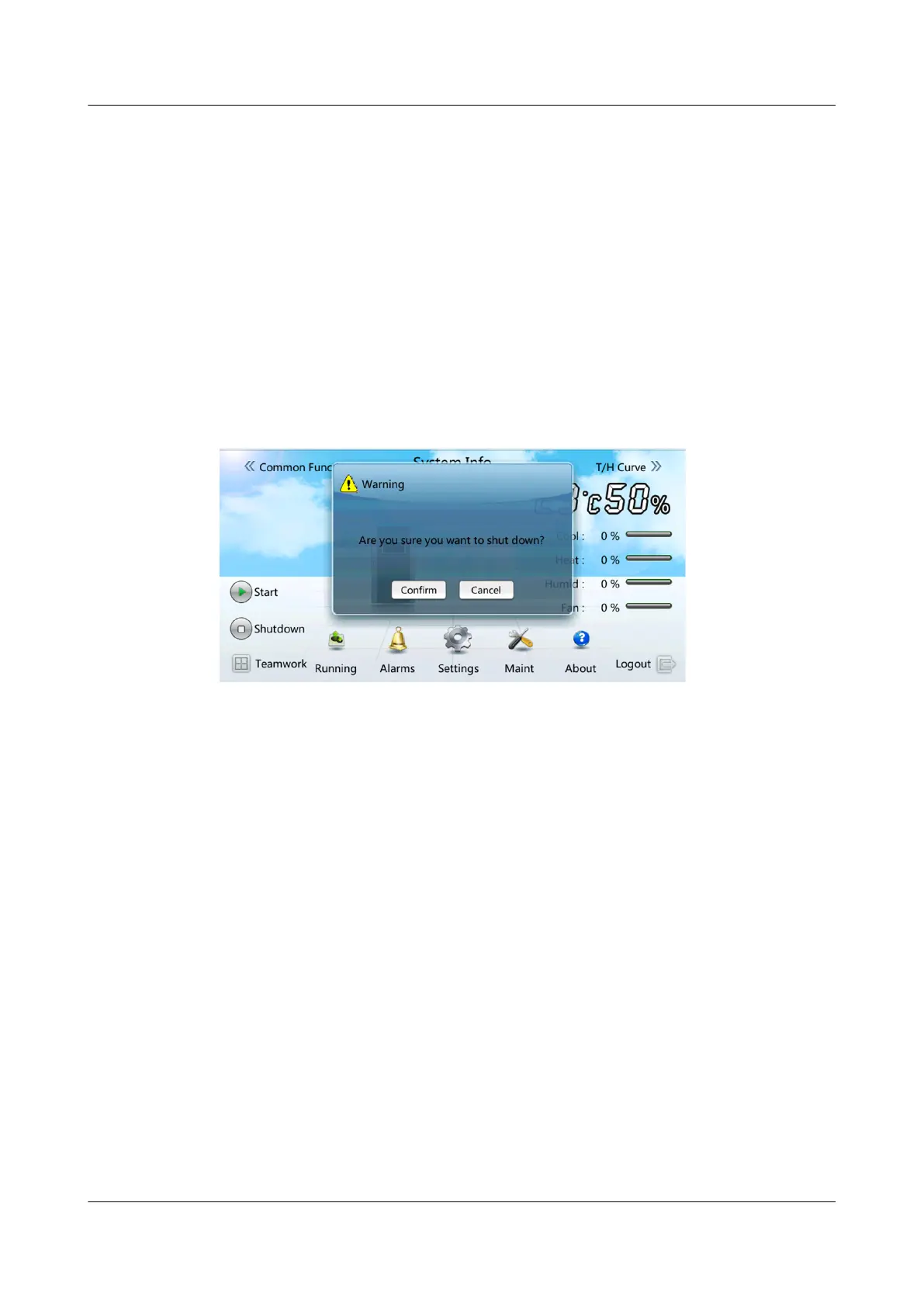
Step 1 Tap Shutdown on the home screen. A warning is displayed, indicating whether to
shut down the smart cooling product, as shown in Figure 4-49.
Figure 4-49 Shutdown
Step 2 Tap Conrm. If the device is successfully shut, the system displays a message,
indicating that the command is successfully triggered.
Step 3 (Optional) Turn
o the switch QF3 that controls the outdoor unit and compressor
and switch QF4 that controls the electric heater. (If electric heater is not
congured, it is not need to operate the QF4.)
Step 4 (Optional) If the smart cooling product needs to be maintained in power-o
mode or long-term power-o, switch o the smart cooling product circuit breaker
on PDC.
----End
NetCol5000-A025 In-row Air Cooled Smart Cooling
Product
User Manual (300 mm Width) 4 Power-On Commissioning
Issue 15 (2020-12-10) Copyright © Huawei Technologies Co., Ltd. 169



 To Next Page