Parameter Description Conguration Principle
Humidity
setpoint
After the Temperature and
humidity control type and the
humidity value under this type
are set, the device conducts
humidifying or dehumidifying
based on the settings.
Set this parameter as required.
40%–60% RH recommended
----End
4.5.3.2 Setting Teamwork Control Parameters
Prerequisites
Assign teamwork group number and teamwork unit address for the teamwork
controlled smart cooling products as follows:
● Teamwork group no.: Group the smart cooling products in adjacent areas as
one, that is, assign one teamwork group number for them. At most four
teamwork groups can be assigned (1–4).
● Teamwork unit address: The address for the smart cooling product in the
same group cannot be the same (address range: 1–32). The smart cooling
product with minimum address is the master one that collects, processes, and
delivers data.
Context
The parameters in this section are for reference only. Set actually parameter values
as required.
Procedure
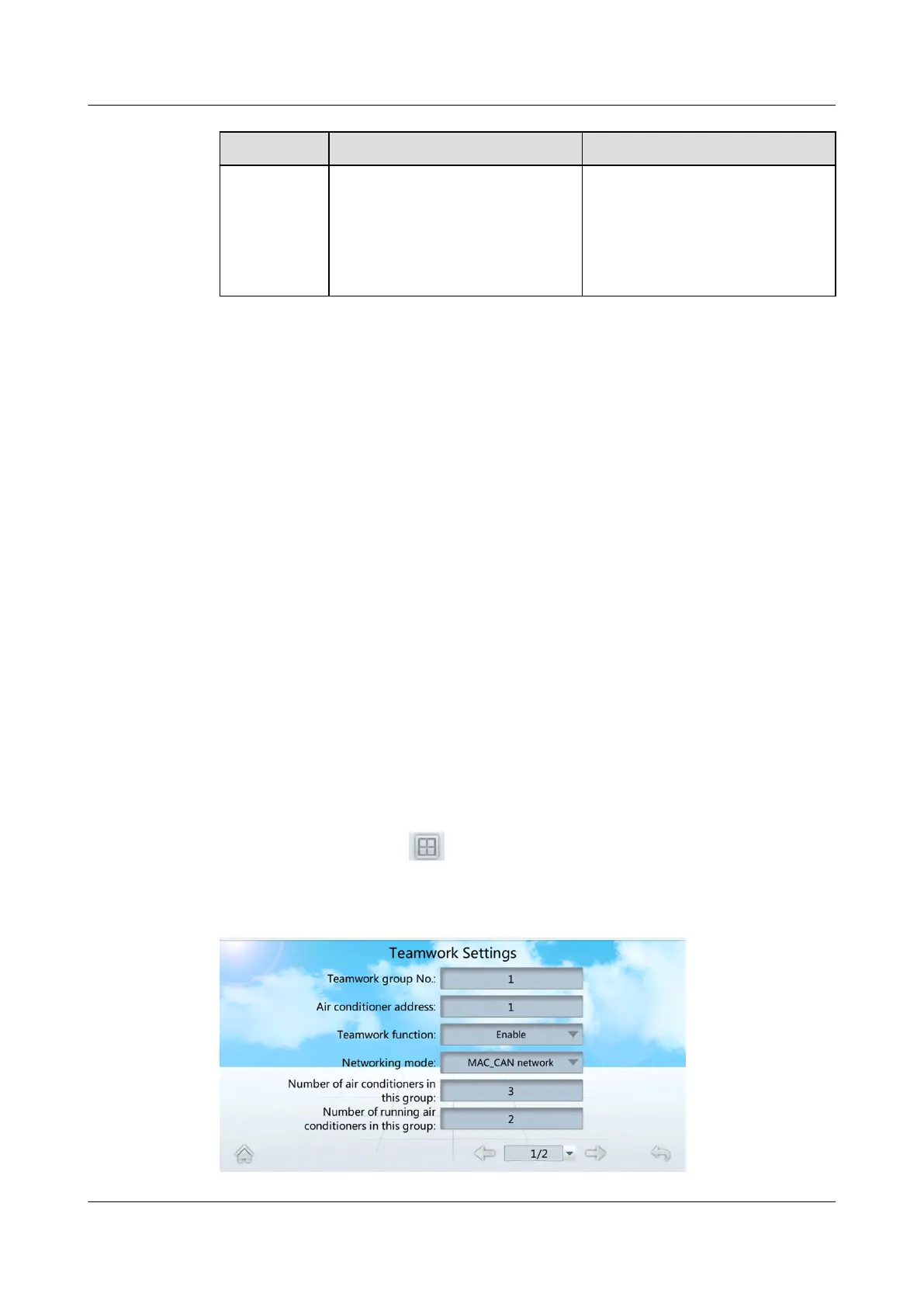
Step 1 On the home screen, tap
> Teamwork Settings, to enter Teamwork
Settings page, as shown in Figure 4-18.
Figure 4-18 Teamwork settings
NetCol5000-A025 In-row Air Cooled Smart Cooling
Product
User Manual (300 mm Width) 4 Power-On Commissioning
Issue 15 (2020-12-10) Copyright © Huawei Technologies Co., Ltd. 138







 To Next Page