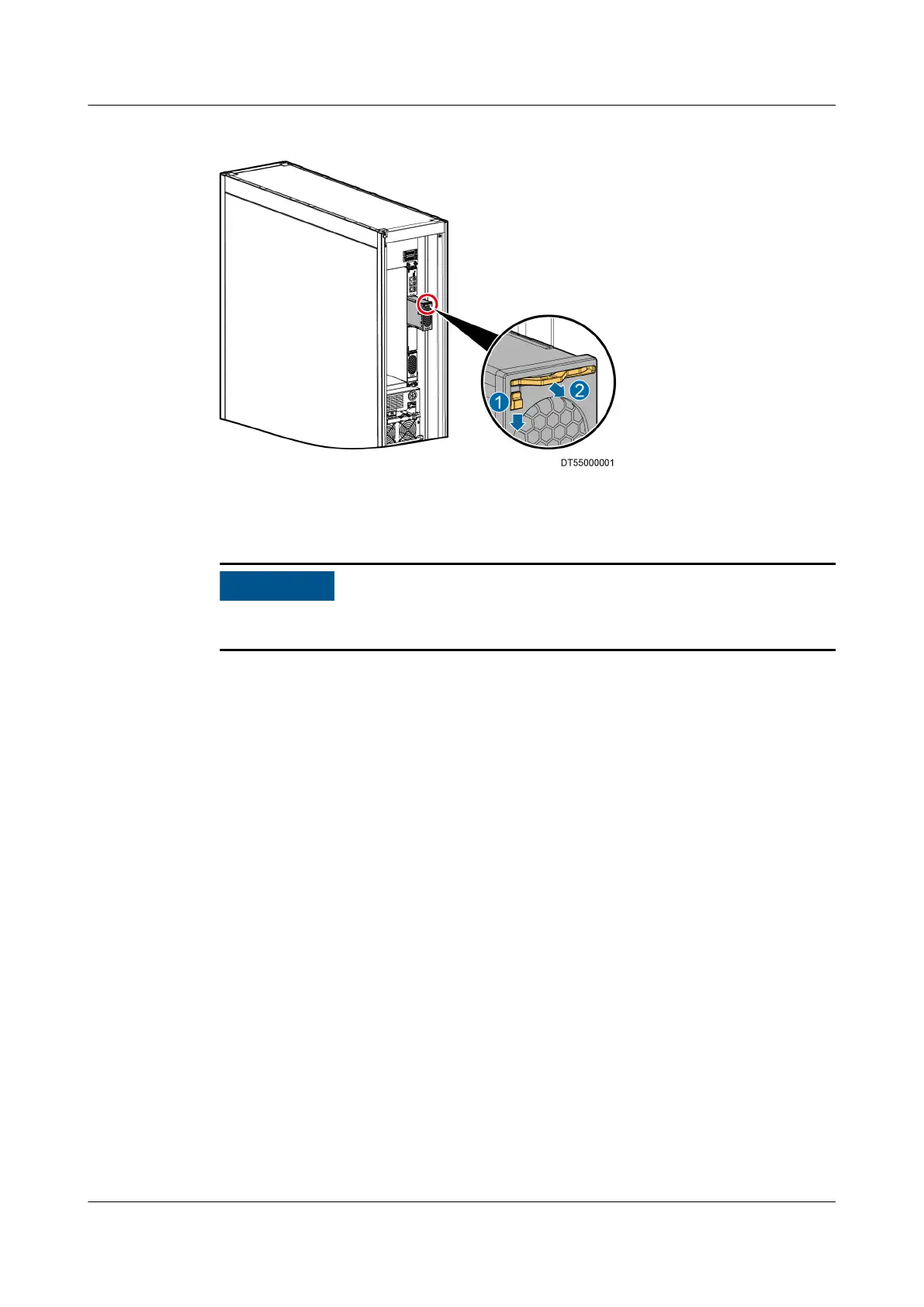
Figure 6-25 Removing a module
Step 4 Take out the handle and pull out the module from the subrack, as shown by (2) in
Figure 6-25.
When installing a new module, ensure that the handle is in the upper part of the
module, and the HUAWEI logo is in the lower left corner of the module.
Step 5 Insert the spare module into the corresponding slot, and ip the clip upwards to
lock the module.
Step 6 Install the air lter and close the rear door.
----End
6.5.13 (Optional) Replacing the Liquid Level Detector
Prerequisites
● The liquid level detector needs to be replaced.
● A spare liquid level detector of the same model is available and functional.
● Tool: Phillips screwdriver
Context
Components and working principle: A liquid level detector is composed of the
conductor outer jacket, liquid level detector, switch, and card pole. A liquid level
detector rises or drops as the liquid level changes due to the magnetism of the
liquid level switch, causing the reed switch chip in the
specied position inside the
sensor detection pipe to move and send the contact
on/o conversion signal to
control the liquid level detector.
The liquid level detector can be maintained only from the front.
NetCol5000-A025 In-row Air Cooled Smart Cooling
Product
User Manual (300 mm Width) 6 System Operation and Maintenance
Issue 15 (2020-12-10) Copyright © Huawei Technologies Co., Ltd. 255







 To Next Page