The cabinet must be carried by at least four persons.
Step 2 Move the cabinet from the pallet to the installation position.
----End
3.8.2 Leveling Feet
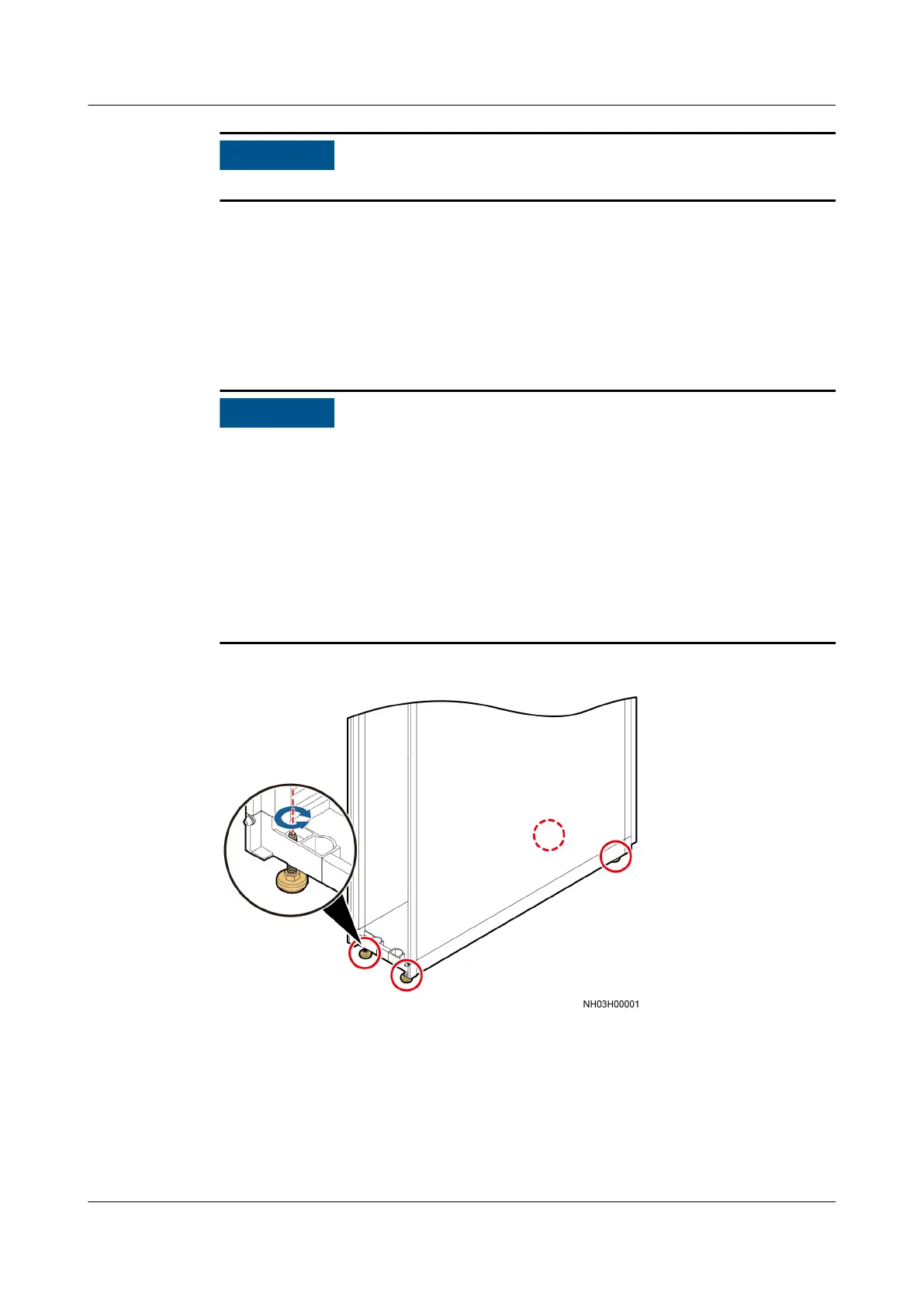
Use an adjustable wrench to raise or lower the leveling feet, as shown in Figure
3-24.
● Wrench an anchor bolt clockwise to elevate a cabinet, wrench an anchor bolt
counterclockwise to lower a cabinet. The leveling feet can be adjusted within a
range of 0–8 mm.
● To prevent damage caused by cabinet tilt, adjust all the leveling feet at the four
corners instead of one foot.
● Before leveling the cabinet, use a measuring tape to check that the vertical
distance between the top of the cabinet and the
oor is 2000±3 mm.
● Do not remove the leveling feet as the reinstallation can be dicult when you
need to use them.
Figure 3-24 Leveling feet
3.8.3 (Optional) Installing the Enclosure Frame
Procedure
Step 1 Open the front door, cut o the cable ties binding the LCD cable, and disconnect
the front door ground cable. Then lift and remove the front door.
NetCol5000-A025 In-row Air Cooled Smart Cooling
Product
User Manual (300 mm Width) 3 Installation Guide
Issue 15 (2020-12-10) Copyright © Huawei Technologies Co., Ltd. 53







 To Next Page