● Enter the Status Summary screen. The control or running status of major
components such as the compressor, EEV, indoor fan are displayed.
● Enter the Device Details screen and then enter the menu of a specic
component. All parameters for the component are displayed.
Procedure
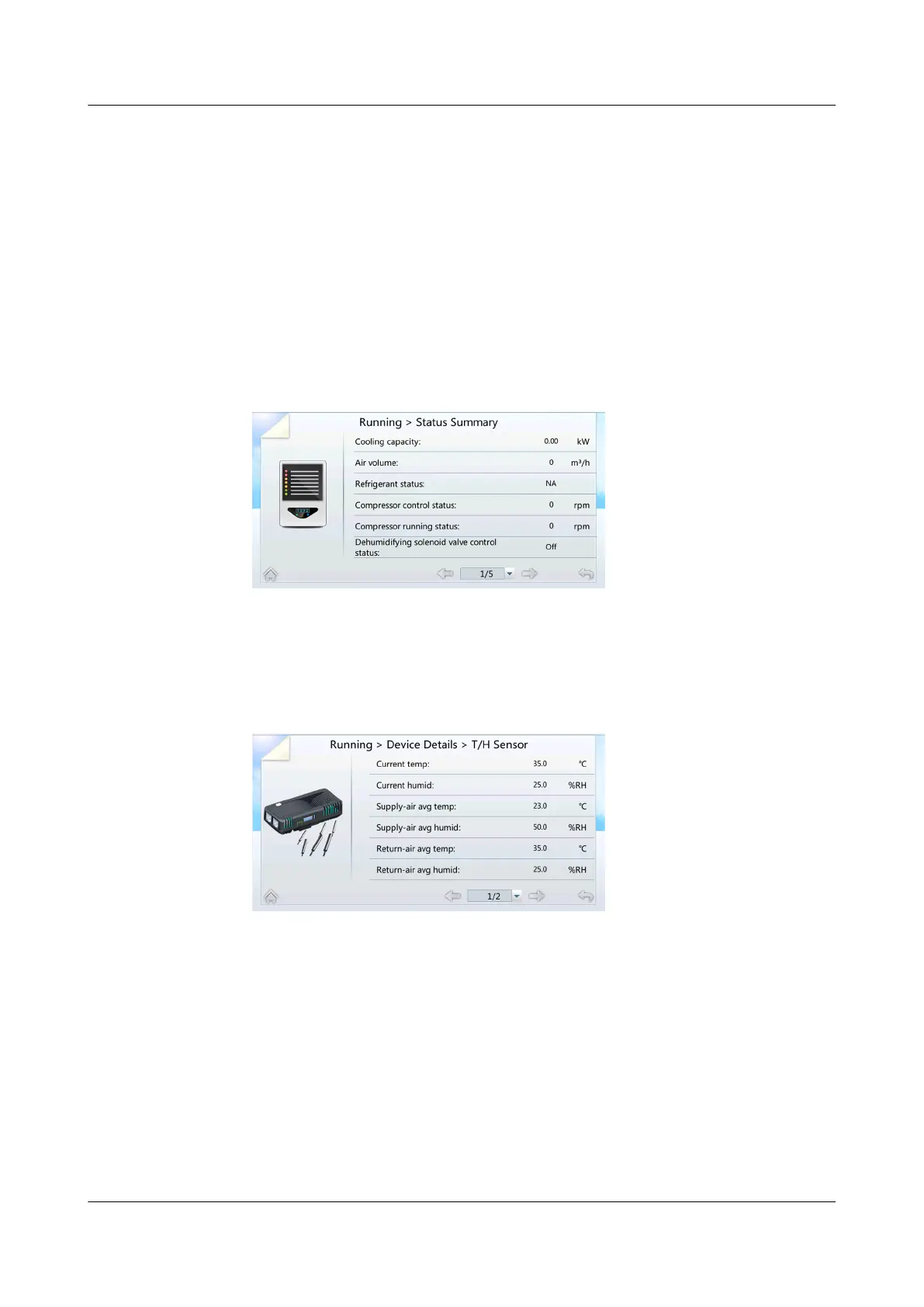
● When viewing the component status through Status Summary, choose
Common Function > Status Summary or Running > Status Summary on
the home screen. The general component status screen is displayed. Figure
7-3 shows the screen displayed after choosing Running > Status Summary.
Figure 7-3 General status
● When querying component status through Device Details (using the T/H
sensor as an example), choose Running > Device Details > T/H Sensor on
the home screen to query the status of the T/H Sensor, as shown in Figure
7-4.
Figure 7-4 T/H Sensor
----End
7.1.4 Querying System Parameters
Procedure
● Choose Common Function > Operating Info on the home screen, the related
screen is displayed.
● Choose Running > System Overview on the home screen, the related screen
is displayed.
----End
NetCol5000-A025 In-row Air Cooled Smart Cooling
Product
User Manual (300 mm Width) 7 FAQ
Issue 15 (2020-12-10) Copyright © Huawei Technologies Co., Ltd. 268







 To Next Page