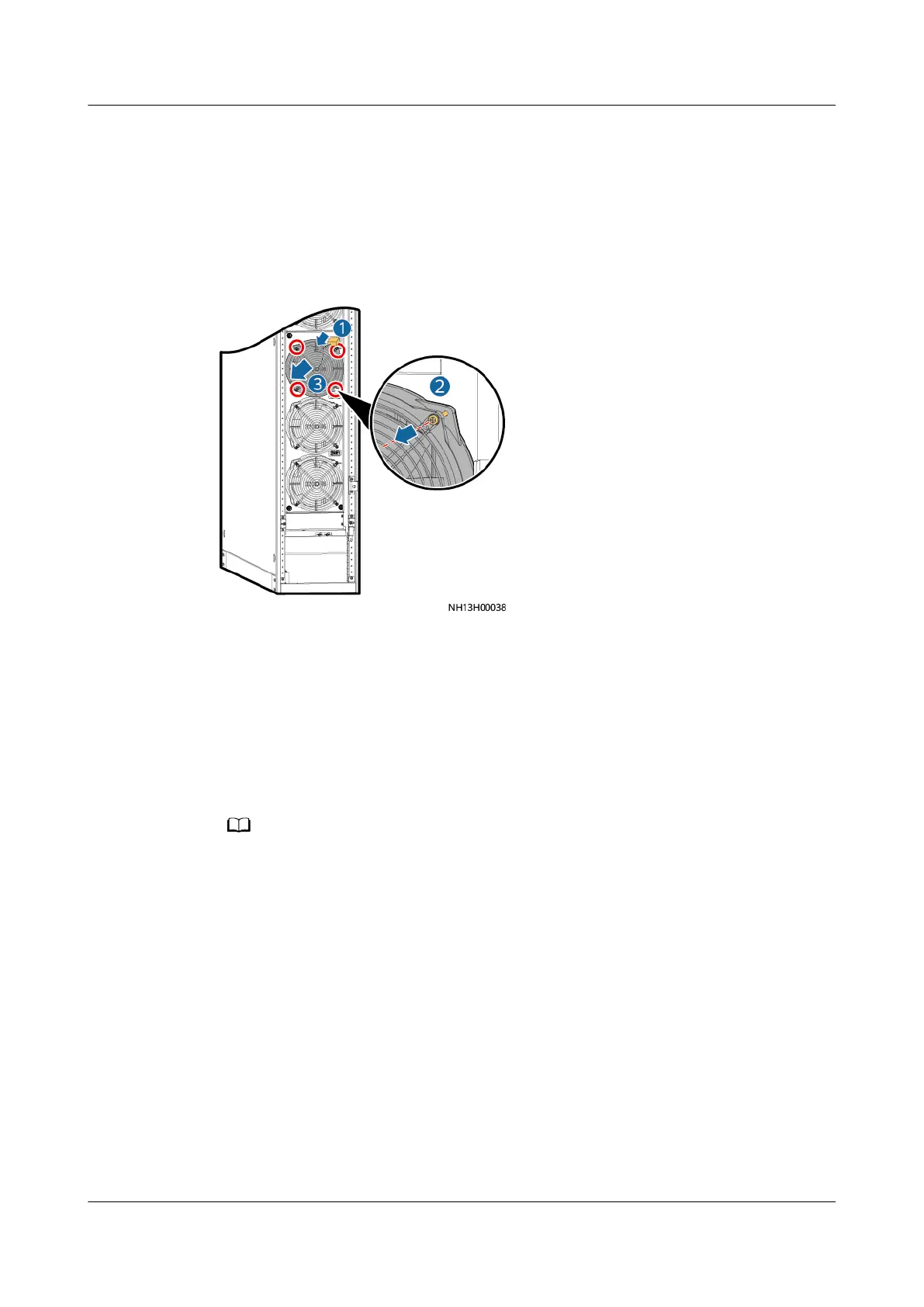
Step 2 Open the front door and turn o the switch for the faulty fan.
Step 3 Cut o the cable tie that binds the cable for the faulty fan, and remove the fan
terminal.
Step 4 Use a Phillips screwdriver to remove the four screws that secure the fan, and
remove the faulty fan and fan guard.
Figure 6-5 Removing a fan
Step 5 Install a new fan and fan guard, connect the connectors, and use a cable tie to
secure the cable.
Step 6 Turn on the switch for the faulty fan and close the front door.
Step 7 On the home screen, choose Maint > Performance Maint to enter the
Performance Maint screen and clear the runtime of the indoor fan.
Step 8 Tap Startup on the home screen and check that the smart cooling product is
running properly and no alarm is generated.
If the indoor fan is maintained after you tap Start, manually clear the alarm.
----End
Follow-up Procedure
Power on the NetCol5000-A, choose Maint > Performance Maint on the home
screen, and clear the indoor fan runtime.
6.5.3 Replacing the
Dierential Pressure Switch
Prerequisites
● The dierential pressure switch needs to be replaced.
● A spare dierential pressure switch of the same model is available and
functional.
NetCol5000-A025 In-row Air Cooled Smart Cooling
Product
User Manual (300 mm Width) 6 System Operation and Maintenance
Issue 15 (2020-12-10) Copyright © Huawei Technologies Co., Ltd. 229







 To Next Page