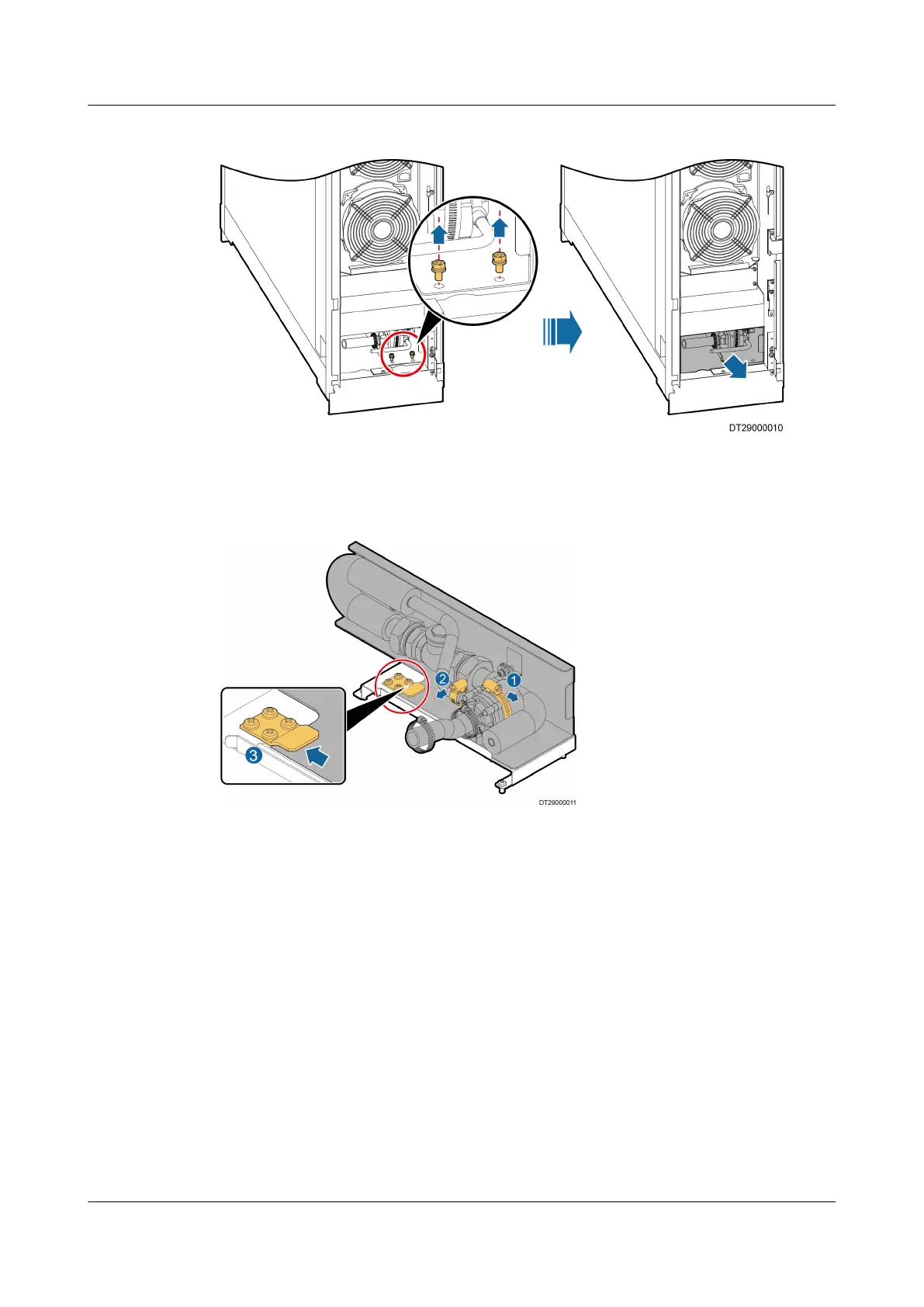
Figure 6-33 Removing a water pump assembly
Step 5 Use a at-head screwdriver to remove the hose clamp from the water pump, and
then remove the pump, as shown in by (1) and (2) in Figure 6-34.
Figure 6-34 Removing a water pump
Step 6 Install a new water pump and reinstall the water pump assembly in the cabinet,
as shown in by (3) in Figure 6-34. Connect the water pipe and secure it using a
hose clamp. Connect the water pump power cable.
Step 7 Remove the blockage from the water pan, reinstall the water pan cover, and then
close the front door.
----End
6.5.15 (Optional) Replacing a
Humidier Water Pump
Prerequisites
● The water pump needs to be replaced.
● A spare water pump of the same model is available and functional.
● Tool: at-head screwdriver
● Before removing the water pump, drain water from the water pan completely.
NetCol5000-A025 In-row Air Cooled Smart Cooling
Product
User Manual (300 mm Width) 6 System Operation and Maintenance
Issue 15 (2020-12-10) Copyright © Huawei Technologies Co., Ltd. 261







 To Next Page