Toggle
Switch
Default
Value Site Operations
4 OFF (Applicable to software version V200R001) This
toggle switch determines whether to restore factory
defaults. Retain the default value (OFF) of this
switch.
----End
3.11.5.2.2 FE teamwork networking
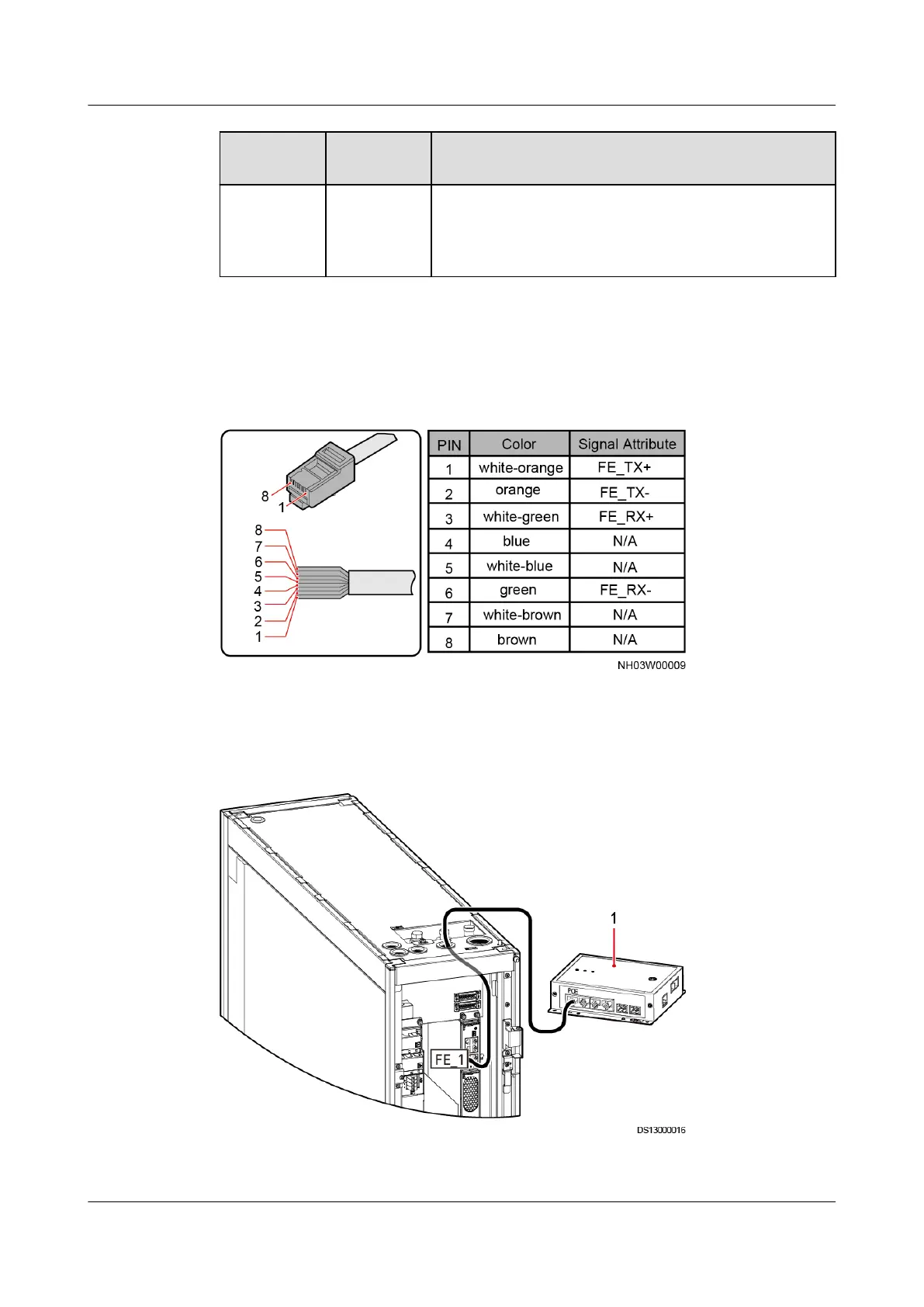
Figure 3-56 Pin sequence of the FE network cable
Step 1 Connect one end of the FE network cable to the FE_1 port on the main control
module and the other end to the PoE port on the smart ETH gateway.
Figure 3-57 FE teamwork network diagram
(1) Smart ETH gateway
NetCol5000-A025 In-row Air Cooled Smart Cooling
Product
User Manual (300 mm Width) 3 Installation Guide
Issue 15 (2020-12-10) Copyright © Huawei Technologies Co., Ltd. 88







 To Next Page